B21, China Town Mall, Midrand

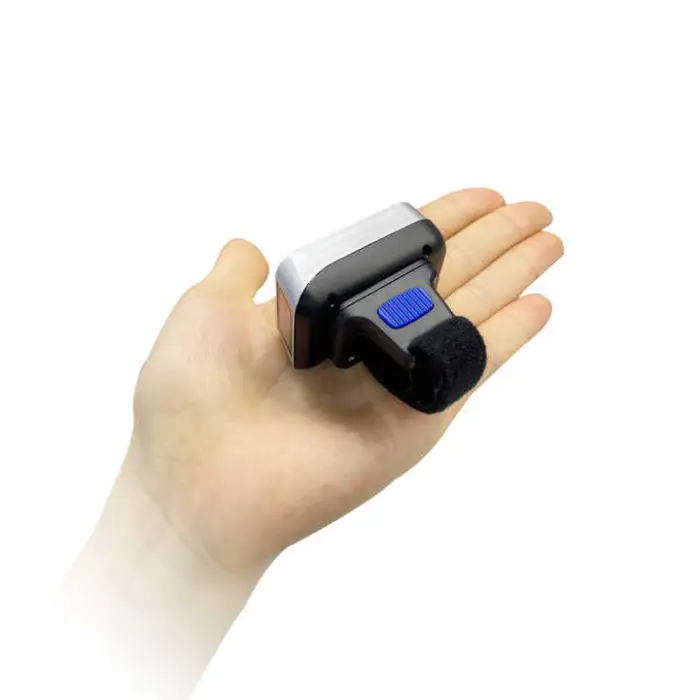
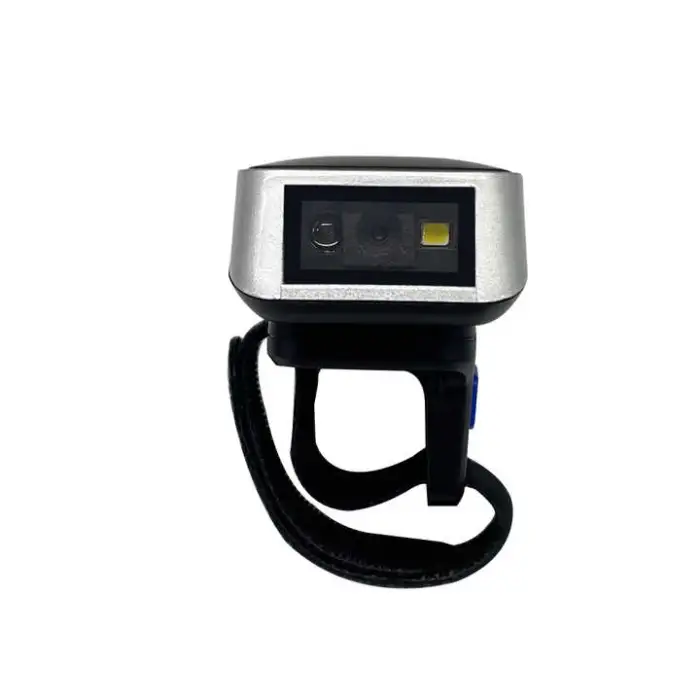
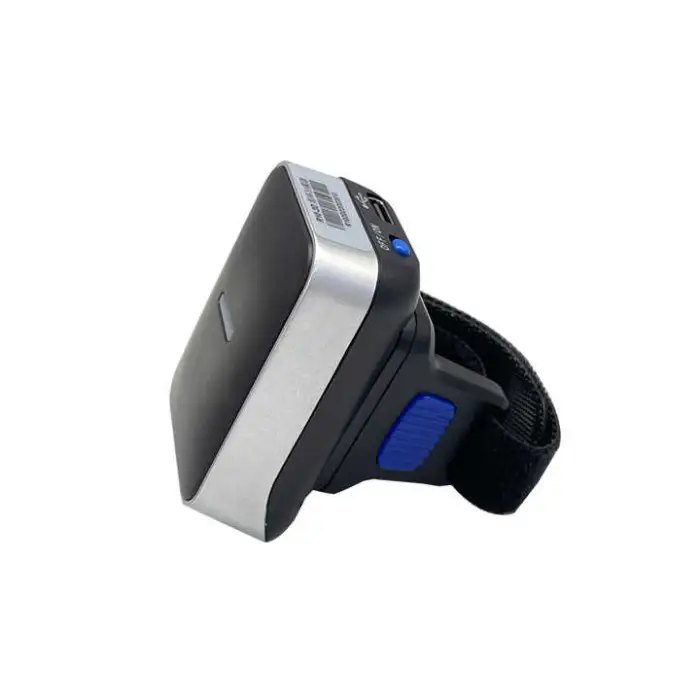
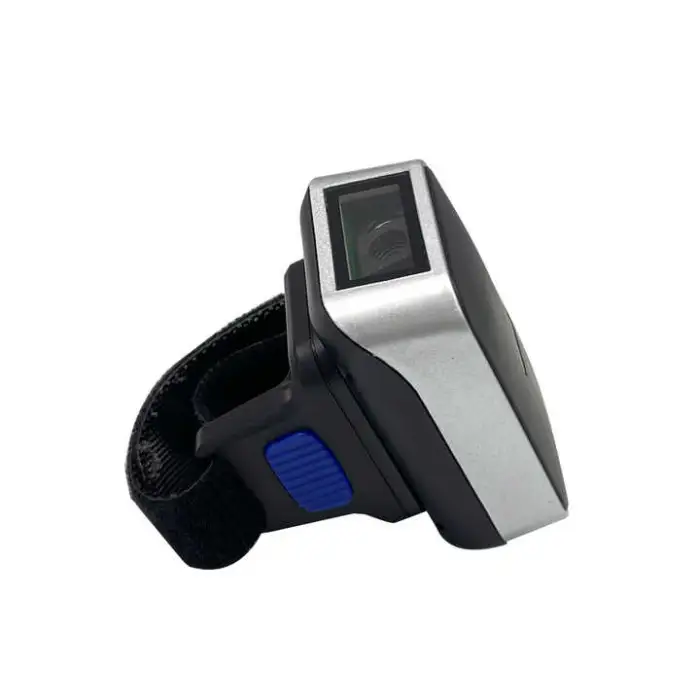
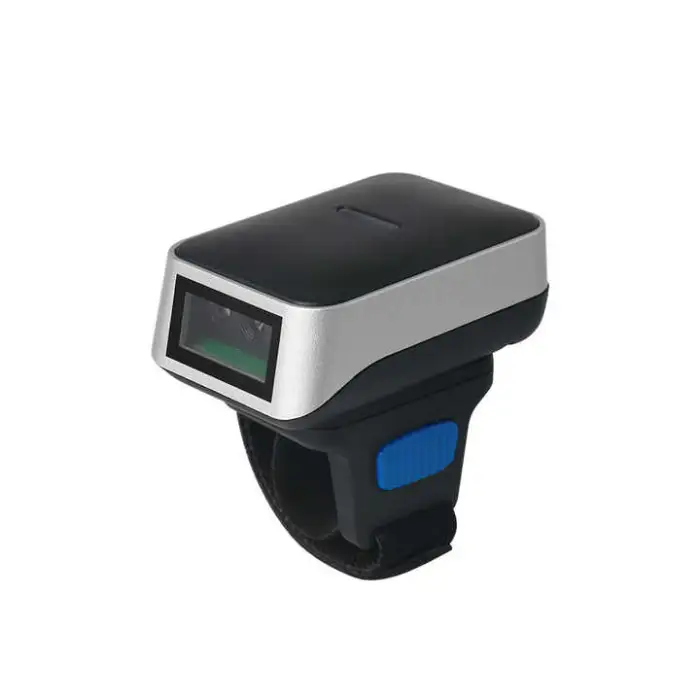
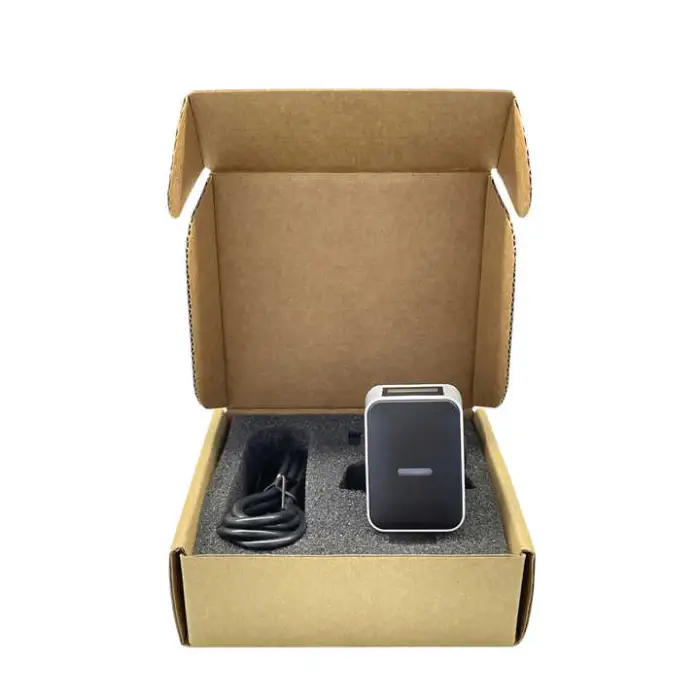
White LED Light Portable USB Interface Barcode Scanner Finger Ring Type

- Section : Consumer Electronics
- Category : Computer Hardware & Software
- SKU : 1600507925722

White LED Light Portable USB Interface Barcode Scanner Finger Ring Type
The White LED Light Portable USB Interface Barcode Scanner Finger Ring Type is a smart and compact device designed for easy barcode scanning. Its unique finger ring shape allows for hands-free operation, making it perfect for various settings. With its advanced technology and lightweight design, this barcode scanner is ideal for businesses that need quick and reliable scanning solutions.
Specifications
| Attribute | Details |
|---|---|
| Product Status | Stock |
| Service | Return and Replacement, Others, Repair, Free spare parts, Onsite Training and Inspection, Call Center and Online Technical Support |
| Type | Barcode Scanner |
| Colour Depth | 32 Bit |
| Interface Type | USB, Wireless |
| Scan Element Type | CMOS |
| Private Mold | Yes |
| Max Paper Size | 10mm |
| Optical Resolution | 640*480 |
| Scan Speed | 70ms |
| Selling Units | Single item |
| Single Package Size | 8X5X3 cm |
| Single Gross Weight | 1.000 KG |
Key Features
- Portable and lightweight design
- USB and wireless interface options
- High-speed scanning at 70ms
- CMOS scan element for accurate scanning
- Onsite training and technical support available
Applications
- Retail stores for quick checkout
- Warehouse inventory management
- Library book tracking
- Event ticket scanning
- Healthcare for patient identification
Product Info Gallery
- Shipping Timeframes: All orders are processed within 2-5 business days (excluding weekends and holidays). After your order has been processed, the estimated delivery time is before 03 Feb, 2026, depending on customs, Please note that due to high demand, some items may experience longer shipping times, which will be communicated at order confirmation email.
- Order Processing Time: Please allow 2-5 business days for us to process your order before it is shipped . Orders placed after 16:00 on Fridays, or during weekends and public holidays, will begin processing on the next business day. Processing times may be extended during peak seasons or sales events.
- Manufacturing Time: Some products needs manufacturing time, the manufacturing process will take approximately 10-30 business days depending on the product. This timeframe may vary depending on the complexity of the product and current demand. but this will be communicated with you during order confirmation.
- Returns and Exchanges: We offer a 30-day return policy for most items. If you are not completely satisfied with your purchase, you may return it within 30 days of receipt for a refund or exchange. Items must be unused, in their original packaging, and accompanied by proof of purchase. Return shipping costs are the responsibility of the customer, unless the item was damaged or defective upon arrival.
1. What is the White LED Light Portable USB Interface Barcode Scanner Finger Ring Type?
It is a compact, finger-ring style barcode scanner with a white LED light, designed for hands-free or single-hand operation. It offers USB and wireless connectivity options, uses a CMOS scanning element with 640 × 480 optical resolution, and provides fast scans (about 70 ms).
2. How do I wear and operate the finger ring scanner?
Slip the ring onto your finger so the scanner lens faces outward. Depending on the model you have, you can scan by aligning the barcode within the field of view and using the scanner's trigger/button or by using automatic motion/scan sensing if supported. Practice positioning to get the best read angle and distance.
3. How do I connect the scanner to a computer or mobile device?
For USB mode, plug the scanner into an available USB port — many systems will recognize it as an HID (keyboard) device without additional drivers. For wireless models, pair using the device's standard wireless method (commonly Bluetooth). Refer to the quick-start instructions included with your unit for pairing steps.
4. Which barcode types can this scanner read?
The scanner is designed to read common barcode formats. Many units reliably read 1D barcodes (UPC, EAN, Code128, Code39, etc.) and some CMOS-based models also read 2D barcodes (QR, Data Matrix). Check your particular model/spec sheet to confirm supported symbologies.
5. What operating systems is the scanner compatible with?
When connected via USB as an HID device, the scanner works with major operating systems including Windows, macOS, Linux and many POS systems. Wireless/Bluetooth models typically pair with Android and iOS devices as well. If your setup needs special drivers or SDKs, contact support.
6. Do I need special software or drivers to use the scanner?
In most cases, no special drivers are required because the scanner operates as a keyboard input device (HID). If your application requires advanced functions (custom key mappings, configuration, or integration), optional drivers or SDKs may be provided — contact technical support for downloads.
7. What is the scanning speed and resolution?
The scanner uses a CMOS element with an optical resolution of 640 × 480 and a typical scan speed around 70 milliseconds per scan, providing fast and accurate reads for most retail and inventory tasks.
8. Is the scanner rechargeable? How long does the battery last?
Wireless variants are rechargeable and typically charge via USB. Battery life varies by model and usage pattern (standby vs. continuous scanning). Consult your specific product documentation or contact support for exact battery capacity and expected runtime.
9. What is the effective scanning distance or range?
Effective range depends on barcode size, density, contrast and lighting. Finger-ring scanners are optimized for close-range scanning — typically a few centimeters up to several tens of centimeters. For precise range information, refer to the model's technical sheet or test with your barcodes.
10. How durable is the scanner? Can it withstand drops or dust?
This scanner is designed to be lightweight and portable for daily business use. It is not guaranteed to be drop-proof or fully dust/waterproof unless the product page specifies an IP rating. Avoid dropping and exposure to liquids. For applications requiring rugged hardware, request model-specific durability specifications.
11. How do I clean and maintain the scanner?
Power the device off before cleaning. Wipe the housing and lens gently with a soft, lint-free cloth slightly dampened with water or isopropyl alcohol. Do not immerse the device or allow liquids to enter ports. Keep the lens free of smudges and debris for optimal scanning performance.
12. What support and service options are available?
Support options include return and replacement, repair, free spare parts (where applicable), onsite training and inspection, and call center/online technical support. Contact your vendor or the support line included with the product for service requests and warranty details.
13. Can the scanner be integrated with POS, inventory or library systems?
Yes. When operating as an HID keyboard device over USB or paired via Bluetooth, the scanner can input barcode data into most POS, inventory management and library systems. For deeper integration (API/SDK), contact technical support to obtain developer resources for your software.
14. What should I do if the scanner isn’t reading barcodes reliably?
First ensure the barcode is undamaged, well-lit and within the recommended read distance and angle. Clean the lens if needed. Confirm correct connection (USB or paired wireless). If problems persist, test known-good barcodes, try different devices or ports, and contact technical support for troubleshooting or replacement under warranty.
Latest Order Arrivals
Discover our latest orders

12 Heads Embroidery Machine

Dewatering Pump Machine

Order Collection

Portable Water Drilling Rig

Order Usefully Collected

Batch of Orders

Agriculture Processing Machines

Meat Grinder Machine

Water Pump Equipment

Packaging Machine and accessories

Fabrics Manufacturing Equipment

Mining Equipments

Food Processing Machine

Batch of Orders

Batch of Orders

Latest Orders Labelled

wheel alignment machines

new arrivals

Pre Orders Offloading

Latest Arrivals

Latest Arrivals