B21, China Town Mall, Midrand

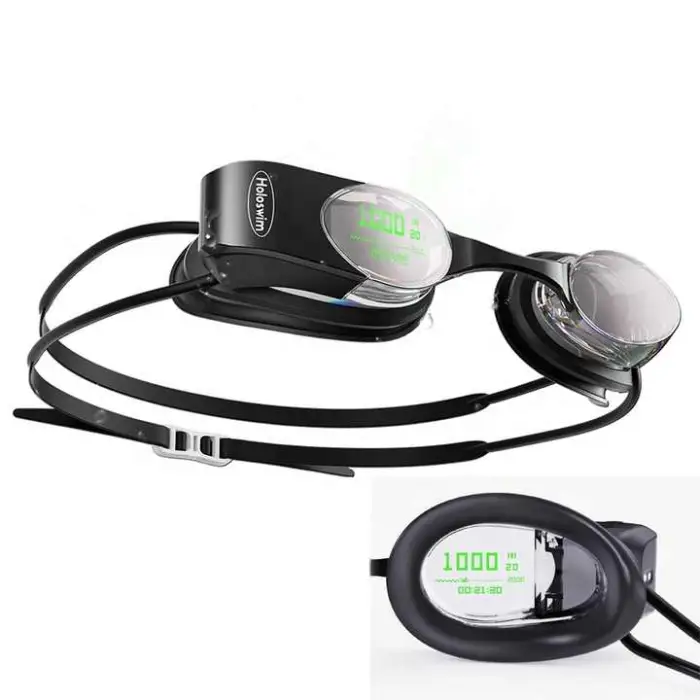
Professional Smart AR Swim Goggles Anti-Fog Training Competition Swimming Racing Glasses Data Display Adult UV Protection

- Section : Sports & Entertainment
- Category : Other Sports & Entertainment Products
- SKU : 1601107305031

Professional Smart AR Swim Goggles Anti-Fog Training Competition Swimming Racing Glasses Data Display Adult UV Protection
The Holoswim Smart Swimming Goggles are perfect for anyone who loves to swim. These advanced goggles not only protect your eyes from UV rays, but they also provide a clear view with their anti-fog technology. Designed for both training and competition, these goggles display important data right in front of you, helping you improve your performance in the pool.
Specifications
| Attribute | Details |
|---|---|
| Type | Anti-fog Swimming |
| Applicable People | Universal |
| Brand Name | Holoswim |
| Model Number | 2S |
| Weight | 70g |
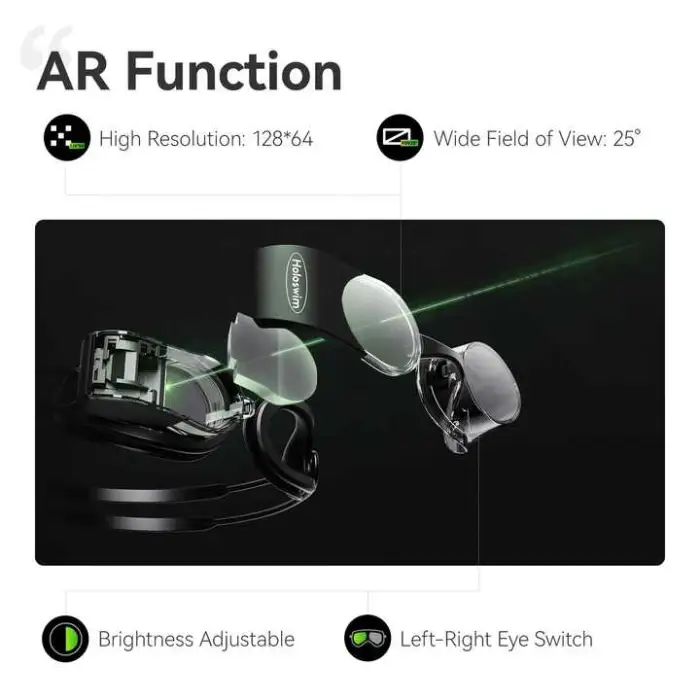
| Optical Solutions | AR holographic resin optical waveguide |
| Image Source | OLED |
| Wireless Frequency | 2400~2480 MHz |
| Max Transmit Power | 8 dbm |
| Selling Units | Single item |
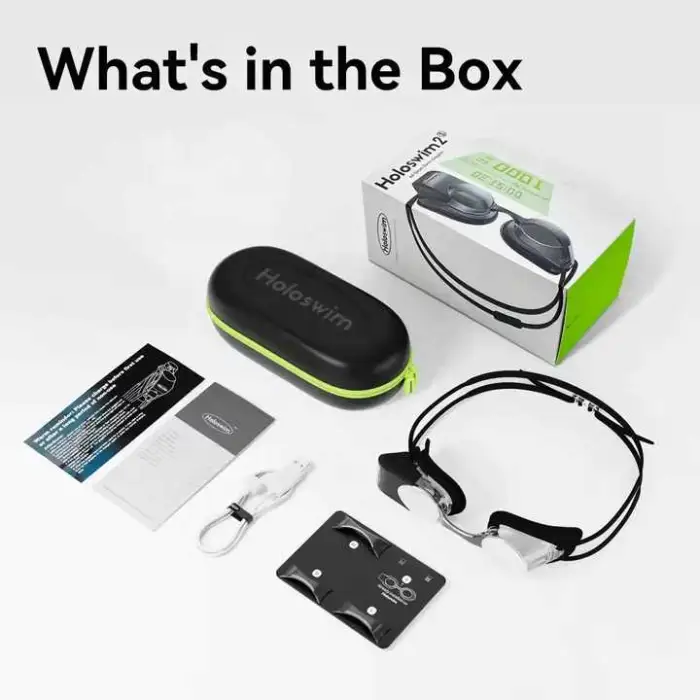
| Single Package Size | 23X18X10 cm |
| Single Gross Weight | 1.500 KG |
Key Features
- Anti-fog technology for a clear view.
- UV protection to safeguard your eyes.
- AR holographic display for real-time data.
- Lightweight design at only 70g.
- Suitable for both training and competition.
Applications
- Ideal for competitive swimmers.
- Perfect for swim training sessions.
- Great for recreational swimming in pools or open water.
- Useful for athletes tracking their performance.
- Helps in improving technique and speed.
Product Info Gallery
- Shipping Timeframes: All orders are processed within 2-5 business days (excluding weekends and holidays). After your order has been processed, the estimated delivery time is before 03 Feb, 2026, depending on customs, Please note that due to high demand, some items may experience longer shipping times, which will be communicated at order confirmation email.
- Order Processing Time: Please allow 2-5 business days for us to process your order before it is shipped . Orders placed after 16:00 on Fridays, or during weekends and public holidays, will begin processing on the next business day. Processing times may be extended during peak seasons or sales events.
- Manufacturing Time: Some products needs manufacturing time, the manufacturing process will take approximately 10-30 business days depending on the product. This timeframe may vary depending on the complexity of the product and current demand. but this will be communicated with you during order confirmation.
- Returns and Exchanges: We offer a 30-day return policy for most items. If you are not completely satisfied with your purchase, you may return it within 30 days of receipt for a refund or exchange. Items must be unused, in their original packaging, and accompanied by proof of purchase. Return shipping costs are the responsibility of the customer, unless the item was damaged or defective upon arrival.
1. What is the AR display and what data does it show?
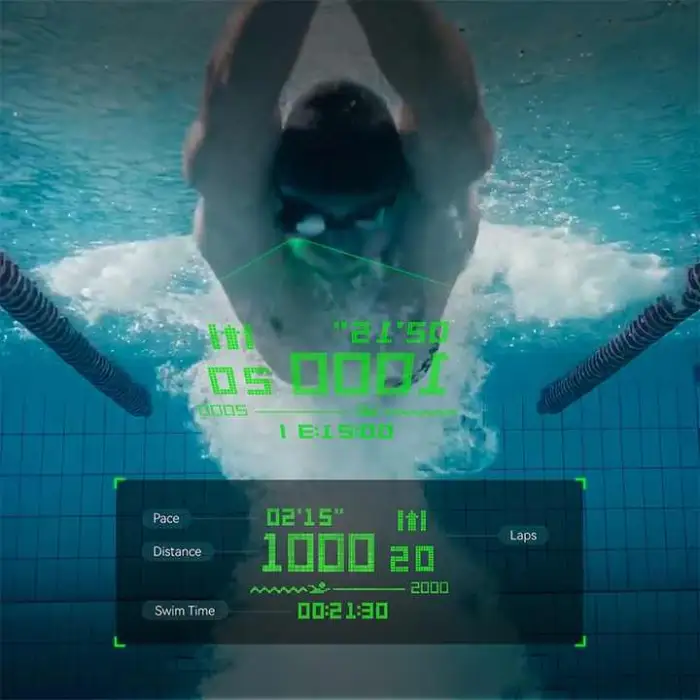
The goggles use an AR holographic resin optical waveguide with an OLED image source to project real-time swim data into your field of view. Typical on-screen metrics include time, lap count, pace, distance and other training reminders — see the user manual or app for full configurable options.
2. Are these goggles suitable for competitions and training?
Yes — they are designed for both training and competition use, combining a low-profile, lightweight (70 g) design with an AR data display to help improve performance in the pool.
3. How do I connect the goggles to my phone or device?
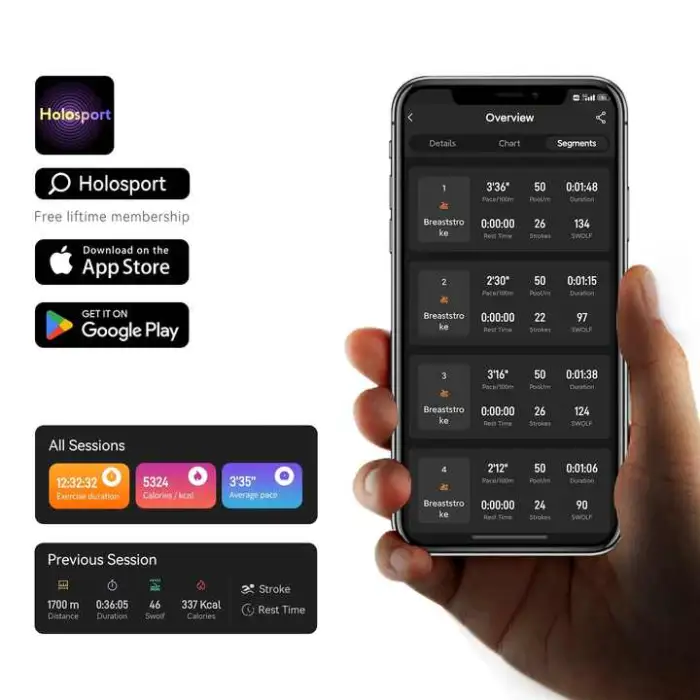
The goggles transmit wirelessly on the 2400–2480 MHz band (typical Bluetooth/2.4 GHz wireless). Use the Holoswim app or the procedure in the user manual to pair and sync data; app compatibility and pairing steps are described in the product documentation.
4. What is the battery type and how long does it last?
The goggles use an internal rechargeable battery. Battery life depends on display brightness and usage; please refer to the included quick start guide for charging instructions, expected run times, and power-saving tips.
5. Are the goggles waterproof and safe for open-water swimming?
Yes — the goggles are built for swimming in pools and open water. For specific IP or depth ratings and care instructions, please consult the product manual before using in high-depth or extreme conditions.
6. Do the lenses have anti-fog and UV protection?
Yes — the goggles feature anti-fog technology for a clear view and provide UV protection to help shield your eyes from sunlight while swimming.
7. How do I clean and maintain the anti-fog coating?
Rinse goggles with fresh water after each use, avoid rubbing the inner lens surface, and air-dry. Use only mild soap and the recommended cleaning methods in the manual; avoid abrasive cloths, solvents or high-heat drying to preserve the anti-fog coating.
8. Can swimmers who wear prescription lenses use these goggles?
These goggles do not include built-in prescription lenses. If you require corrective lenses, check with Holoswim for compatible prescription inserts or aftermarket options, or consult the product support team for recommendations.
9. How do I get the best fit and prevent leaks?
Adjust the split head strap and nose bridge to sit snugly but comfortably around your eye sockets. Ensure the gaskets form a seal on clean, dry skin and adjust straps evenly; guidance and fitting diagrams are provided in the user manual.
10. What should I do if the AR display is dim or not visible?
First check brightness settings and battery level, then ensure the optical waveguide and inner lens are clean. If problems persist, restart the device, re-pair with the app, or contact Holoswim support for troubleshooting and firmware update information.
11. Is there an app and does it store workout data?
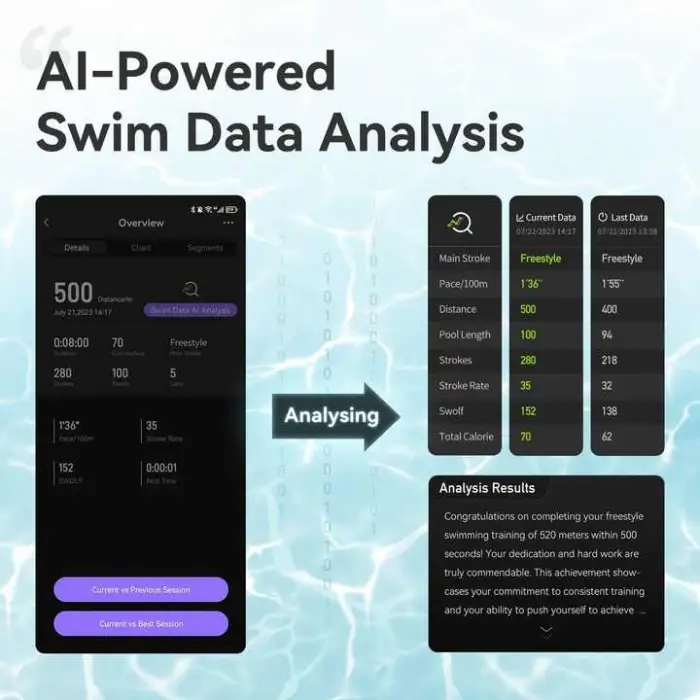
A companion app is available to pair with the goggles and sync swim data for post-session review. The app stores training metrics and may offer export and analysis features; check the product listing or manual for app download details and compatible platforms.
12. What wireless range can I expect and is data transmission secure?
The goggles operate on the 2.4 GHz band with a maximum transmit power of 8 dBm. Typical short-range wireless performance (several meters) is sufficient for pairing with a nearby phone or device. For details on security and data handling, consult the app privacy policy and product documentation.
13. Are replacement parts, like straps or gaskets, available?
Yes — replacement straps, nose bridges and gaskets are commonly available through Holoswim customer service or authorized dealers. Contact Holoswim support with your model number (2S) to order parts or request service information.
Latest Order Arrivals
Discover our latest orders

12 Heads Embroidery Machine

Dewatering Pump Machine

Order Collection

Portable Water Drilling Rig

Order Usefully Collected

Batch of Orders

Agriculture Processing Machines

Meat Grinder Machine

Water Pump Equipment

Packaging Machine and accessories

Fabrics Manufacturing Equipment

Mining Equipments

Food Processing Machine

Batch of Orders

Batch of Orders

Latest Orders Labelled

wheel alignment machines

new arrivals

Pre Orders Offloading

Latest Arrivals

Latest Arrivals