B21, China Town Mall, Midrand

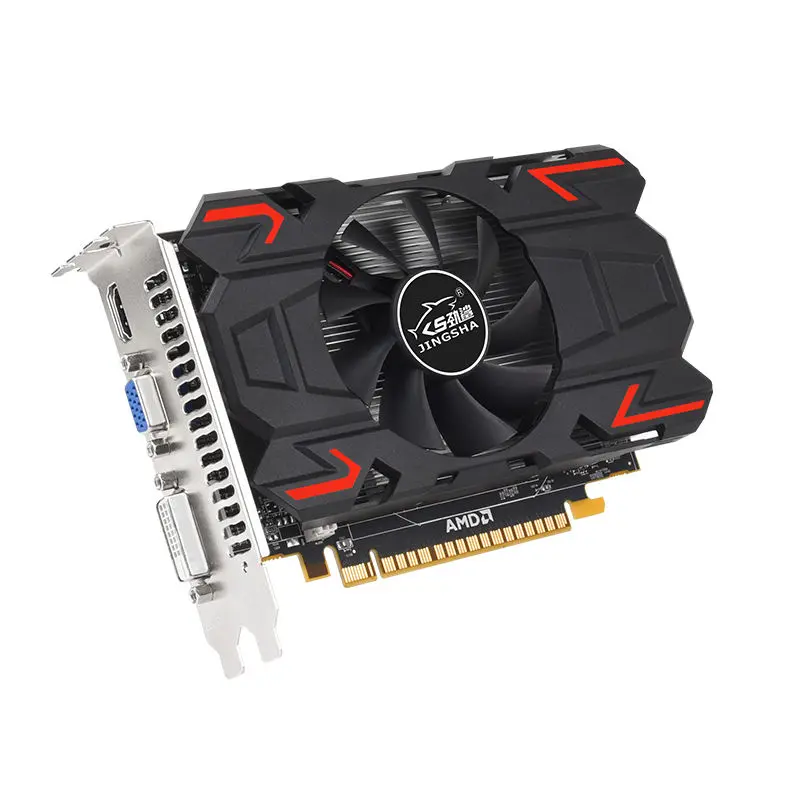
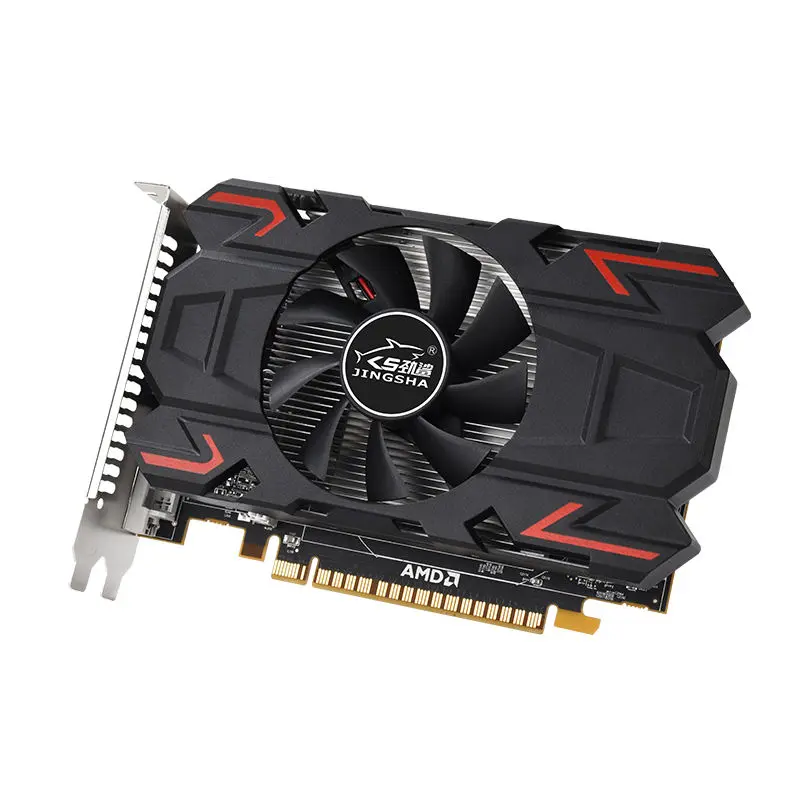
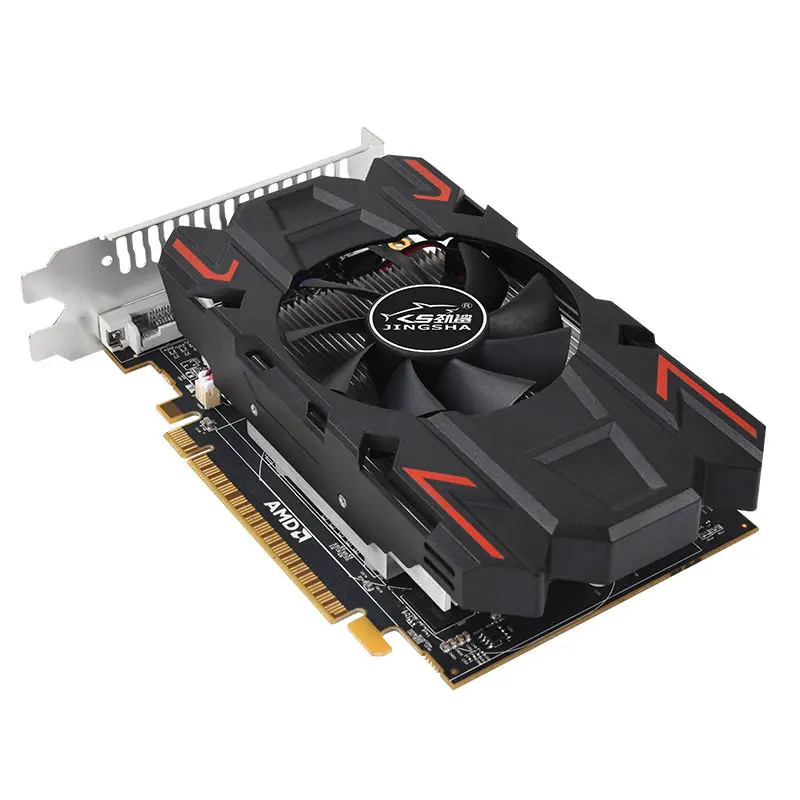
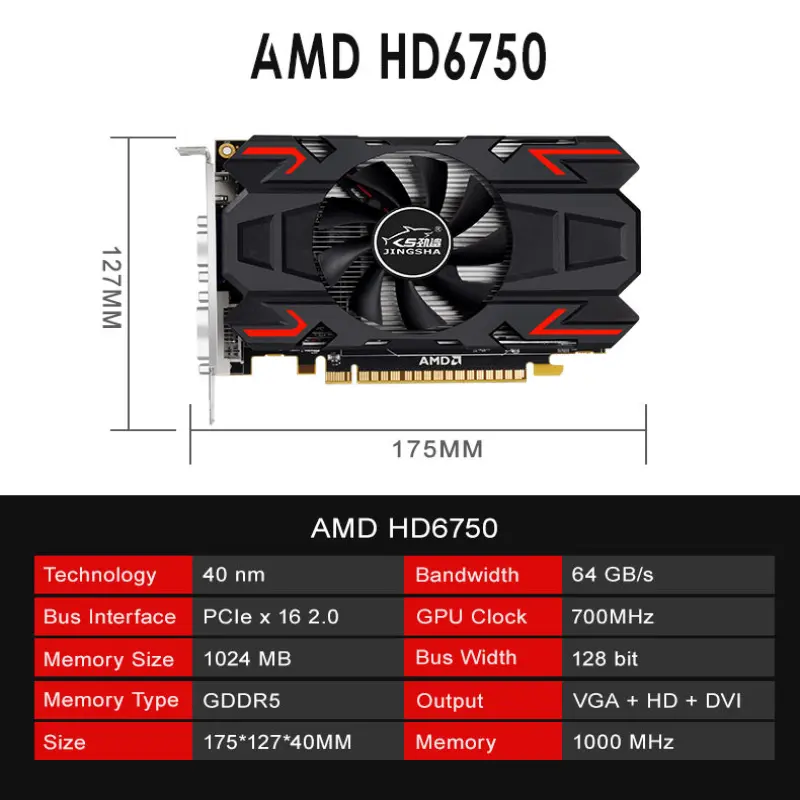
HD6750 Graphics Card – Reliable Performance for Everyday Use

- Section : Computers
- Category : Graphic Cards
- SKU : 1600571478722

HD6750 Graphics Card – Reliable Performance for Everyday Use
The HD6750 Graphics Card is an excellent choice for those seeking solid graphics performance for general computing, gaming, and professional applications. With a combination of powerful clock speeds and memory bandwidth, this card provides smooth graphics rendering for your desktop setup.
Key Features:
- Technology: Built on a 40nm technology process, ensuring efficient power consumption and performance.
- GPU Clock: The 700 MHz GPU clock allows for responsive graphics rendering, suitable for everyday tasks and moderate gaming.
- VRAM Capacity: Equipped with 1024MB of GDDR5 memory, offering fast memory access for high-quality visuals.
- Memory Clock: With a memory clock of 1000 MHz, the card enhances performance by providing higher memory speeds for better image rendering.
- Bus Interface: The PCIe X16 2.0 bus interface supports faster data transfer between the GPU and the rest of your system, allowing for smooth performance.
- Bandwidth: 64 GB/s bandwidth ensures quick data processing, reducing lag and bottlenecks in demanding applications.
- Outputs: The card includes VGA, DVI, and HDMI-compatible interfaces, providing versatile options for connecting to various displays.
- Dimensions: The 17512740MM dimensions make it compact and easy to fit into most PC builds.
- VRAM Type: Uses GDDR5, a high-performance memory type, allowing for faster video processing and high-definition image rendering.
The HD6750 Graphics Card is designed to meet the needs of users who require reliable graphics performance without sacrificing quality, making it ideal for a wide range of applications, from casual gaming to everyday desktop tasks.
Product Info Gallery


- Shipping Timeframes: All orders are processed within 2-5 business days (excluding weekends and holidays). After your order has been processed, the estimated delivery time is before 25 Dec, 2025, depending on customs, Please note that due to high demand, some items may experience longer shipping times, which will be communicated at order confirmation email.
- Order Processing Time: Please allow 2-5 business days for us to process your order before it is shipped . Orders placed after 16:00 on Fridays, or during weekends and public holidays, will begin processing on the next business day. Processing times may be extended during peak seasons or sales events.
- Manufacturing Time: Some products needs manufacturing time, the manufacturing process will take approximately 10-30 business days depending on the product. This timeframe may vary depending on the complexity of the product and current demand. but this will be communicated with you during order confirmation.
- Returns and Exchanges: We offer a 30-day return policy for most items. If you are not completely satisfied with your purchase, you may return it within 30 days of receipt for a refund or exchange. Items must be unused, in their original packaging, and accompanied by proof of purchase. Return shipping costs are the responsibility of the customer, unless the item was damaged or defective upon arrival.
1. What are the key specifications of the HD6750 Graphics Card?
The HD6750 features a 700 MHz GPU clock, 1024 MB GDDR5 VRAM with a 1000 MHz memory clock, built on a 40 nm process. It uses a PCIe x16 2.0 interface and offers up to 64 GB/s bandwidth. Video outputs include VGA, DVI and HDMI. Physical dimensions are approximately 175 x 127 x 40 mm.
2. Which systems is the HD6750 compatible with?
The card is compatible with desktop PCs that have a free PCIe x16 slot. It is backward compatible with older PCIe versions. Ensure your case has enough clearance for the card's dimensions and your power supply meets the card's power requirements.
3. What power supply do I need for the HD6750?
Power requirements vary by manufacturer model and system configuration. As a general guideline, a quality 400–500W PSU from a reputable brand is typically sufficient for systems using this card. Some variants may require an auxiliary 6‑pin PCIe power connector — check the specific product label or seller specs before purchase.
4. What kind of performance can I expect for gaming and everyday use?
The HD6750 delivers reliable performance for everyday desktop tasks, HD video playback, and moderate gaming at 1080p with medium settings for many titles. It is not targeted at the latest AAA games at maximum settings but provides smooth performance for casual and older games and general productivity.
5. Does the HD6750 support multiple displays?
Yes — the card includes VGA, DVI and HDMI outputs and can support multi-monitor setups. The number of simultaneous displays supported depends on the exact card variant and its internal routing; most common variants support at least dual-monitor setups. For 3+ displays, check whether the specific model supports AMD Eyefinity or includes DisplayPort outputs.
6. What maximum resolutions does the card support?
The HD6750 comfortably supports Full HD (1920x1080) via HDMI, DVI or VGA. Higher resolutions (for example up to 2560x1600) can be achieved if the card's DVI is dual-link or via compatible digital outputs; exact limits depend on the card variant and monitor inputs.
7. Are drivers available and which operating systems are supported?
Drivers for the HD6750 are available from the card manufacturer and from AMD's driver/download site (legacy drivers). The card is supported on many operating systems including Windows (legacy driver support for Windows 7/8/10) and various Linux distributions. Always download the latest compatible driver from the vendor or AMD for best stability.
8. Can I use this card for professional applications like CAD or video editing?
The HD6750 can accelerate general-purpose graphics tasks and helps with video playback and moderate editing workflows. For intensive professional CAD, 3D rendering or heavy video production tasks, workstation-class GPUs with larger memory and certified drivers are recommended.
9. Is the HD6750 suitable for HTPC (Home Theater PC) use?
Yes. With HDMI output and GDDR5 memory, the HD6750 handles HD video playback, streaming and desktop media tasks well. It’s a solid choice for a compact HTPC if you need reliable 1080p playback and basic media features.
10. Does the card support hardware video acceleration and modern codecs?
The HD6750 supports common hardware video acceleration features available for its generation (accelerated H.264 and other codecs supported at the time). Support for very new codecs may be limited compared to modern GPUs — check software codec/decoder compatibility for specific applications.
11. How do I install the HD6750 in my PC?
Turn off and unplug your PC, open the case, remove the appropriate expansion slot cover, insert the card into an available PCIe x16 slot and secure it. Connect any required auxiliary power cable if present, close the case, boot the system and install the latest drivers from the manufacturer or AMD.
12. Can the HD6750 be overclocked?
Some HD6750 cards can be overclocked using third-party utilities (e.g., MSI Afterburner), but overclocking results vary by board design and cooling. Overclocking may increase temperatures, power draw and noise, and can void warranties — proceed cautiously and monitor temps and stability.
13. What cooling and noise characteristics should I expect?
Cooling design varies by card manufacturer. In general, the HD6750 is a mid-range card with modest thermal output; reference and single-fan aftermarket coolers typically run quietly at idle and moderately under load. Check the specific model’s cooler design and reviews for noise/thermal measurements.
14. Does the card come with a warranty and technical support?
Warranty terms vary by brand and retailer. Check the product listing or manufacturer documentation for warranty length, return policy and support options before purchase.
15. What should I check before buying the HD6750 as an upgrade?
Verify physical clearance in your case (approx. 175 x 127 x 40 mm), that your PSU has sufficient wattage and any required 6‑pin connector, that your motherboard has a PCIe x16 slot, and that drivers for your OS are available. Also consider whether the card’s performance meets your current and near-future needs.
Latest Order Arrivals
Discover our latest orders

12 Heads Embroidery Machine

Dewatering Pump Machine

Order Collection

Portable Water Drilling Rig

Order Usefully Collected

Batch of Orders

Agriculture Processing Machines

Meat Grinder Machine

Water Pump Equipment

Packaging Machine and accessories

Fabrics Manufacturing Equipment

Mining Equipments

Food Processing Machine

Batch of Orders

Batch of Orders

Latest Orders Labelled

wheel alignment machines

new arrivals

Pre Orders Offloading

Latest Arrivals

Latest Arrivals