B21, China Town Mall, Midrand

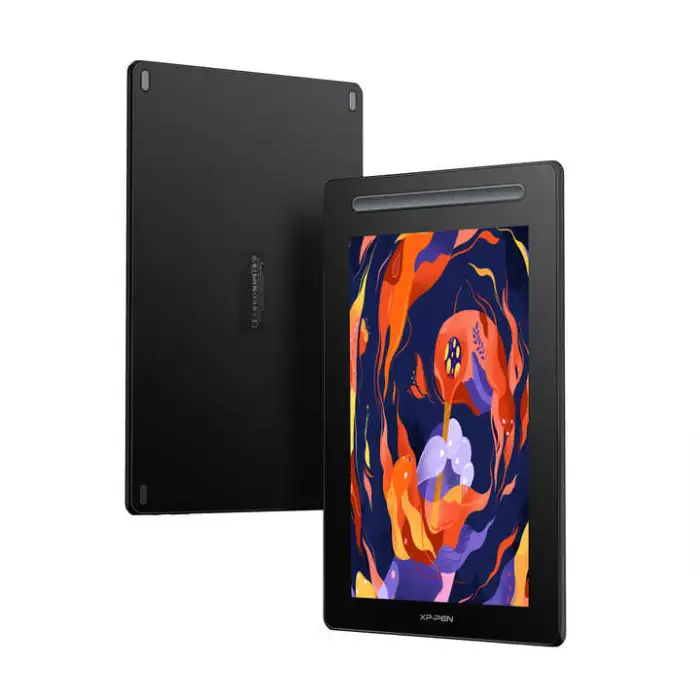
XPPEN Artist 16 2nd Digital Design Screen X3 Smart Chip Pen Display Drawing Graphic Tablet

- Section : Consumer Electronics
- Category : Computer Hardware & Software
- SKU : 1600602804167

XPPEN Artist 16 2nd Digital Design Screen X3 Smart Chip Pen Display Drawing Graphic Tablet
The XPPEN Artist 16 2nd Digital Design Screen is the perfect tool for artists and designers. This pen display drawing tablet is designed to bring your creative ideas to life. With its advanced features and sleek design, you can create stunning artwork with ease. Whether you are a beginner or a pro, this tablet is made for you!
Specifications
| Attribute | Details |
|---|---|
| Product Name | Artist 16 Drawing Display (2nd Gen) |
| Dimensions | 434 x 255.8 x 12.89 mm |
| Work Area | 340.99 x 191.81 mm |
| Stylus | X3 Elite Plus |
| Tilt | 60 degrees |
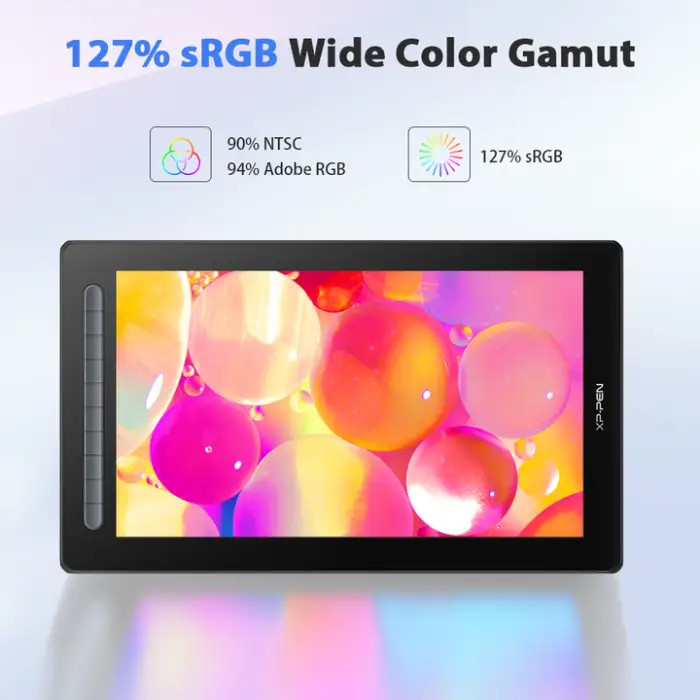
| Color Gamut (typical) | 90% NTSC, 127% sRGB, 94% Adobe RGB |
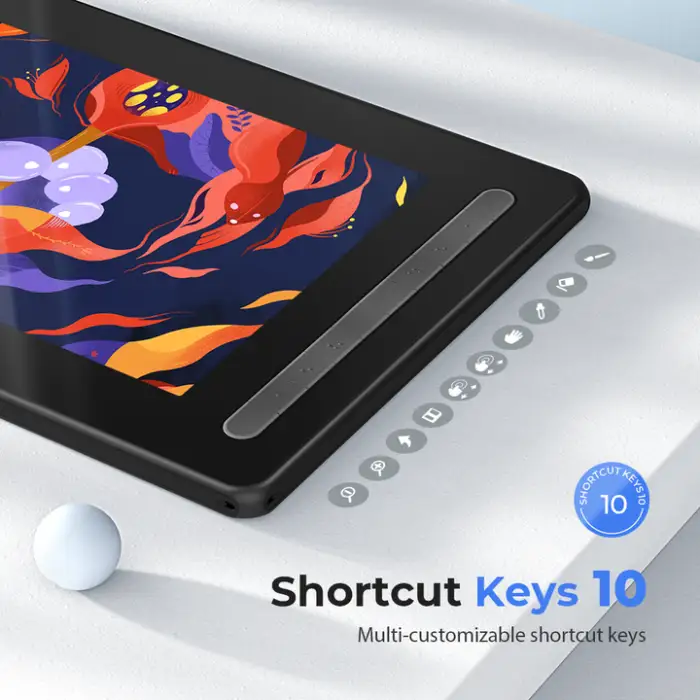
| Shortcut Keys | 10 |
| Resolution | 5080 LPI |
| Compatibility | Windows 7 (or later), Mac OS X 10.10 (or later) |
| Selling Units | Single item |
| Single Package Size | 39 x 23 x 19 cm |
| Single Gross Weight | 2.500 KG |
Key Features
- Large 16-inch display for a spacious drawing area.
- High color accuracy with 90% NTSC gamut.
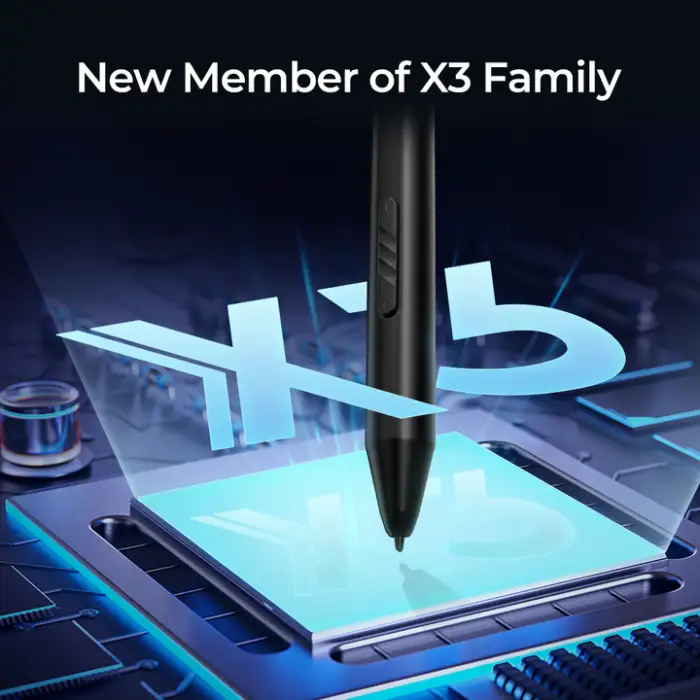
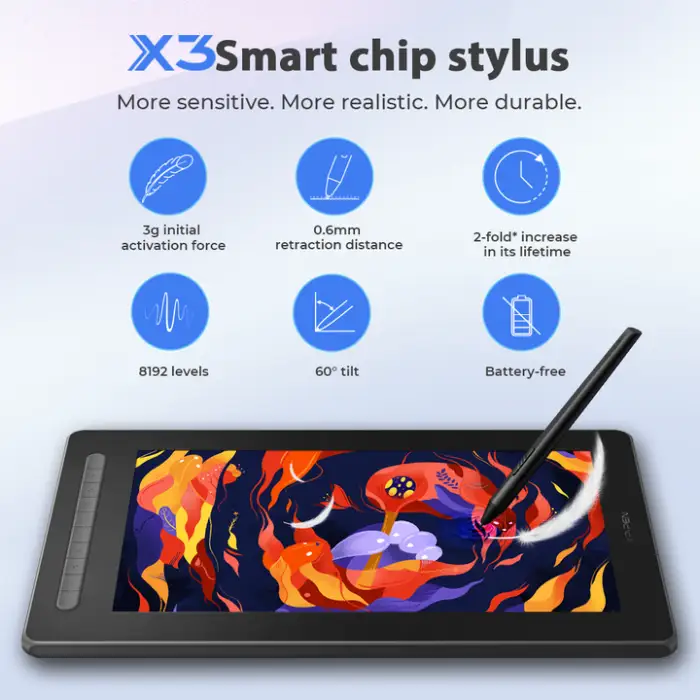
- X3 Elite Plus stylus for precise control.
- Supports 60-degree tilt for natural drawing angles.
- 10 customizable shortcut keys for quick access to tools.
Applications
- Digital painting and illustration.
- Graphic design projects.
- Animation and video game design.
- Photo editing and retouching.
- Creative expression for hobbyists and professionals alike.
Product Info Gallery
- Shipping Timeframes: All orders are processed within 2-5 business days (excluding weekends and holidays). After your order has been processed, the estimated delivery time is before 03 Jul, 2026, depending on customs, Please note that due to high demand, some items may experience longer shipping times, which will be communicated at order confirmation email.
- Order Processing Time: Please allow 2-5 business days for us to process your order before it is shipped . Orders placed after 16:00 on Fridays, or during weekends and public holidays, will begin processing on the next business day. Processing times may be extended during peak seasons or sales events.
- Manufacturing Time: Some products needs manufacturing time, the manufacturing process will take approximately 10-30 business days depending on the product. This timeframe may vary depending on the complexity of the product and current demand. but this will be communicated with you during order confirmation.
- Returns and Exchanges: We offer a 30-day return policy for most items. If you are not completely satisfied with your purchase, you may return it within 30 days of receipt for a refund or exchange. Items must be unused, in their original packaging, and accompanied by proof of purchase. Return shipping costs are the responsibility of the customer, unless the item was damaged or defective upon arrival.
1. What is the XPPEN Artist 16 2nd Digital Design Screen?
It is a 16-inch pen display drawing tablet (2nd Gen) designed for digital painting, illustration, graphic design, animation, photo editing and other creative work, featuring the X3 Elite Plus stylus, 60° tilt support, and 10 customizable shortcut keys.
2. Which operating systems are supported?
The tablet is compatible with Windows 7 or later and macOS X 10.10 or later. Always check the latest drivers on XPPEN's website for up-to-date OS support.
3. What are the display and work area dimensions?
Overall dimensions are 434 x 255.8 x 12.89 mm, with a usable work area of 340.99 x 191.81 mm.
4. What stylus comes with the tablet and what are its capabilities?
The tablet uses the X3 Elite Plus stylus. It supports precise input and 60-degree tilt for natural drawing angles. For exact pressure-sensitivity specifications, refer to the product page or driver documentation.
5. What does the 5080 LPI resolution specification mean?
5080 LPI (lines per inch) indicates the pen's tracking resolution — how finely the tablet detects the pen position. Higher LPI means finer tracking for detailed work.
6. How good is the color performance?
The display offers high color accuracy with typical coverage of 90% NTSC, 127% sRGB and 94% Adobe RGB, making it suitable for color-critical work.
7. How do the shortcut keys work and can they be customized?
There are 10 shortcut keys on the tablet that can be customized through XPPEN's driver/software to assign frequently used tools, shortcuts or macros to speed up your workflow.
8. Which creative applications are supported?
The tablet works with most major creative applications such as Adobe Photoshop, Illustrator, Lightroom, Clip Studio Paint, Corel Painter, Krita, Affinity Photo, and many animation or 3D programs. Check the specific software compatibility on the XPPEN site if in doubt.
9. How do I install drivers and set up the tablet?
Download the latest driver for your OS from XPPEN's official website, install it, then connect the tablet to your computer using the supplied cables. Use the driver utility to calibrate the pen, map the screen/work area and configure shortcut keys.
10. Can I use the tablet with a laptop or multiple monitors?
Yes — the Artist 16 can be used with laptops. Multi-monitor setups are supported via the driver where you can map the tablet to a specific display. Exact multi-monitor behavior depends on your OS and graphics configuration.
11. What kind of connectivity or cables are required?
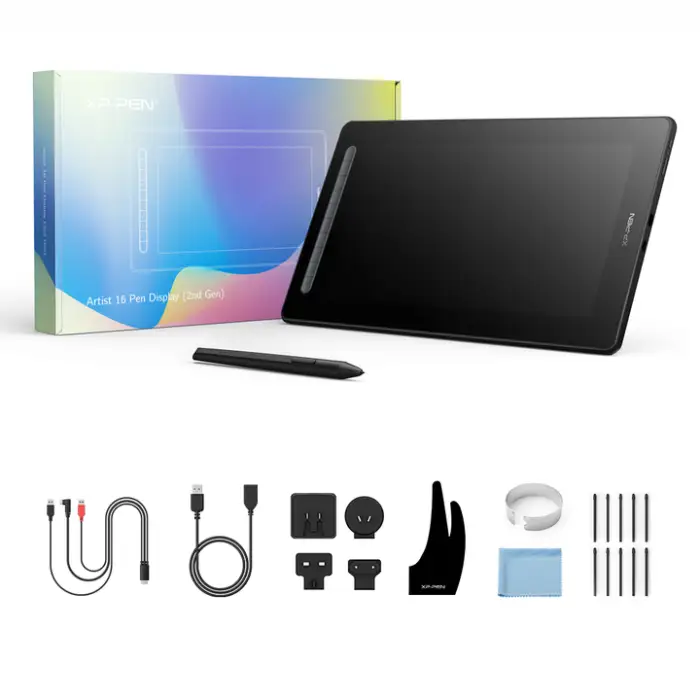
Cable types can vary by bundle; typical pen displays use HDMI/USB or USB-C connections. Refer to the retailer listing or included quick guide to confirm the exact cables provided with your unit.
12. Are replacement nibs and accessories available?
Replacement pen nibs, pen holders and other accessories are typically available from XPPEN or authorized resellers. Check XPPEN's shop or support pages for compatible parts.
13. How do I care for and clean the display?
Turn off and unplug the tablet before cleaning. Use a soft, lint-free cloth slightly dampened with water or screen-safe cleaner. Avoid harsh chemicals, excessive moisture and abrasive materials to protect the screen coating.
14. Is technical support and warranty available?
XPPEN provides customer support and warranty service. Warranty length and terms vary by region and retailer — check your purchase documentation or contact XPPEN support/your seller for details and to register your product if required.
15. Who is the Artist 16 2nd Gen best suited for?
It suits hobbyists, students and professional artists/designers who want a mid-sized display with accurate color, tilt support and customizable shortcut keys — a balance between portability and a generous drawing area.
Latest Order Arrivals
Discover our latest orders

12 Heads Embroidery Machine

Toilet Paper Machine Machine

Order Collection

Cross Border Clients

Order cros border countries Collected

Industrial Machine Cllection

Agriculture Processing Machines

Ready for collection

Water Pump Equipment

Packaging Machine and accessories

Fabrics Manufacturing Equipment

Mining Equipments

Food Processing Machine

Batch of Orders

Batch of Orders

Latest Orders Labelled

wheel alignment machines

new arrivals

Pre Orders Offloading

Latest Arrivals

Latest Arrivals

Latest Arrivals

Loading

Toilet paper making machine

Toilet paper making machine

Toilet paper Rewinding Machine

latest arrivals

offloading

order success

order collection

order offloading