B21, China Town Mall, Midrand

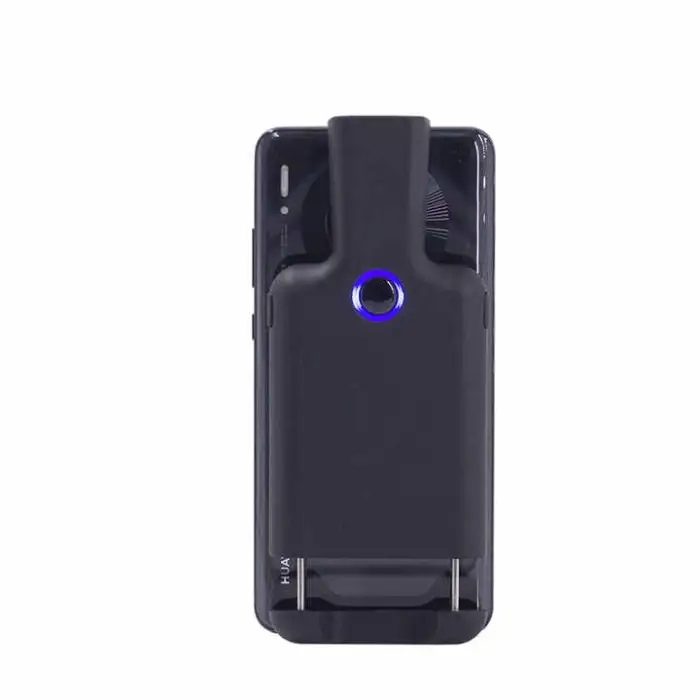
Portable Back Clip Barcode Scanner 1D 2D Qr Code Android Bar Code Reader Wireless 2.4G bluetooth Barcode Scanner

| Quantity | Price |
|---|---|
| 10 | R12,340 |
| 15 | R17,536 |
| 20 | R22,083 |
- Section : Consumer Electronics
- Category : Computer Hardware & Software
- SKU : 1601276636650

Portable Back Clip Barcode Scanner 1D 2D QR Code Android Bar Code Reader Wireless 2.4G Bluetooth Barcode Scanner
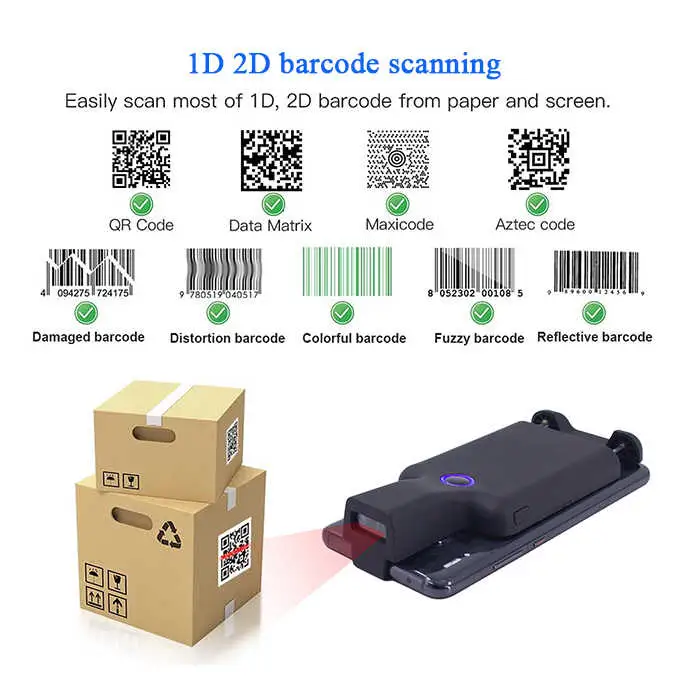
The Portable Back Clip Barcode Scanner is a smart and handy tool for your scanning needs. It reads both 1D and 2D barcodes, including QR codes, making it perfect for various applications. With wireless connectivity options like Bluetooth and 2.4G, you can easily connect it to your Android devices. Its lightweight design and durable construction make it ideal for use on the go.
Specifications
| Attribute | Details |
|---|---|
| Product Status | Stock |
| Service | Return and Replacement |
| Type | Barcode Scanner |
| Colour | Black |
| Depth | 32 Bit |
| Interface Type | USB, BT/2.4G |
| Scan Element Type | CMOS |
| Max Paper Size | 600*600mm |
| Optical Resolution | 5mil |
| Selling Units | Single item |
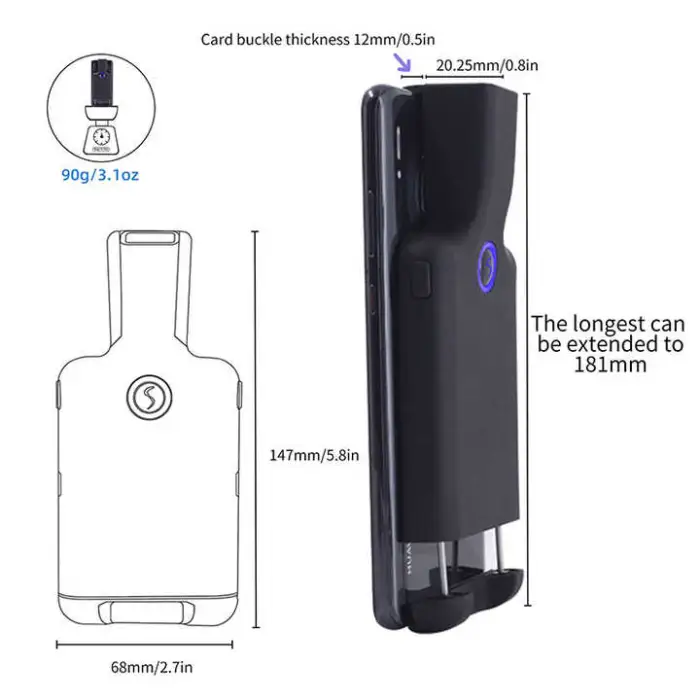
| Single Package Size | 15X8X3 cm |
| Single Gross Weight | 0.400 KG |
Key Features
- Reads 1D and 2D barcodes, including QR codes.
- Wireless connectivity with Bluetooth and 2.4G.
- Lightweight and portable design.
- Durable construction for everyday use.
- Compatible with Android devices.
- Easy to set up and use.
Applications
- Retail environments for quick sales processing.
- Inventory management in warehouses.
- Event check-in and ticket scanning.
- Library systems for book checkouts.
- Healthcare for patient management and tracking.
- Logistics for shipping and receiving items.
Product Info Gallery

- Shipping Timeframes: All orders are processed within 2-5 business days (excluding weekends and holidays). After your order has been processed, the estimated delivery time is before 03 Feb, 2026, depending on customs, Please note that due to high demand, some items may experience longer shipping times, which will be communicated at order confirmation email.
- Order Processing Time: Please allow 2-5 business days for us to process your order before it is shipped . Orders placed after 16:00 on Fridays, or during weekends and public holidays, will begin processing on the next business day. Processing times may be extended during peak seasons or sales events.
- Manufacturing Time: Some products needs manufacturing time, the manufacturing process will take approximately 10-30 business days depending on the product. This timeframe may vary depending on the complexity of the product and current demand. but this will be communicated with you during order confirmation.
- Returns and Exchanges: We offer a 30-day return policy for most items. If you are not completely satisfied with your purchase, you may return it within 30 days of receipt for a refund or exchange. Items must be unused, in their original packaging, and accompanied by proof of purchase. Return shipping costs are the responsibility of the customer, unless the item was damaged or defective upon arrival.
1. What types of barcodes does this scanner read?
It reads both 1D and 2D barcodes, including common linear codes and QR codes. The scanner uses a CMOS imaging element with an optical resolution of 5 mil for reliable decoding of typical barcode labels.
2. Which devices and operating systems is the scanner compatible with?
The scanner is explicitly compatible with Android devices. It also supports USB and 2.4G wireless connections, so it can typically work with Windows PCs (via USB or 2.4G dongle). iOS compatibility may vary—check the product listing or seller for iOS support and any required apps.
3. How do I pair the scanner with an Android device over Bluetooth?
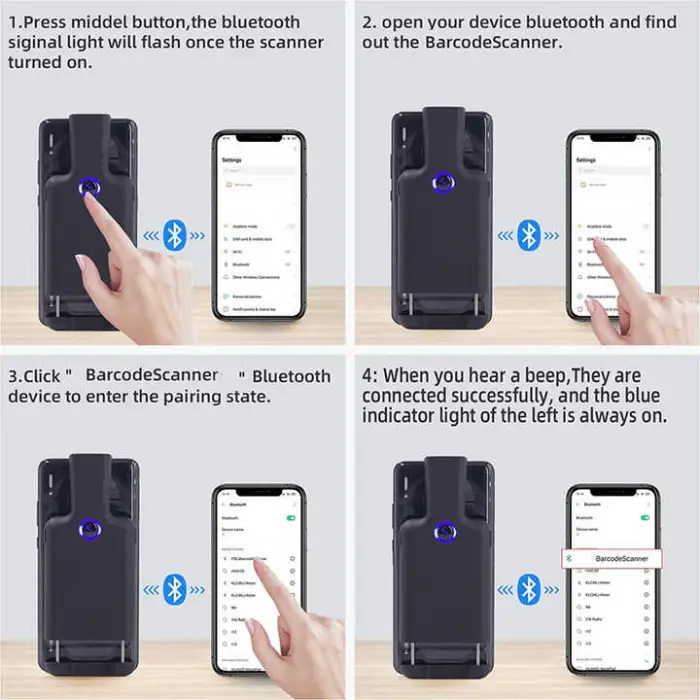
Turn on the scanner and enable Bluetooth on your Android device. Search for available Bluetooth devices and select the scanner (it may appear as 'Barcode Scanner' or similar). If a PIN is requested, try '0000' or '1234' or follow the pairing code shown in the scanner manual. Once paired, the scanner typically behaves as a keyboard input (HID) and scanned data is entered where the cursor is active.
4. How do I use the 2.4G wireless mode?
Plug the included 2.4G USB dongle into your host device (PC or Android device with OTG support). Power on the scanner; it should automatically pair with the dongle and start transmitting scans as keyboard input. No additional driver is usually required for basic operation.
5. Can I connect the scanner via USB?
Yes. The scanner supports a USB interface. When connected by USB, it normally operates as a keyboard (HID) device so scans appear where the text cursor is active. For Android devices you may need an OTG adapter to use USB mode.
6. Are drivers or special software required?
For basic use (keyboard/HID mode) no drivers are typically required on Android or modern Windows systems. If you need advanced features or serial (COM) mode, there may be optional drivers or an SDK—check the product documentation or contact the seller for developer resources.
7. What is the expected scanning area or maximum paper size supported?
The scanner lists a maximum paper size of 600 x 600 mm for scanned items. Actual readable area and effective distance depend on barcode size, resolution, print quality and ambient lighting.
8. How portable and durable is the device?
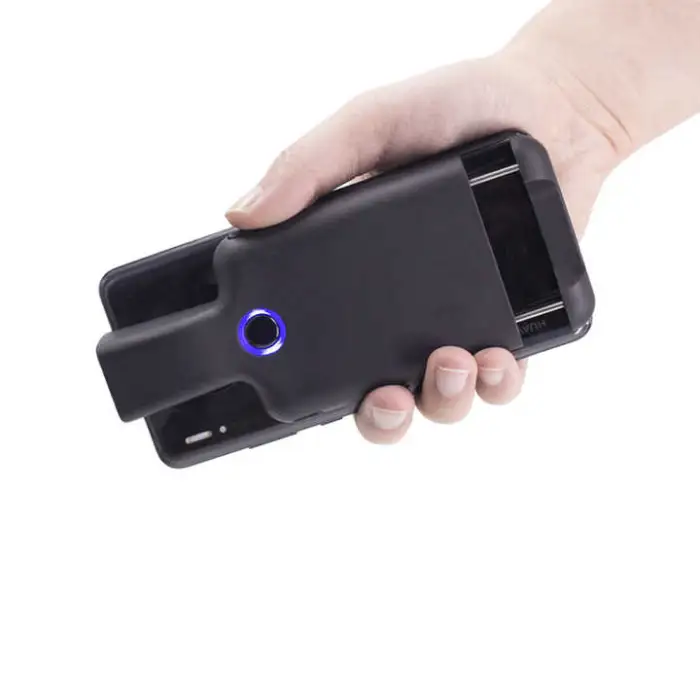
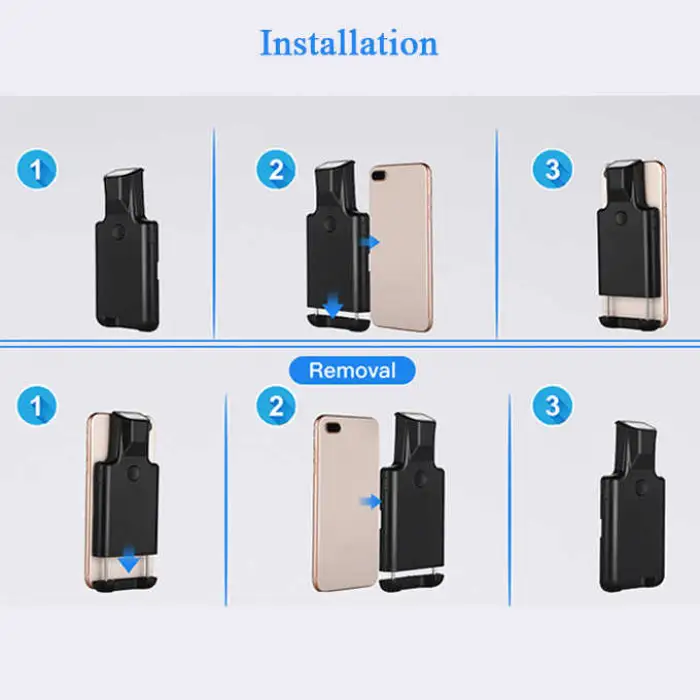
The unit is designed to be lightweight and portable with a durable construction suitable for everyday use. It also features a back clip for hands-free carrying or attaching to a belt or pocket.
9. What are the physical package dimensions and weight?
Single package dimensions are approximately 15 x 8 x 3 cm, and the single gross weight is about 0.400 kg.
10. Can the scanner read damaged or poorly printed barcodes?
It can read many damaged, poorly printed or low-contrast barcodes thanks to its imaging CMOS sensor, but readability depends on the extent of damage and barcode density. For best results, ensure codes are as clear and flat as possible.
11. How do I mount or carry the scanner using the back clip?
Use the integrated back clip to attach the scanner to your belt, waistband or the back of a pocket for easy access. Ensure the clip is securely fastened and the scanner is positioned for comfortable one-handed access while scanning.
12. Is the device suitable for retail, inventory and event scanning?
Yes. The scanner is intended for a variety of applications including retail sales processing, warehouse inventory management, event check-in and ticket scanning, library checkouts, healthcare tracking and logistics.
13. How do I set the scanner up for use with an Android app that requires keyboard input?
Pair the scanner with your Android device via Bluetooth or connect the 2.4G dongle (or USB via OTG). Open the app and place the text cursor where you want scanned data to appear. Scans should be entered as keystrokes. If the app expects serial input rather than keyboard input, check whether the scanner supports an alternative COM/HID mode or whether the app offers a barcode-scanning plugin.
14. What about battery life and charging?
Battery and charging details are not listed in the basic specification. Many portable wireless scanners include a built-in rechargeable battery; confirm battery capacity, charging method and expected runtime on the product page or in the user manual, or ask the seller for this information.
15. What is the return or replacement policy if the scanner is defective?
Return and replacement options depend on the seller or vendor's policy. Check the product listing, warranty information, or contact the seller directly for details on returns, replacements and service.
Latest Order Arrivals
Discover our latest orders

12 Heads Embroidery Machine

Dewatering Pump Machine

Order Collection

Portable Water Drilling Rig

Order Usefully Collected

Batch of Orders

Agriculture Processing Machines

Meat Grinder Machine

Water Pump Equipment

Packaging Machine and accessories

Fabrics Manufacturing Equipment

Mining Equipments

Food Processing Machine

Batch of Orders

Batch of Orders

Latest Orders Labelled

wheel alignment machines

new arrivals

Pre Orders Offloading

Latest Arrivals

Latest Arrivals