B21, China Town Mall, Midrand



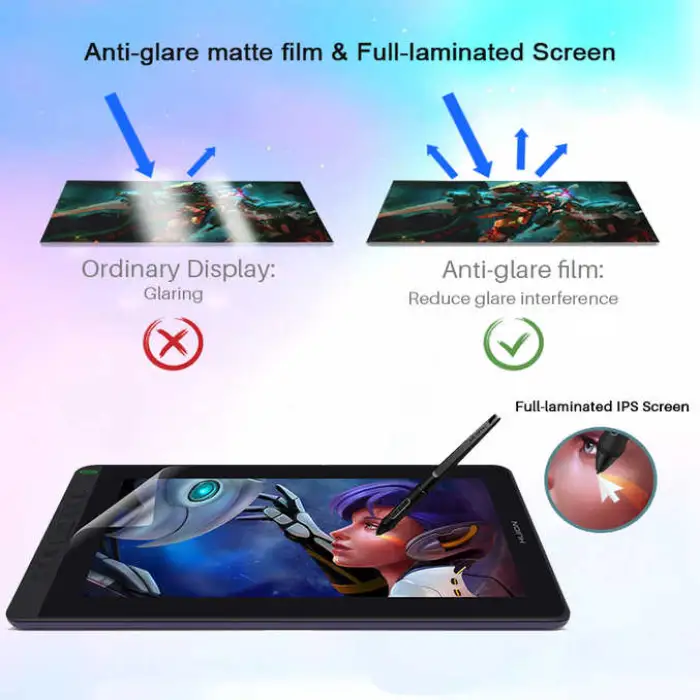

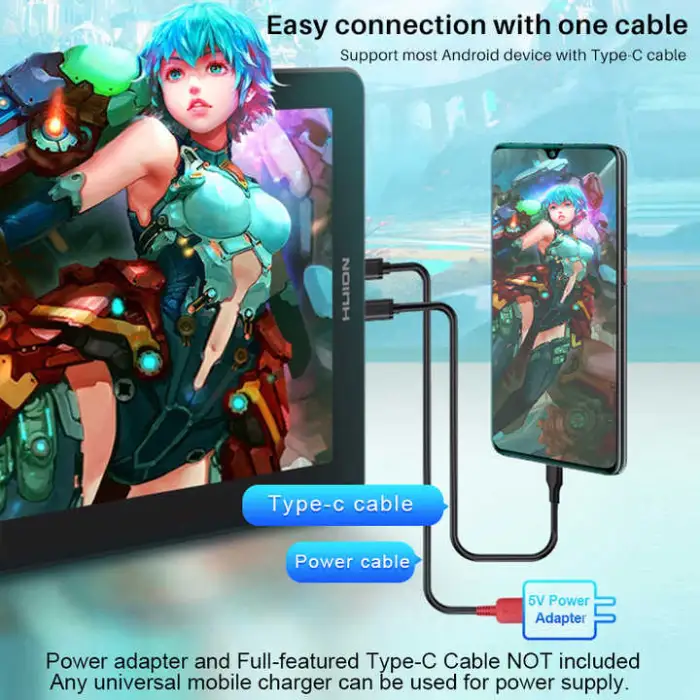
Huion Kamvas 13 Dual-purpose Designer Professional Digital Pen Drawing Graphic Tablet With Screen Monitor

- Section : Consumer Electronics
- Category : Computer Hardware & Software
- SKU : 62532240365

Huion Kamvas 13 Dual-purpose Designer Professional Digital Pen Drawing Graphic Tablet With Screen Monitor
The Huion Kamvas 13 is a versatile graphic tablet designed for artists and professionals. With its built-in screen, you can draw directly on the display. It offers powerful features like high pressure sensitivity and fast response rates, making it perfect for both creative work and online teaching. This tablet is easy to use and connects quickly via USB-C.
Specifications
| Attribute | Details |
|---|---|
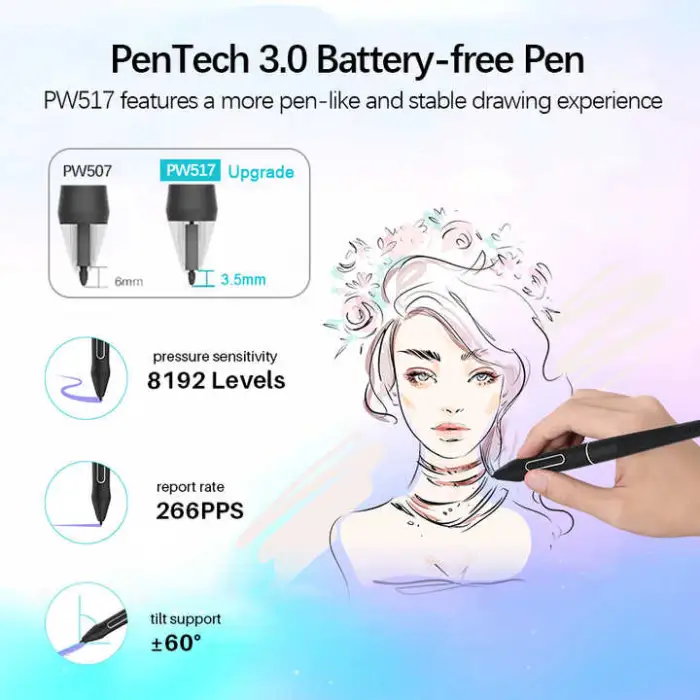
| Pressure Level | 8192 Levels |
| Report Rate (Pen) | > 220 PPS |
| Pen Resolution | 5080 LPI |
| Dimensions | 13.3 inch (Diagonal) |
| Brand Name | Huion |
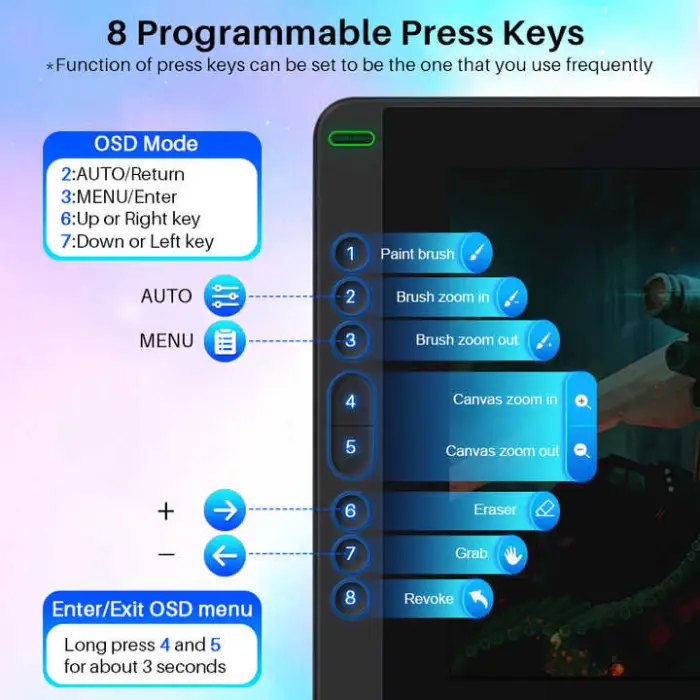
| Press Keys | 8 Programmable Press Keys |
| Interface | USB-C |
| Model Number | GS1331 |
| Weight | 3.000 KG |
| Package Size | 45X28X10 cm |
Key Features
- 8192 levels of pressure sensitivity for precise control.
- Fast response time with over 220 reports per second.
- Large 13.3-inch display for an immersive drawing experience.
- 8 customizable press keys for quick access to your favorite tools.
- USB-C connectivity for easy and fast connection.
Applications
- Ideal for digital artists and illustrators.
- Perfect for graphic design and animation projects.
- Great for online teaching and tutorials.
- Useful for photo editing and retouching.
- Excellent for creating digital comics and storyboards.
Product Info Gallery
- Shipping Timeframes: All orders are processed within 2-5 business days (excluding weekends and holidays). After your order has been processed, the estimated delivery time is before 25 Dec, 2025, depending on customs, Please note that due to high demand, some items may experience longer shipping times, which will be communicated at order confirmation email.
- Order Processing Time: Please allow 2-5 business days for us to process your order before it is shipped . Orders placed after 16:00 on Fridays, or during weekends and public holidays, will begin processing on the next business day. Processing times may be extended during peak seasons or sales events.
- Manufacturing Time: Some products needs manufacturing time, the manufacturing process will take approximately 10-30 business days depending on the product. This timeframe may vary depending on the complexity of the product and current demand. but this will be communicated with you during order confirmation.
- Returns and Exchanges: We offer a 30-day return policy for most items. If you are not completely satisfied with your purchase, you may return it within 30 days of receipt for a refund or exchange. Items must be unused, in their original packaging, and accompanied by proof of purchase. Return shipping costs are the responsibility of the customer, unless the item was damaged or defective upon arrival.
1. What is the Huion Kamvas 13 Dual-purpose Designer?
The Huion Kamvas 13 is a 13.3-inch drawing display tablet (model GS1331) that lets you draw directly on the screen. It's designed for digital artists, designers, animators, photo editors and online instructors.
2. What are the core technical specifications?
Key specs include a 13.3-inch display, 8192 levels of pressure sensitivity, over 220 PPS pen report rate, 5080 LPI pen resolution, 8 programmable press keys, USB-C connectivity, and model number GS1331.
3. What kind of pen does the tablet use?
The Kamvas 13 uses a high-precision digital pen with 8192 pressure levels for fine control and responsiveness. The pen does not require frequent charging (refer to the product manual for exact pen model and charging details).
4. Does the pen support tilt and pressure sensitivity?
The tablet supports 8192 levels of pressure sensitivity for nuanced strokes. For specific tilt-angle support and configuration options, check the Huion driver settings or the official product documentation.
5. How do I connect the Kamvas 13 to my computer?
The Kamvas 13 uses USB-C connectivity for a quick and simple connection. Depending on your computer, you may need a USB-C to USB-A adapter or video adapter. Follow the included setup guide or Huion's online instructions for cable/adapter requirements.
6. Which operating systems and software are supported?
The Kamvas 13 works with major operating systems (Windows and macOS). It is compatible with most popular creative applications such as Photoshop, Illustrator, Clip Studio Paint, Krita, Corel Painter and many others. Confirm driver downloads and OS compatibility on Huion's website for the latest support details.
7. Do I need to install drivers to use the tablet?
Yes — to access full functionality (customize press keys, pressure curves, and advanced features) you should install the latest Huion driver from the Huion support site.
8. How do I customize the 8 programmable press keys?
After installing the Huion driver, open the driver utility to assign shortcuts or functions to each of the 8 press keys. You can set different profiles for different applications.
9. Can I use the Kamvas 13 for online teaching or screen sharing?
Yes — the built-in display and responsive pen make the Kamvas 13 well suited for live demonstrations, online tutorials, and virtual classrooms. Use your preferred screen-sharing or video-conferencing software while the tablet is connected.
10. Is the tablet portable?
With a 13.3-inch display, the Kamvas 13 is relatively compact and suitable for mobile workflows. Check the product weight (3.000 KG as listed) and included accessories when assessing portability.
11. What kind of image quality or resolution does the display offer?
Display resolution and color gamut specifics are not listed in this description. For detailed display specs (resolution, color accuracy, brightness), please refer to Huion's official product page or the product manual.
12. Can I use the Kamvas 13 as a second monitor?
Yes — when connected to a computer the Kamvas 13 functions as an external display, allowing you to extend or mirror your desktop while drawing directly on the screen.
13. What applications is the Kamvas 13 best suited for?
The Kamvas 13 is ideal for digital illustration, graphic design, animation, photo editing, retouching, comic and storyboard creation, and online teaching/demonstrations.
14. Where can I find driver downloads, manuals, and support?
Driver downloads, user manuals, firmware updates and technical support are available on Huion's official website under the support or downloads section for model GS1331.
15. What should I do if the pen or tablet is not responding correctly?
First ensure the tablet is properly connected and the latest Huion driver is installed. Restart your computer, check cable connections and driver settings (pressure curve and pen mapping). If problems persist, consult Huion support or the FAQ/troubleshooting section on Huion's site.
Latest Order Arrivals
Discover our latest orders

12 Heads Embroidery Machine

Dewatering Pump Machine

Order Collection

Portable Water Drilling Rig

Order Usefully Collected

Batch of Orders

Agriculture Processing Machines

Meat Grinder Machine

Water Pump Equipment

Packaging Machine and accessories

Fabrics Manufacturing Equipment

Mining Equipments

Food Processing Machine

Batch of Orders

Batch of Orders

Latest Orders Labelled

wheel alignment machines

new arrivals

Pre Orders Offloading

Latest Arrivals

Latest Arrivals