B21, China Town Mall, Midrand

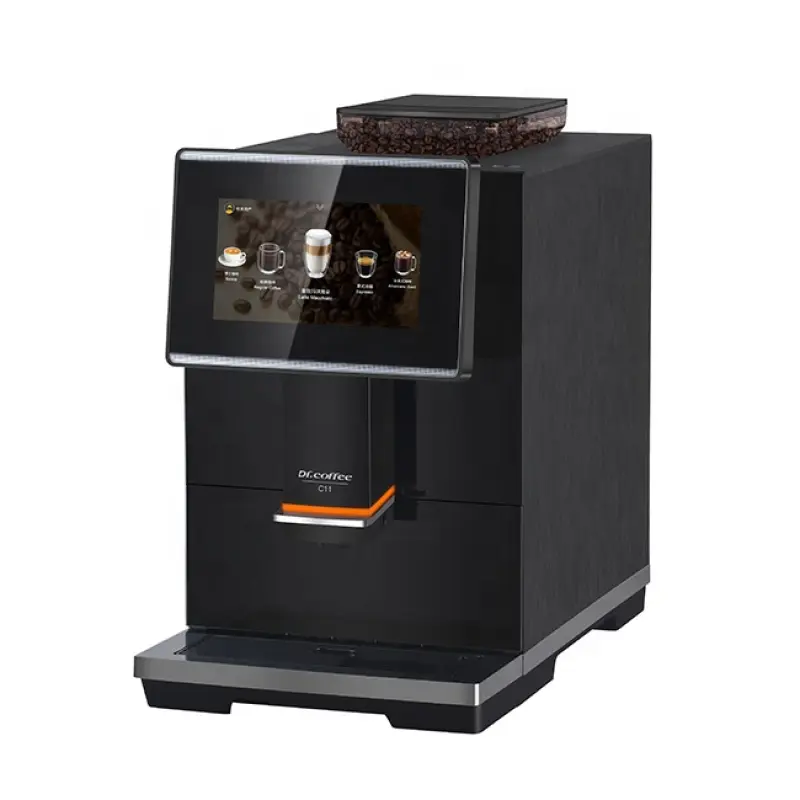
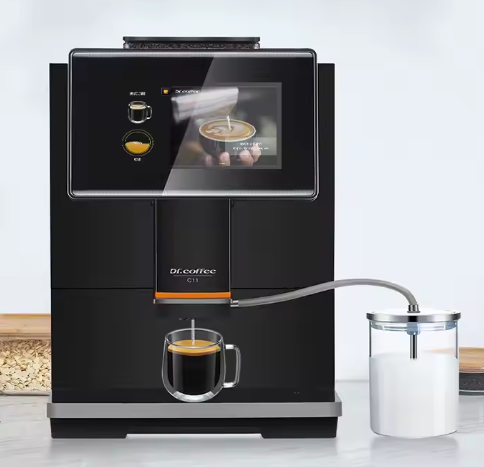
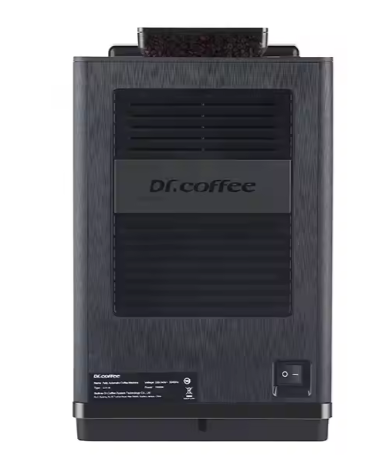
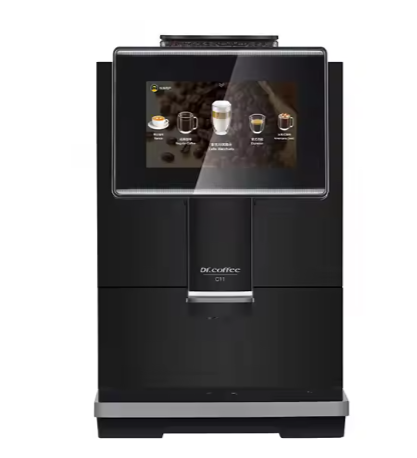
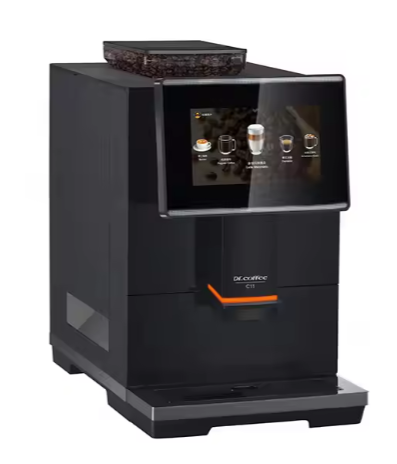
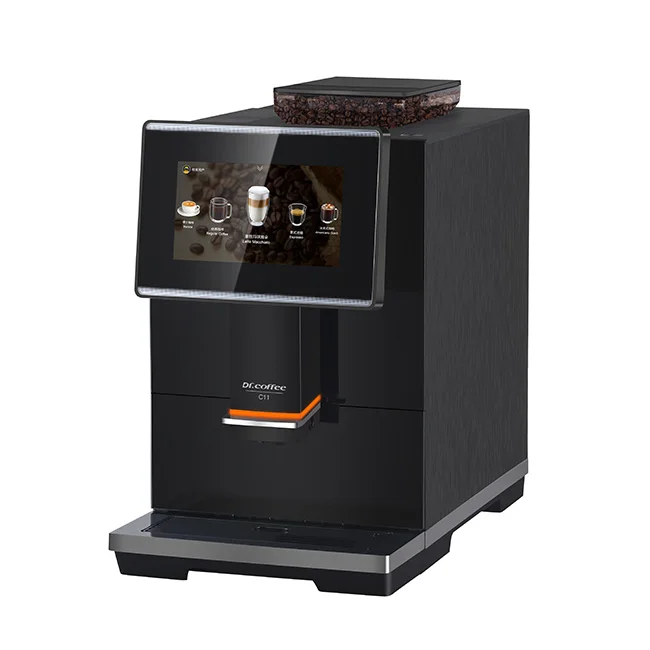
Dr. Coffee C11 Automatic Coffee Machine

- Section : Appliances
- Category : Coffee Makers
- SKU : 1600455879306

Dr. Coffee C11 Automatic Coffee Machine
The Dr. Coffee C11 Automatic Coffee Machine is the ultimate bean-to-cup solution for coffee enthusiasts. Combining innovation with user-friendly features, it’s perfect for both households and hotels.
Key Features:
- Bean-to-Cup Convenience: Enjoy freshly brewed coffee with its integrated ceramic flat burr grinder.
- Programmable Functions: Adjust brewing settings, temperature, and more to create the perfect cup.
- Large Capacity: Features a 2L water tank and a 280g beans hopper, ideal for up to 30 cups per session.
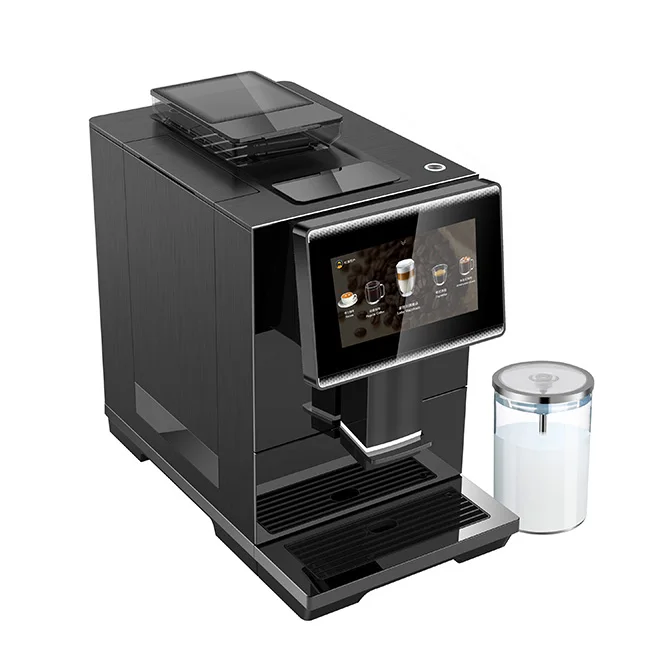
- Advanced Brewing System: Includes a hot water system, milk jug, and 9-level grinding grades for diverse coffee styles.
- Self-Cleaning Function: Makes maintenance easy and hassle-free.
- Compact Design: Measures 10.35" x 17.72" x 16.65", fitting seamlessly into kitchen or hotel spaces.
- Efficient Power: Operates at 1450W with a voltage of 220-240V, ensuring consistent performance.
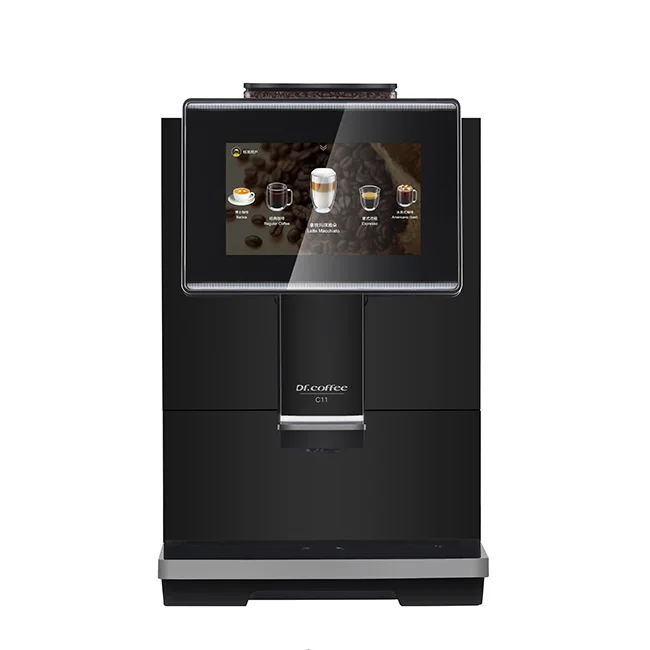
- Modern Touch Display: Equipped with a 7" screen for intuitive control and customization.
The Dr. Coffee C11 delivers high-quality coffee effortlessly, making it an essential addition to any coffee lover’s setup. Its sleek design and advanced features ensure a premium coffee experience every time.
Product Info Gallery:
- Shipping Timeframes: All orders are processed within 2-5 business days (excluding weekends and holidays). After your order has been processed, the estimated delivery time is before 04 Jul, 2026, depending on customs, Please note that due to high demand, some items may experience longer shipping times, which will be communicated at order confirmation email.
- Order Processing Time: Please allow 2-5 business days for us to process your order before it is shipped . Orders placed after 16:00 on Fridays, or during weekends and public holidays, will begin processing on the next business day. Processing times may be extended during peak seasons or sales events.
- Manufacturing Time: Some products needs manufacturing time, the manufacturing process will take approximately 10-30 business days depending on the product. This timeframe may vary depending on the complexity of the product and current demand. but this will be communicated with you during order confirmation.
- Returns and Exchanges: We offer a 30-day return policy for most items. If you are not completely satisfied with your purchase, you may return it within 30 days of receipt for a refund or exchange. Items must be unused, in their original packaging, and accompanied by proof of purchase. Return shipping costs are the responsibility of the customer, unless the item was damaged or defective upon arrival.
1. What is the Dr. Coffee C11 Automatic Coffee Machine?
The Dr. Coffee C11 is a bean-to-cup automatic coffee machine with an integrated ceramic flat burr grinder, 7" touch display, programmable brewing settings, a milk jug and hot water system — designed for home and hospitality use.
2. What are the main technical specifications and dimensions?
Dimensions: 10.35" x 17.72" x 16.65". Power: 1450W, Voltage: 220–240V. Water tank: 2.0 L. Beans hopper: 280 g. Touchscreen: 7" display. Grinder: ceramic flat burr with 9 grind settings.
3. How many cups can I make per fill?
With a full 2 L water tank and 280 g beans hopper, you can make roughly up to 30 small/espresso-sized cups per session. Actual yield depends on cup size and drink type (milk-based drinks will reduce the count).
4. What type of grinder does it have and how adjustable is it?
It uses an integrated ceramic flat burr grinder with 9 grinding grade levels, allowing you to fine-tune grind size for espresso, filter-style coffee and other styles.
5. Can the C11 make milk-based drinks like cappuccinos and lattes?
Yes — the machine includes a milk jug and a hot water system to prepare milk-based drinks. Follow the user guide for frothing/steaming procedures and recommended milk-handling steps.
6. How do I program brewing settings and save drink preferences?
Use the 7" touch display to navigate menus and adjust parameters such as temperature, coffee strength, cup volume and grind level. You can save custom profiles per the on-screen instructions — consult the manual for step-by-step programming.
7. Does the machine have a self-cleaning or descaling function?
Yes — the C11 includes a self-cleaning function to help maintain the brewing circuit. It also requires periodic descaling depending on water hardness; follow the machine prompts and the manual for recommended descaler and intervals.
8. How often should I clean the machine and which parts need regular attention?
Daily: empty drip tray and rinse milk jug and removable surfaces. Weekly: clean the brew group area and wipe the exterior. Descale every 1–3 months depending on water hardness. Refer to the manual for removable parts and dishwasher compatibility.
9. What beans should I use with the C11?
Use fresh whole beans (medium to dark roasts typically work well). Avoid very oily or flavored beans that can clog the grinder over time. Store beans in a cool, dry place and fill the hopper as recommended.
10. My coffee tastes too weak or too bitter — how can I fix it?
If too weak: try a finer grind, increase dose (if adjustable), raise brewing temperature or increase extraction time/volume. If too bitter: coarsen the grind, reduce dose, shorten extraction time or lower temperature. Use the touchscreen to tweak these settings and test incrementally.
11. Is the grinder noisy?
The ceramic burr grinder produces typical bean-to-cup noise during grinding. Noise level is comparable to other domestic automatic coffee machines; it’s not silent but is designed for regular household and hotel environments.
12. Can I use a water filter with the C11 and set water hardness?
You can use a compatible water filter to improve taste and reduce scaling. The machine has programmable settings to adjust for water hardness — check the setup menu and user manual to configure this.
13. What should I do if the touchscreen shows an error or the machine won’t start?
Try a basic reset: turn the machine off, unplug for 30 seconds, then plug back in and restart. Check for visible issues (empty water tank, full drip tray, open doors). If errors persist, consult the troubleshooting section of the manual or contact customer support with the error code.
14. Are replacement parts and service available?
Replacement consumables (filters, milk parts, seals) and service support are typically available through the retailer or manufacturer. Check your warranty documentation and contact Dr. Coffee or your vendor for genuine parts and authorized service centers.
15. What are the recommended first-use and installation steps?
Place the machine on a stable surface, fill the water tank and beans hopper, connect to the specified voltage (220–240V), run the initial rinse and clean cycles as described in the manual, and calibrate water hardness if prompted. Follow the quick-start guide for first-brew instructions.
Latest Order Arrivals
Discover our latest orders

12 Heads Embroidery Machine

Toilet Paper Machine Machine

Order Collection

Cross Border Clients

Order cros border countries Collected

Industrial Machine Cllection

Agriculture Processing Machines

Ready for collection

Water Pump Equipment

Packaging Machine and accessories

Fabrics Manufacturing Equipment

Mining Equipments

Food Processing Machine

Batch of Orders

Batch of Orders

Latest Orders Labelled

wheel alignment machines

new arrivals

Pre Orders Offloading

Latest Arrivals

Latest Arrivals

Latest Arrivals

Loading

Toilet paper making machine

Toilet paper making machine

Toilet paper Rewinding Machine

latest arrivals

offloading

order success

order collection

order offloading