B21, China Town Mall, Midrand

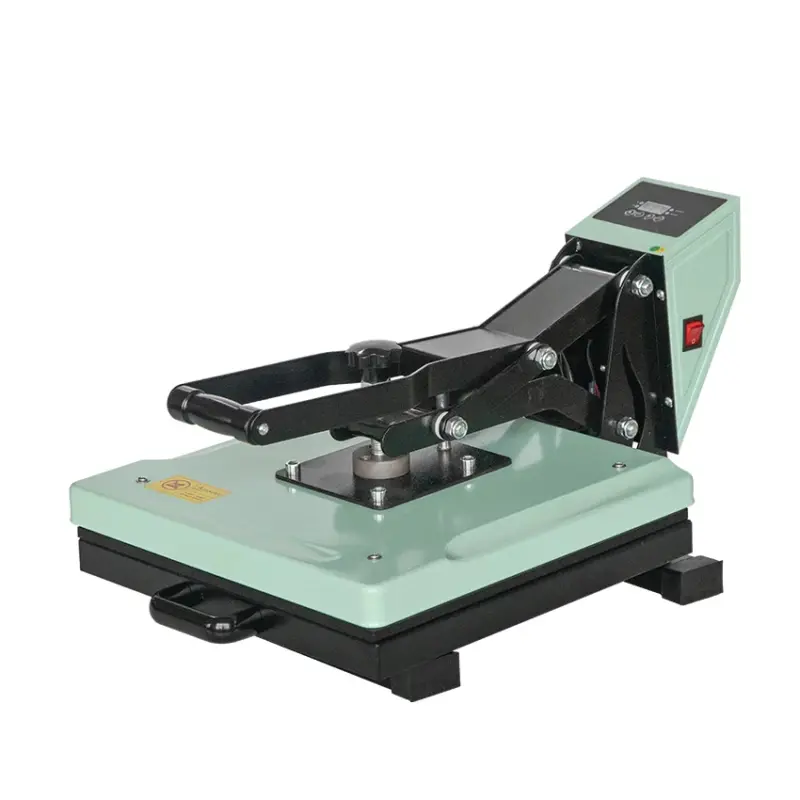
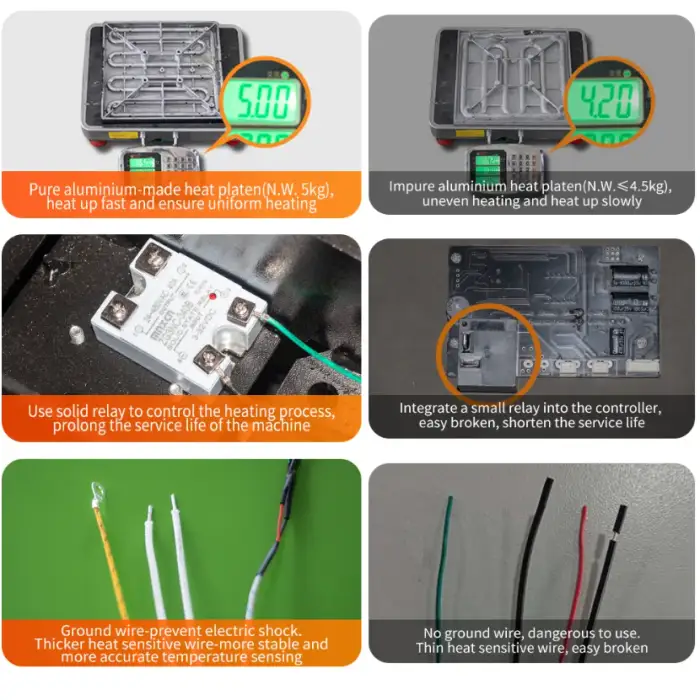
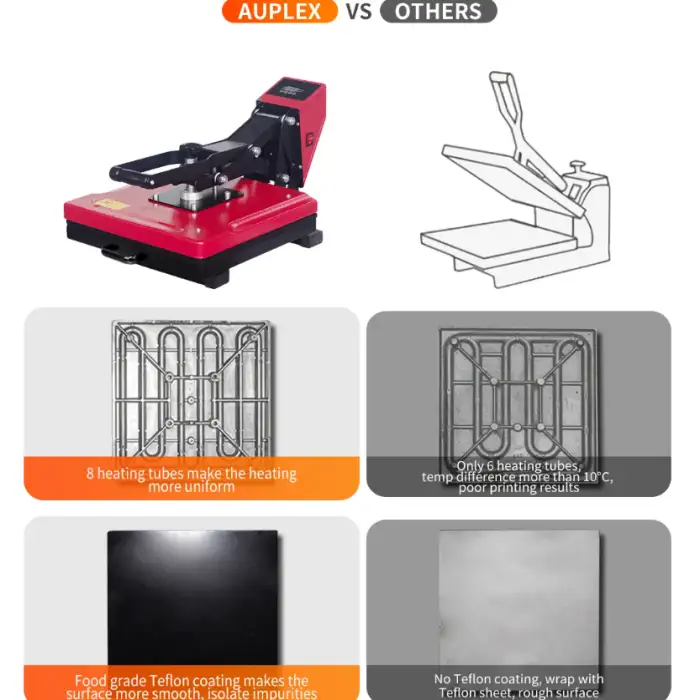
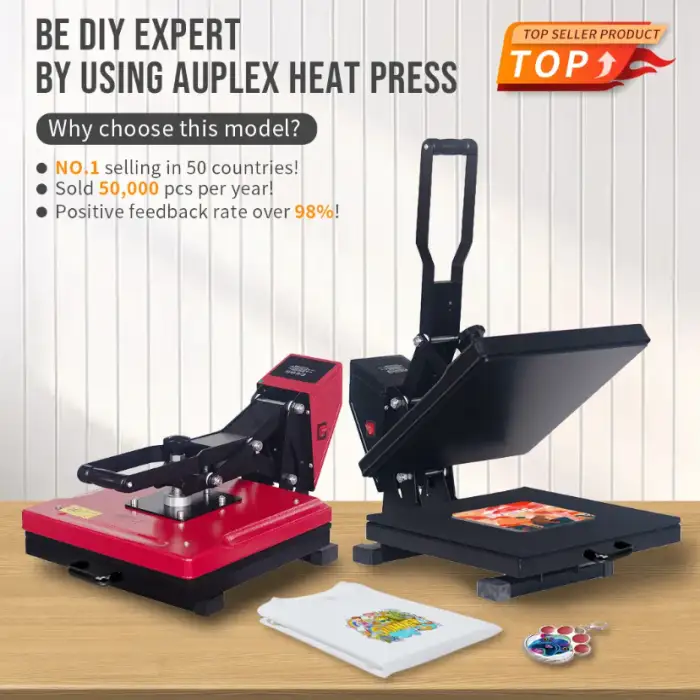
Auplex HP480-3 Manual Heat Press Machine for T-Shirt Printing

- Section : Consumer Electronics
- Category : Heat Presses
- SKU : 1964911197

Auplex HP480-3 Manual Heat Press Machine for T-Shirt Printing
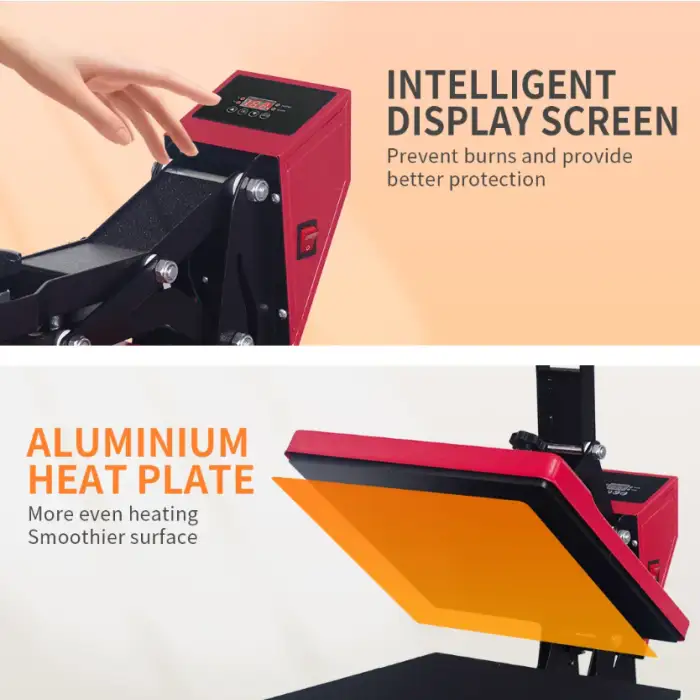
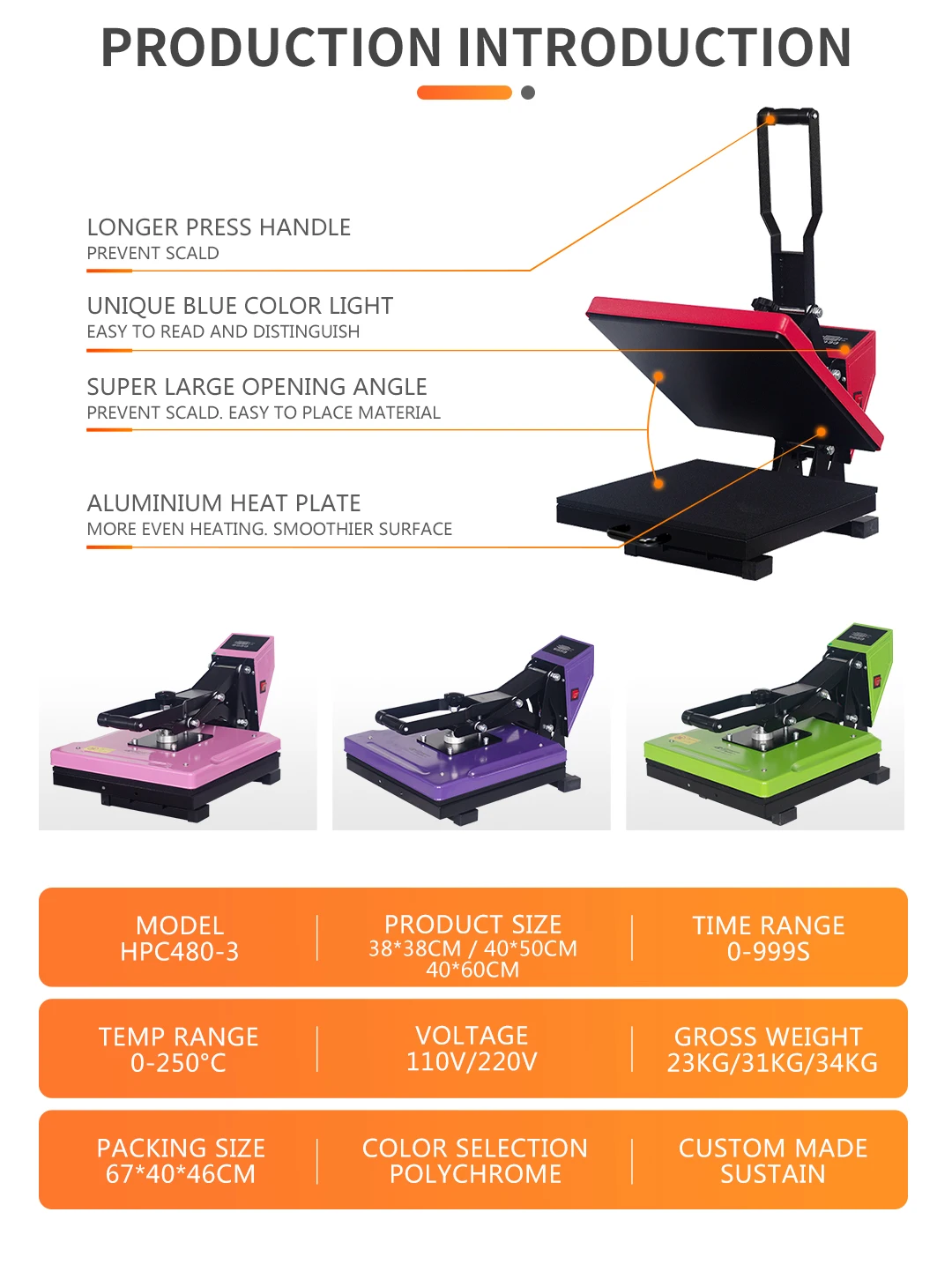
The Auplex HP480-3 Heat Press Machine is the perfect solution for transferring vibrant designs and artwork onto various fabrics, including T-shirts. With a 38x38cm platen size and a maximum temperature of 250°C, this manual heat press offers high-quality results for both home use and small businesses. Its durable construction and easy operation make it an essential tool for any printing project.
Key Features
- Manual Operation: Simple and intuitive manual controls, offering precision in applying heat and pressure to your designs.
- Large Printing Area: Features a 38x38cm platen, suitable for T-shirt printing and various other garment sizes.
- High Maximum Temperature: Reaches up to 250°C, providing the heat necessary for transferring different types of designs and artwork.
- Versatile Usage: Ideal for heat transfer printing on a variety of materials, including fabrics, plates, and other items.
- Reliable Construction: Weighs 27kg and measures 67x46x40cm, ensuring a sturdy and stable operation with a compact footprint.
- Voltage Compatibility: Works with both 110V and 220V power outlets, making it convenient for international use.
- Multiple Size Options: Printing sizes include 38x38cm (15"x15") and 40x50cm, giving you flexibility for different design and garment sizes.
The Auplex HP480-3 Heat Press Machine offers reliable and high-performance results for your sublimation and heat transfer projects. Whether you are starting a small business or looking to enhance your DIY projects, this machine provides everything you need for perfect results.
Product Info Gallery
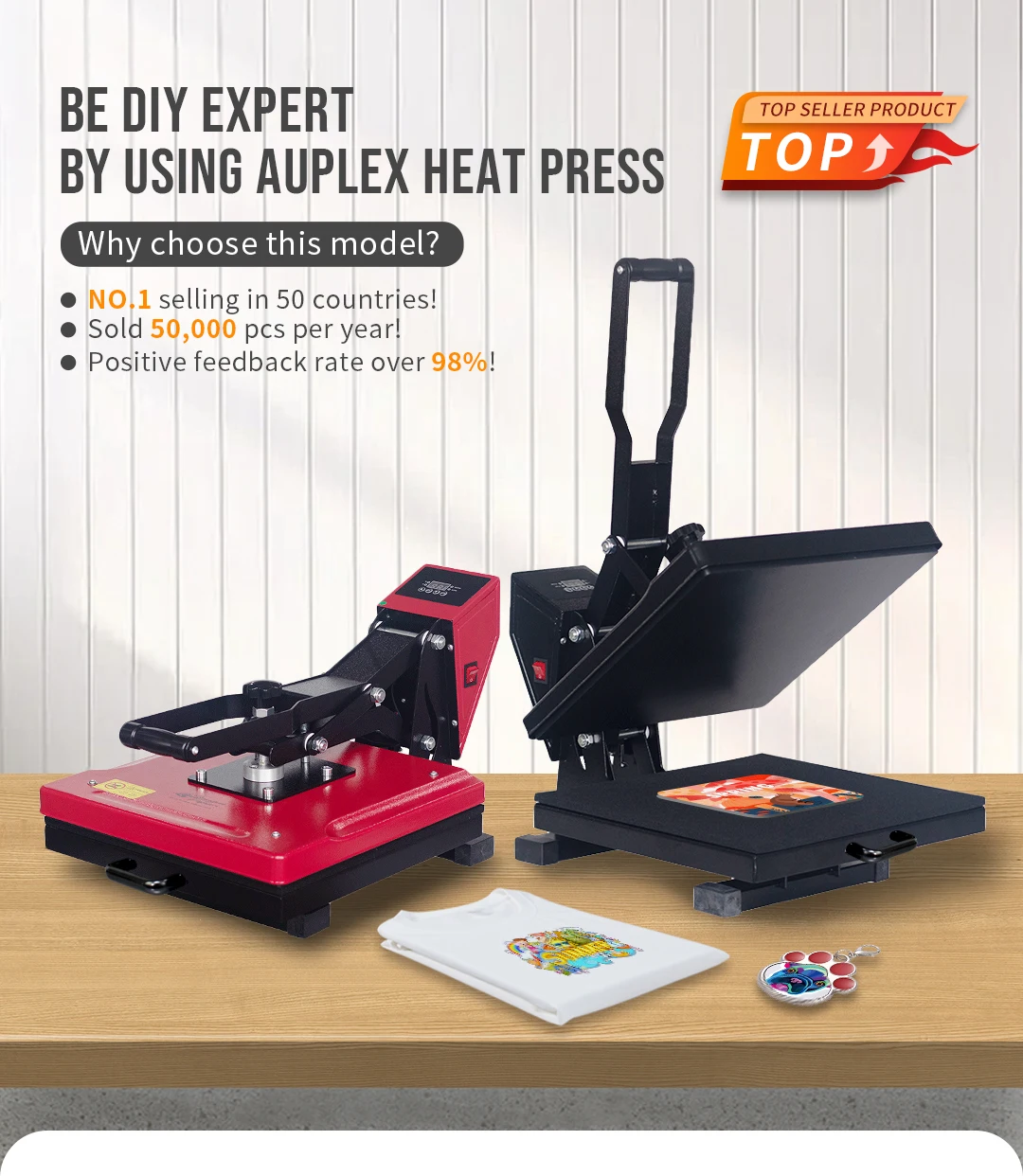
- Shipping Timeframes: All orders are processed within 2-5 business days (excluding weekends and holidays). After your order has been processed, the estimated delivery time is before 03 Feb, 2026, depending on customs, Please note that due to high demand, some items may experience longer shipping times, which will be communicated at order confirmation email.
- Order Processing Time: Please allow 2-5 business days for us to process your order before it is shipped . Orders placed after 16:00 on Fridays, or during weekends and public holidays, will begin processing on the next business day. Processing times may be extended during peak seasons or sales events.
- Manufacturing Time: Some products needs manufacturing time, the manufacturing process will take approximately 10-30 business days depending on the product. This timeframe may vary depending on the complexity of the product and current demand. but this will be communicated with you during order confirmation.
- Returns and Exchanges: We offer a 30-day return policy for most items. If you are not completely satisfied with your purchase, you may return it within 30 days of receipt for a refund or exchange. Items must be unused, in their original packaging, and accompanied by proof of purchase. Return shipping costs are the responsibility of the customer, unless the item was damaged or defective upon arrival.
1. What platen sizes does the Auplex HP480-3 come in?
The standard platen size is 38 x 38 cm (15" x 15"). The model is also offered in a larger 40 x 50 cm option—check the product listing or vendor to confirm which size is included with your purchase.
2. What is the maximum temperature of the heat press?
The Auplex HP480-3 reaches a maximum temperature of 250°C, which covers the heat range needed for most sublimation and heat-transfer applications.
3. Is this a manual or automatic heat press?
This is a manual heat press. It features simple and intuitive manual controls that let you precisely apply heat and pressure to your designs.
4. What types of materials and items can I use with this machine?
It's designed for heat-transfer printing on a variety of materials including cotton and polyester garments (T-shirts), sublimation transfers, and some flat items such as plates and other flat-surfaced products. For specialty items (mugs, curved surfaces) you may need specific attachments or different equipment.
5. Does the machine support 110V and 220V power?
Yes — the machine is compatible with both 110V and 220V power outlets. Verify the plug type for your region and consult the user manual or vendor if a voltage selector or adapter is required for your setup.
6. Can I adjust the pressure and time settings?
Yes. The manual controls permit you to adjust heat, pressure and usually time settings so you can optimize transfers for different materials and transfer types. Refer to the included manual for adjustment procedures and recommended starting points.
7. What are recommended starting time/temperature settings for common transfers?
Settings vary by transfer type and material. Typical starting points are: sublimation — about 180–200°C for 30–60 seconds; heat-transfer vinyl (HTV) — about 150–160°C for 10–20 seconds. Always consult the transfer material manufacturer’s instructions and run test prints before full production.
8. How large/heavy is the unit and what workspace do I need?
The Auplex HP480-3 measures approximately 67 x 46 x 40 cm and weighs about 27 kg. Allow additional space around the machine for safe operation, loading garments and heat dissipation.
9. Are plate, mug or other accessory attachments included?
The product description notes versatile usage (plates and other items), but it does not explicitly state which accessories are included. Check the seller’s listing or accessory options—many suppliers sell platens and mug or hat attachments separately.
10. Is this heat press suitable for a small business or home use?
Yes. Its durable construction, 38 x 38 cm platen and 250°C maximum temperature make it well suited for hobbyists, home-based operations and small businesses doing T-shirt and small-run printing.
11. How do I maintain and clean the heat press?
Unplug the machine and let it cool before cleaning. Wipe the platen with a soft, dry or slightly damp cloth; avoid abrasive cleaners or solvents that could damage the coating. Inspect and tighten hardware periodically and follow the manufacturer’s maintenance schedule in the manual.
12. What safety precautions should I follow when using this machine?
Always operate on a stable, heat-resistant surface, keep hands and flammable materials away from the hot platen, use heat-resistant gloves if needed, never leave the machine unattended while powered, and unplug when not in use. Follow the safety instructions in the user manual.
13. How can I achieve consistent, high-quality transfers?
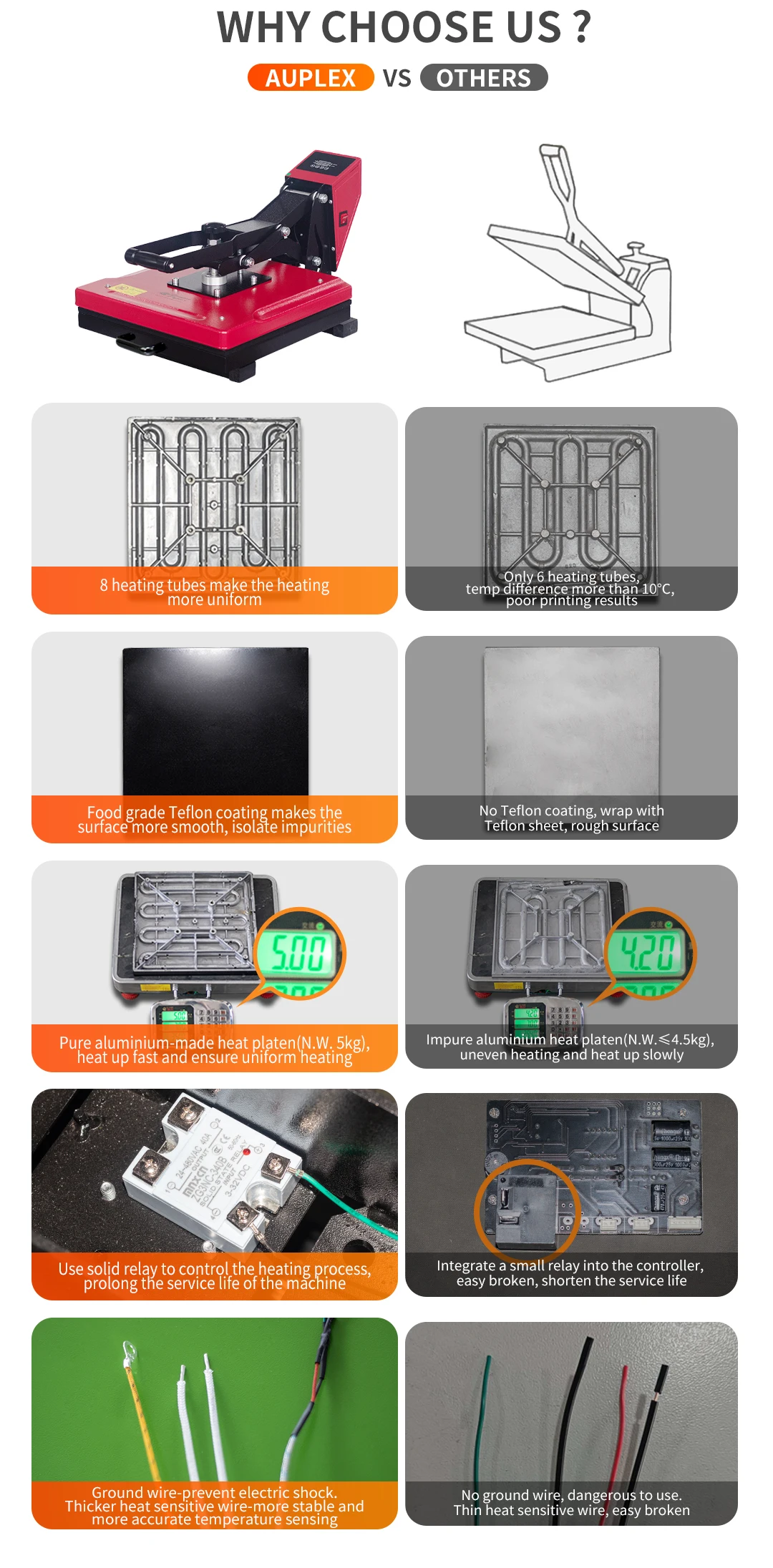
Use proper temperature, pressure and time for your transfer material; pre-press garments to remove moisture and wrinkles; use heat-resistant tape and a Teflon sheet or protective cover to prevent scorching; do test presses and keep a log of successful settings for each material.
14. What should I do if my transfers are peeling, ghosting or not fully adhering?
Common causes include insufficient temperature, pressure or time; moisture in the garment; improper transfer materials or bad-quality inks. Re-check recommended settings for your transfer media, increase pressure/time incrementally during tests, pre-press garments, and ensure you’re using compatible inks and papers.
15. Is there a warranty or customer support available for the Auplex HP480-3?
Warranty and support details are not provided in the basic product description. Check the seller page, product packaging or contact the manufacturer/distributor directly for warranty terms, service options and spare parts availability.
Latest Order Arrivals
Discover our latest orders

12 Heads Embroidery Machine

Dewatering Pump Machine

Order Collection

Portable Water Drilling Rig

Order Usefully Collected

Batch of Orders

Agriculture Processing Machines

Meat Grinder Machine

Water Pump Equipment

Packaging Machine and accessories

Fabrics Manufacturing Equipment

Mining Equipments

Food Processing Machine

Batch of Orders

Batch of Orders

Latest Orders Labelled

wheel alignment machines

new arrivals

Pre Orders Offloading

Latest Arrivals

Latest Arrivals