B21, China Town Mall, Midrand


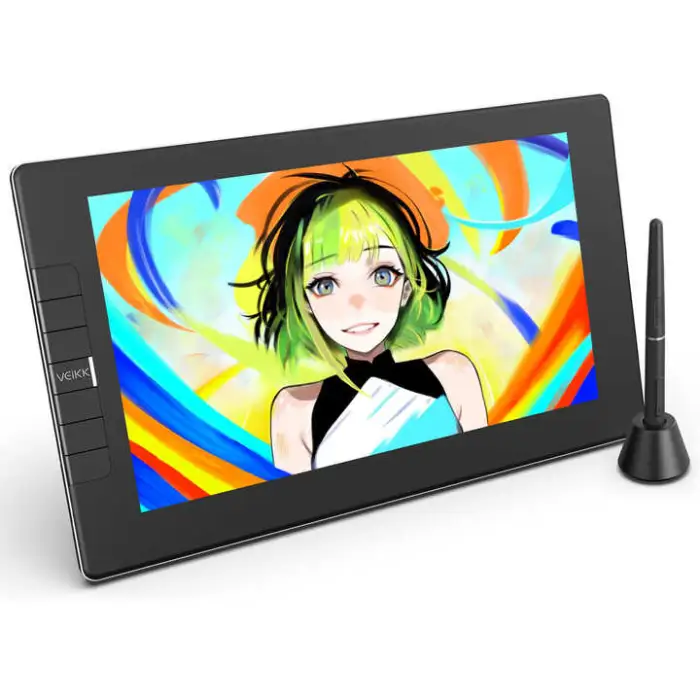
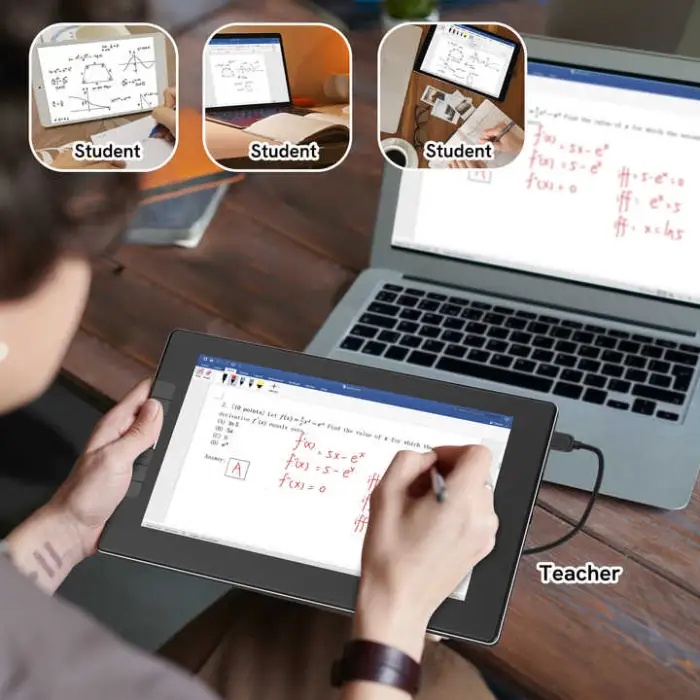
11.6 Inch Digital LCD Display Graphic Tablet Touch Pen Monitor for Artists and Designers

- Section : Consumer Electronics
- Category : Computer Hardware & Software
- SKU : 1601199582389

11.6 Inch Digital LCD Display Graphic Tablet Touch Pen Monitor for Artists and Designers
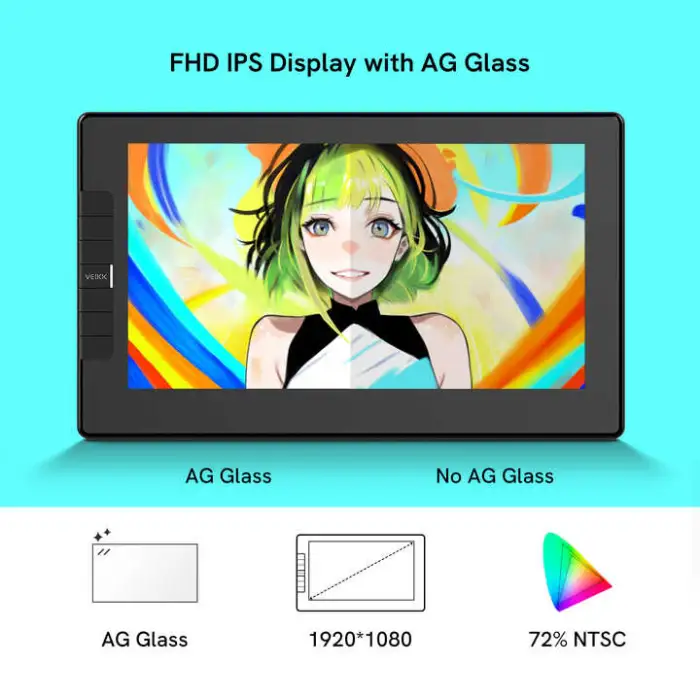
The 11.6 Inch Digital LCD Display Graphic Tablet Touch Pen Monitor is perfect for artists and designers. It offers a large, clear screen and a smooth drawing experience. With its advanced features, you can create stunning artwork with ease. This tablet is designed to meet the needs of both beginners and professionals alike.
Specifications
| Attribute | Details |
|---|---|
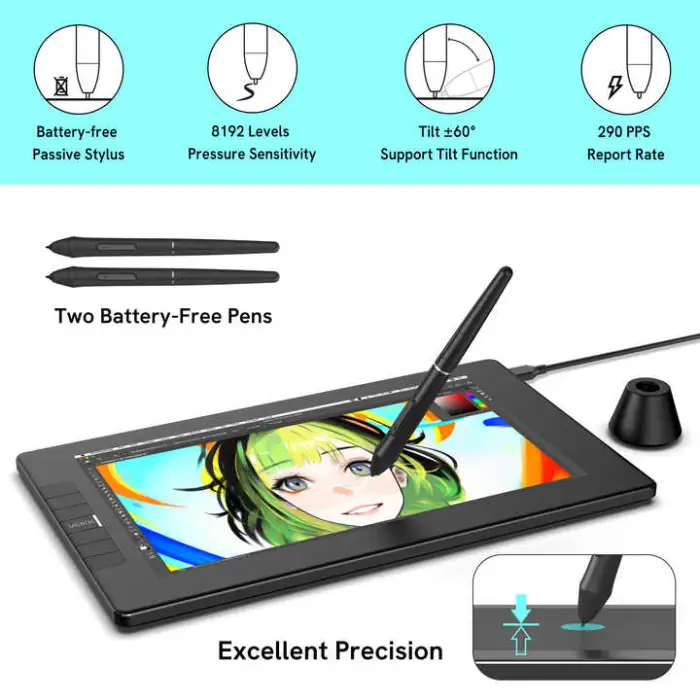
| Pressure Level | 8192 Levels |
| Report Rate (Pen) | 290 PPS |
| Pen Resolution | P05 |
| Dimensions | 11.6 inches |
| Brand Name | VEIKK |
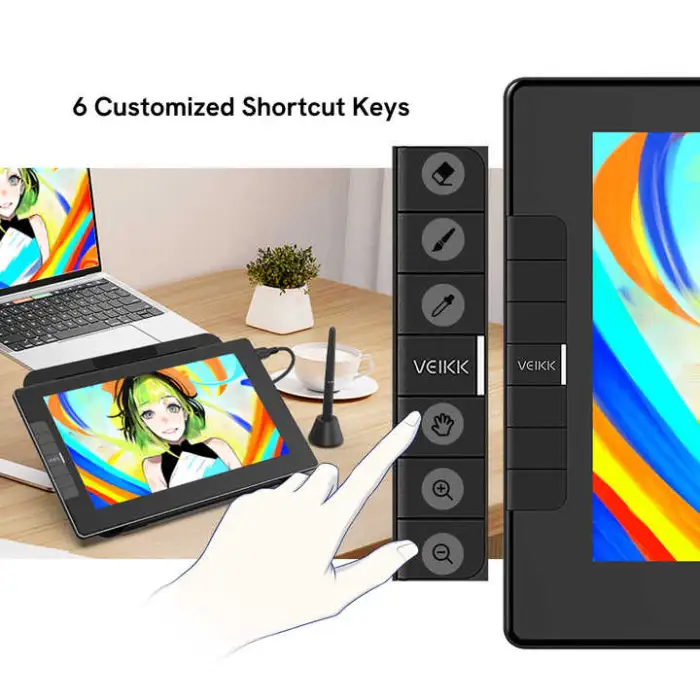
| Press Keys | 6 Function Keys |
| Interface | USB-C to USB-C |
| Model Number | VK1200v2 |
| Working Area | 11.6 inches |
| Color | Black |
| Selling Units | Single Item |
| Single Package Size | 35 x 22.5 x 5.5 cm |
| Single Gross Weight | 1.600 KG |
Key Features
- Large 11.6 inch display for clear visuals.
- 8192 levels of pressure sensitivity for precise drawing.
- Fast report rate of 290 PPS for smooth performance.
- USB-C connectivity for easy setup.
- Six customizable function keys for quick access.
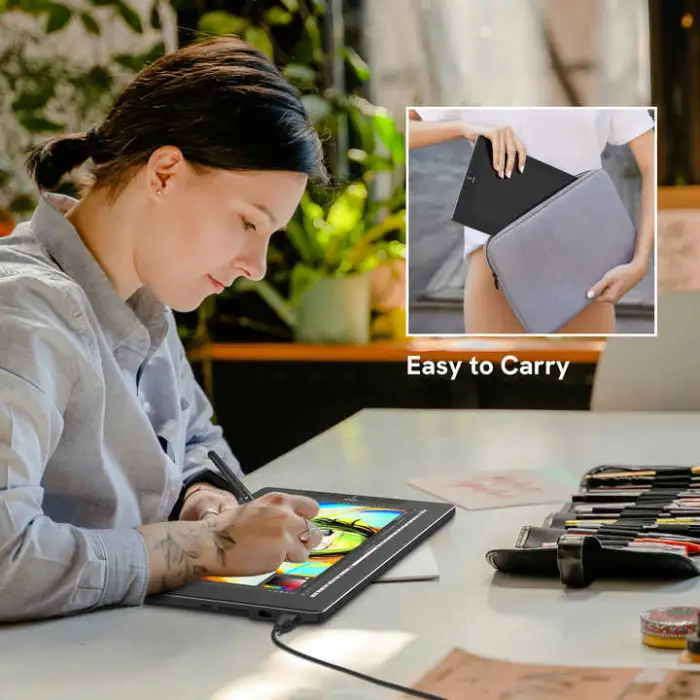
- Lightweight design for portability.
Applications
- Digital illustration and drawing.
- Graphic design projects.
- Photo editing and retouching.
- Animation and motion graphics.
- Educational purposes for art students.
- Creating digital sketches and notes.
Product Info Gallery
- Shipping Timeframes: All orders are processed within 2-5 business days (excluding weekends and holidays). After your order has been processed, the estimated delivery time is before 25 Dec, 2025, depending on customs, Please note that due to high demand, some items may experience longer shipping times, which will be communicated at order confirmation email.
- Order Processing Time: Please allow 2-5 business days for us to process your order before it is shipped . Orders placed after 16:00 on Fridays, or during weekends and public holidays, will begin processing on the next business day. Processing times may be extended during peak seasons or sales events.
- Manufacturing Time: Some products needs manufacturing time, the manufacturing process will take approximately 10-30 business days depending on the product. This timeframe may vary depending on the complexity of the product and current demand. but this will be communicated with you during order confirmation.
- Returns and Exchanges: We offer a 30-day return policy for most items. If you are not completely satisfied with your purchase, you may return it within 30 days of receipt for a refund or exchange. Items must be unused, in their original packaging, and accompanied by proof of purchase. Return shipping costs are the responsibility of the customer, unless the item was damaged or defective upon arrival.
1. What is the display size of this graphic tablet?
The tablet features an 11.6 inch LCD display with an 11.6 inch working area, providing a clear, large canvas for drawing and design work.
2. How many pressure levels does the pen support?
The pen supports 8192 levels of pressure sensitivity, allowing for precise line variation and control.
3. What is the pen report rate/latency?
The pen has a report rate of 290 PPS (points per second), which enables smooth, responsive tracking and reduced lag.
4. What pen comes with the tablet and does it require batteries?
The tablet includes the P05 pen (listed as the pen resolution). The product listing does not specify whether the pen requires batteries—check the manufacturer's manual or product page for details on power and maintenance.
5. Which interface/connection does the tablet use?
This model uses a USB-C to USB-C interface. If your computer lacks a USB-C port, you may need an appropriate adapter or cable (check compatibility before purchase).
6. Does the tablet work with Windows and macOS?
The tablet is generally intended for use with common desktop OSes. For best results, download and install the VEIKK driver for your operating system from the manufacturer’s website. Confirm driver availability for your specific OS version before buying.
7. Is it compatible with Linux or Chrome OS?
Official support for Linux or Chrome OS is not specified in the product listing. Some users have success with community drivers on Linux, but compatibility is not guaranteed. Contact VEIKK support for the latest information.
8. Are the six function keys customizable?
Yes — the tablet includes six customizable function (press) keys that can be mapped to shortcuts for faster workflows. Customization is typically done through the VEIKK driver/software.
9. Does the display support tilt recognition?
Tilt support is not specified in the provided product description. Check the full technical specifications or the user manual on the manufacturer's site to confirm whether tilt is supported.
10. Can this tablet be used for photo editing and animation?
Yes. The tablet is suitable for digital illustration, graphic design, photo editing/retouching, animation, and other creative applications thanks to its pressure sensitivity and responsive pen performance.
11. Is the tablet portable and what is its weight?
The tablet is described as lightweight and portable. The single gross weight is listed as 1.600 kg, and the package dimensions are 35 x 22.5 x 5.5 cm.
12. What should I do if the pen or tablet is not responding?
First ensure the USB-C connection is secure and that the correct driver is installed. Try restarting your computer and reconnecting the tablet. If problems persist, consult the VEIKK support resources or the product manual for driver reinstall instructions and troubleshooting steps.
13. Are replacement nibs or accessories included or available?
The product listing does not list included accessories beyond the tablet and pen. Replacement nibs and other accessories are commonly available for VEIKK pens—check the manufacturer’s store or authorized retailers for compatible parts.
14. Does this function as a standalone tablet (without a computer)?
The product description indicates this is a pen display monitor intended to work with a computer. It does not state that it functions as a standalone tablet; expect to connect it to a host device for full functionality.
15. Where can I download drivers and find the user manual?
Download the latest drivers and user manual from the VEIKK official website or the product support page. Installing the correct driver is recommended to enable pressure sensitivity, customize keys, and ensure compatibility.
Latest Order Arrivals
Discover our latest orders

12 Heads Embroidery Machine

Dewatering Pump Machine

Order Collection

Portable Water Drilling Rig

Order Usefully Collected

Batch of Orders

Agriculture Processing Machines

Meat Grinder Machine

Water Pump Equipment

Packaging Machine and accessories

Fabrics Manufacturing Equipment

Mining Equipments

Food Processing Machine

Batch of Orders

Batch of Orders

Latest Orders Labelled

wheel alignment machines

new arrivals

Pre Orders Offloading

Latest Arrivals

Latest Arrivals