B21, China Town Mall, Midrand

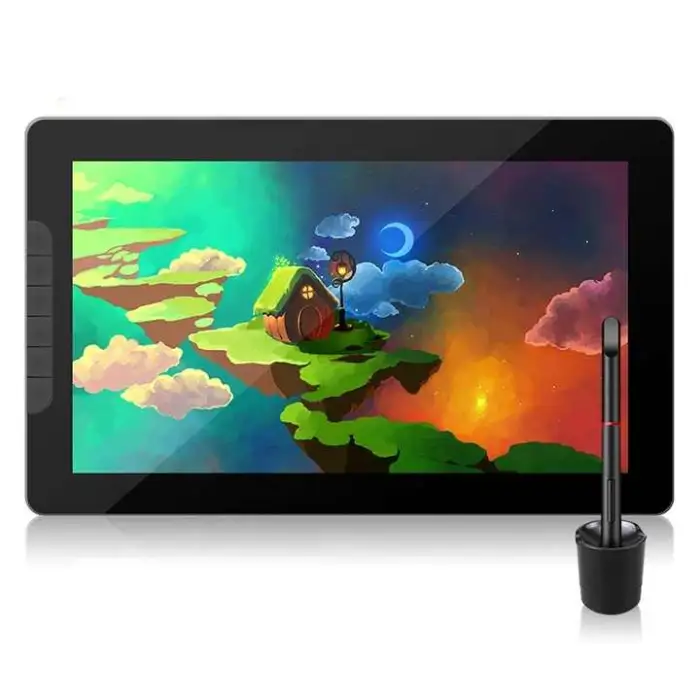
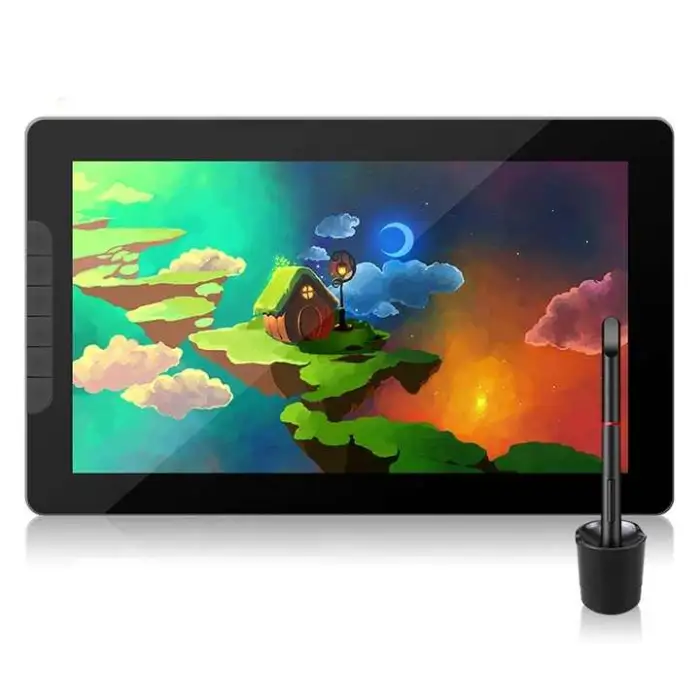
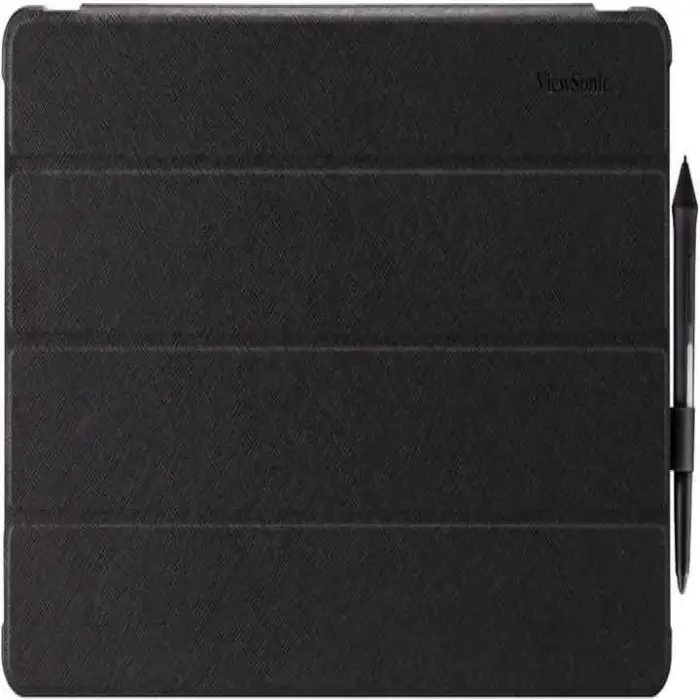
RTS View Snic 13.3inch FHD 1080p Graphic Drawing AcePen Display Tablet with Stylus for Digital Writing Design Draw

- Section : Consumer Electronics
- Category : Computer Hardware & Software
- SKU : 1601013602962

RTS View Snic 13.3inch FHD 1080p Graphic Drawing AcePen Display Tablet with Stylus for Digital Writing Design Draw
The RTS View Snic 13.3inch FHD 1080p Graphic Drawing AcePen Display Tablet is perfect for artists and designers. With a stunning display and a responsive stylus, this tablet makes digital writing and drawing easy and fun. Whether you're sketching, designing, or taking notes, this tablet is your creative partner.
Specifications
| Attribute | Details |
|---|---|
| Model Number | ID1303 |
| Pressure Level | 8192 Levels |
| Report Rate (Pen) | 266 P/S |
| Pen Resolution | 5080 LPI |
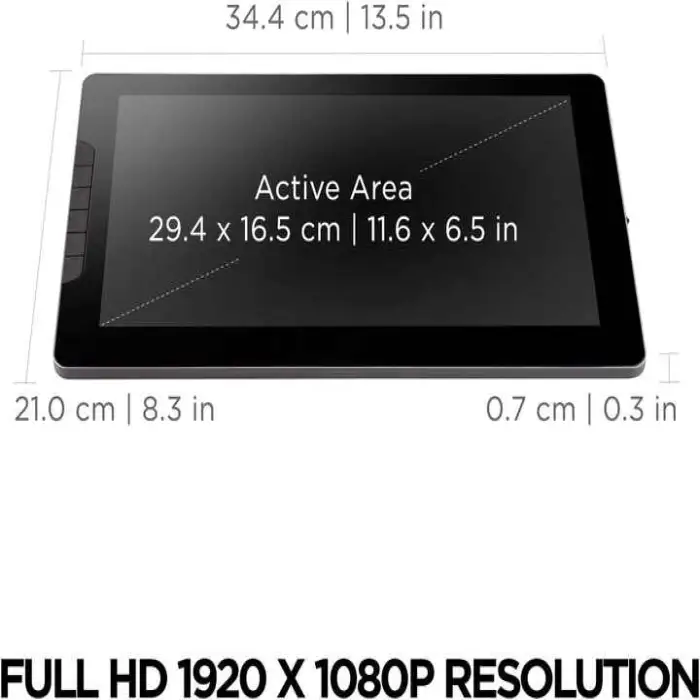
| Dimensions | 344*210*7 mm |
| Press Keys | 6 Programmable Press Keys |
| Interface | Type C |
| Gamut | SRGB 122.25%, NTSC 88%, Adobo RGB 92.63% |
| Single Package Size | 49X31X9 cm |
| Single Gross Weight | 2.000 KG |
Key Features
- High-definition 13.3-inch FHD display for clear visuals.
- 8192 levels of pressure sensitivity for detailed drawing.
- 6 customizable press keys for quick access to your tools.
- Lightweight design for easy portability.
- Compatible with various digital art software.
Applications
- Perfect for digital artists and illustrators.
- Great for students taking digital notes.
- Use it for graphic design and animation.
- Ideal for creating presentations and visual content.
- Helpful for professional designers in various fields.
Product Info Gallery
- Shipping Timeframes: All orders are processed within 2-5 business days (excluding weekends and holidays). After your order has been processed, the estimated delivery time is before 26 Dec, 2025, depending on customs, Please note that due to high demand, some items may experience longer shipping times, which will be communicated at order confirmation email.
- Order Processing Time: Please allow 2-5 business days for us to process your order before it is shipped . Orders placed after 16:00 on Fridays, or during weekends and public holidays, will begin processing on the next business day. Processing times may be extended during peak seasons or sales events.
- Manufacturing Time: Some products needs manufacturing time, the manufacturing process will take approximately 10-30 business days depending on the product. This timeframe may vary depending on the complexity of the product and current demand. but this will be communicated with you during order confirmation.
- Returns and Exchanges: We offer a 30-day return policy for most items. If you are not completely satisfied with your purchase, you may return it within 30 days of receipt for a refund or exchange. Items must be unused, in their original packaging, and accompanied by proof of purchase. Return shipping costs are the responsibility of the customer, unless the item was damaged or defective upon arrival.
1. What are the main display specifications of the RTS View Snic 13.3" tablet?
The tablet features a 13.3-inch Full HD (1920x1080) display. Color coverage is excellent (sRGB 122.25%, NTSC 88%, Adobe RGB 92.63%), giving vivid and accurate colors for design and illustration work.
2. What are the stylus performance specs (pressure, resolution, report rate)?
The included AcePen stylus supports up to 8192 levels of pressure sensitivity, a pen resolution of 5080 LPI, and a report rate of 266 points/second, providing detailed control and a responsive drawing experience.
3. Is the stylus included with the tablet?
Yes — the product is sold as a display tablet 'with Stylus', so the AcePen stylus is included in the package.
4. How does the tablet connect to my computer or device?
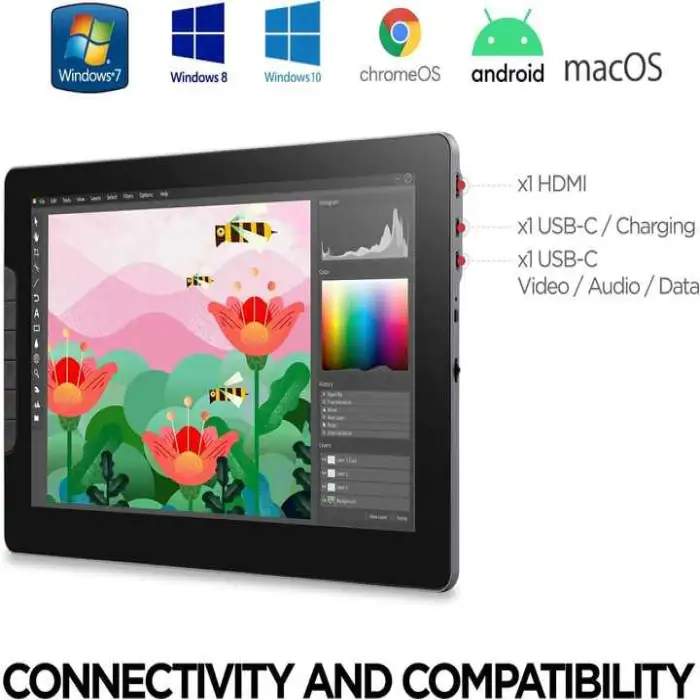
The tablet uses a USB Type-C interface. Depending on your host device you may need a USB-C to USB-A adapter or an OTG adapter for mobile devices. Check the product listing for included cables and adapters.
5. Which operating systems and software are compatible with this tablet?
The tablet is compatible with most major digital art applications (Photoshop, Illustrator, Clip Studio Paint, Krita, Medibang, Affinity, etc.). It generally supports Windows and macOS; mobile/Android compatibility can vary—check the product page or manual for official OS support and driver availability.
6. Does the pen require charging or batteries?
The product description does not specify pen power type. Many AcePen styluses are battery-free, but confirm by checking the user manual or the seller's product details to know whether the pen requires charging or not.
7. Are the 6 press keys customizable and how do I program them?
Yes, the tablet has 6 programmable press keys. You can customize their functions via the tablet driver or configuration utility—assign shortcuts, modifiers, or tool actions to speed up your workflow.
8. Does the tablet support tilt recognition?
Tilt support is not explicitly listed in the provided specs. If tilt sensitivity is required, check the manufacturer’s product page or manual for confirmation. When supported, tilt behavior may also depend on driver support and the application in use.
9. How do I install drivers and where can I get them?
Install the latest drivers from the manufacturer’s support page (search using model number ID1303 or 'RTS View Snic ID1303'). Download and install the driver for your OS, then follow on-screen instructions to configure mapping, pressure curves, and shortcut keys.
10. How can I reduce parallax and improve pen-to-cursor accuracy?
Calibrate the tablet using the driver utility, disable or remove thick screen protectors if they cause distance, ensure the display mapping (full-screen or custom area) matches your workspace, and use the latest drivers to minimize parallax.
11. What are the physical dimensions and portability of the tablet?
The tablet's dimensions are 344 x 210 x 7 mm. It’s designed to be lightweight and portable for on-the-go sketching and note-taking. The single gross weight for shipping is listed as 2.000 kg.
12. What does the color gamut specification mean for my work?
Higher gamut percentages (sRGB 122.25%, Adobe RGB 92.63%, NTSC 88%) indicate a wider range of reproducible colors. This helps you see more accurate and vibrant colors when painting, photo editing, or preparing visual content for print and web.
13. Which applications and use cases is this tablet best suited for?
This tablet is well suited for digital illustration, concept art, graphic design, animation, digital note-taking, presentations, and student or professional workflows that require a pen display with accurate pressure sensitivity and color.
14. What accessories are included and are replacement nibs available?
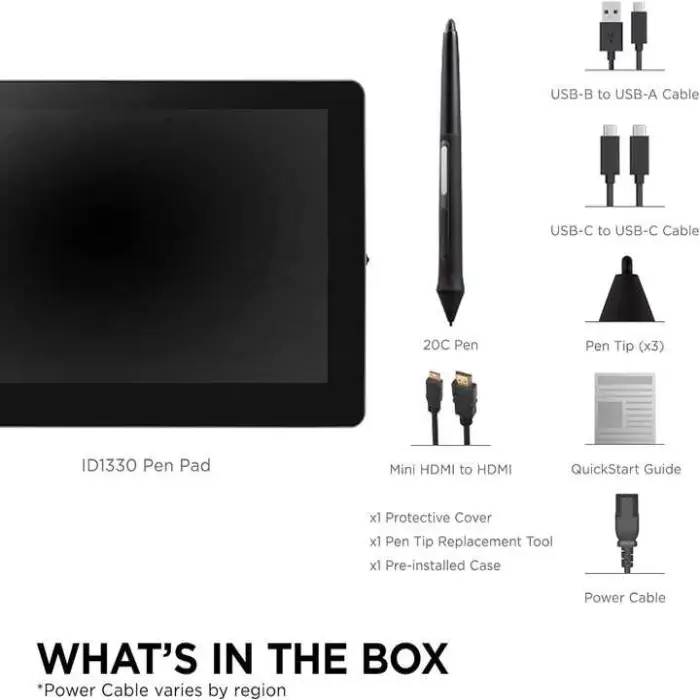
Typical packages for pen displays include the stylus, a Type-C cable and possibly adapters, extra nibs, and a nib removal tool, but inclusions can vary. Check the specific seller listing or product packaging to confirm what’s included and whether replacement nibs are available.
15. Is there warranty and technical support for this product?
Warranty and support details are not listed in the provided description. Refer to the seller or manufacturer's product page for warranty terms, return policy, and contact information for technical support.
Latest Order Arrivals
Discover our latest orders

12 Heads Embroidery Machine

Dewatering Pump Machine

Order Collection

Portable Water Drilling Rig

Order Usefully Collected

Batch of Orders

Agriculture Processing Machines

Meat Grinder Machine

Water Pump Equipment

Packaging Machine and accessories

Fabrics Manufacturing Equipment

Mining Equipments

Food Processing Machine

Batch of Orders

Batch of Orders

Latest Orders Labelled

wheel alignment machines

new arrivals

Pre Orders Offloading

Latest Arrivals

Latest Arrivals