B21, China Town Mall, Midrand

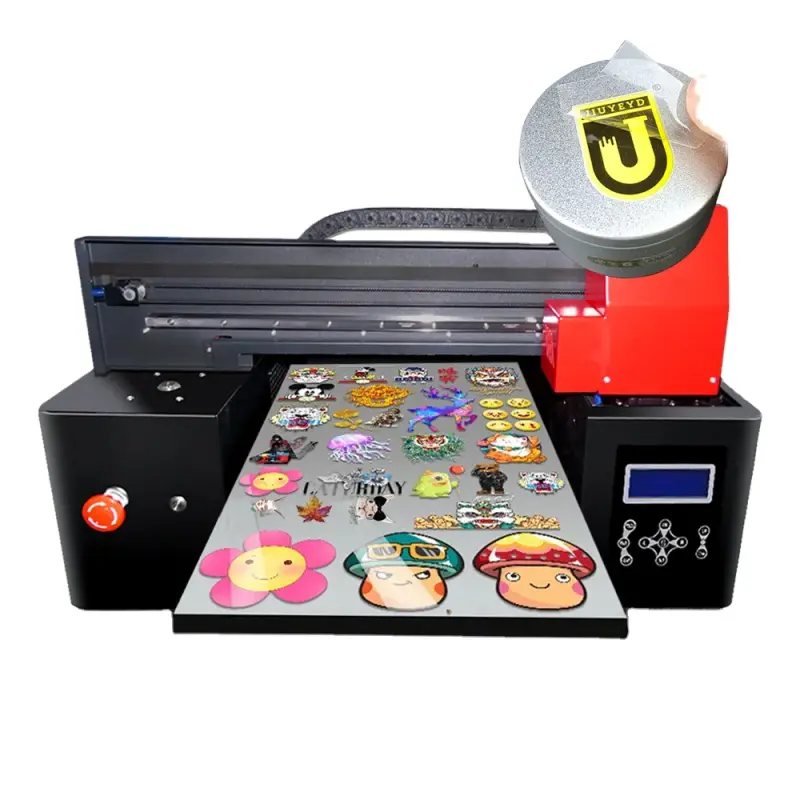
Micolorprint Multi-Functional Direct Transfer UV DTF Printer for Cell Phones, Metal, Wood, Acrylic, Glass
Asset finance available
Do you want funding for this equipment?
Afrimart can connect you with trusted funding partners who specialise in asset finance for businesses like yours. Compare options and apply in minutes — final approval is subject to provider review.
Check funding options
Secure & no obligation

- Section : Consumer Electronics
- Category : DTF Printers
- SKU : 1600269123052

Micolorprint Multi-Functional Direct Transfer UV DTF Printer for Cell Phones, Metal, Wood, Acrylic, Glass
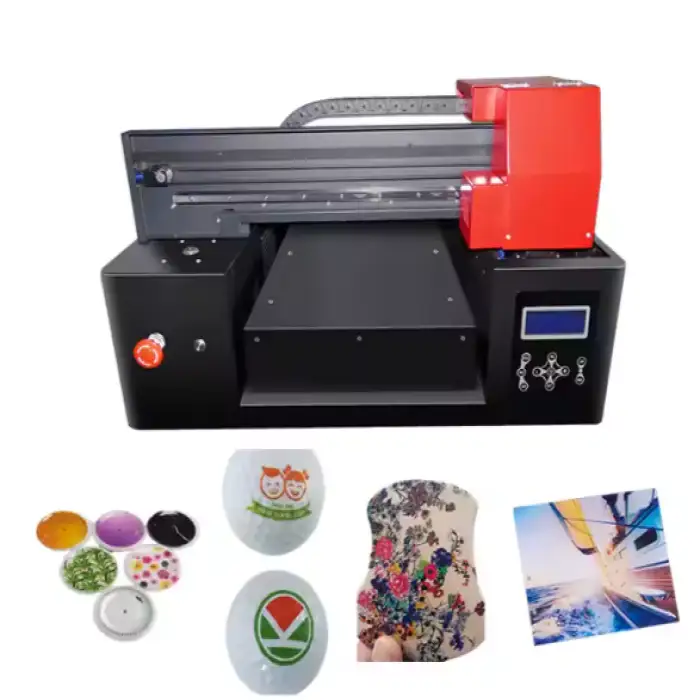
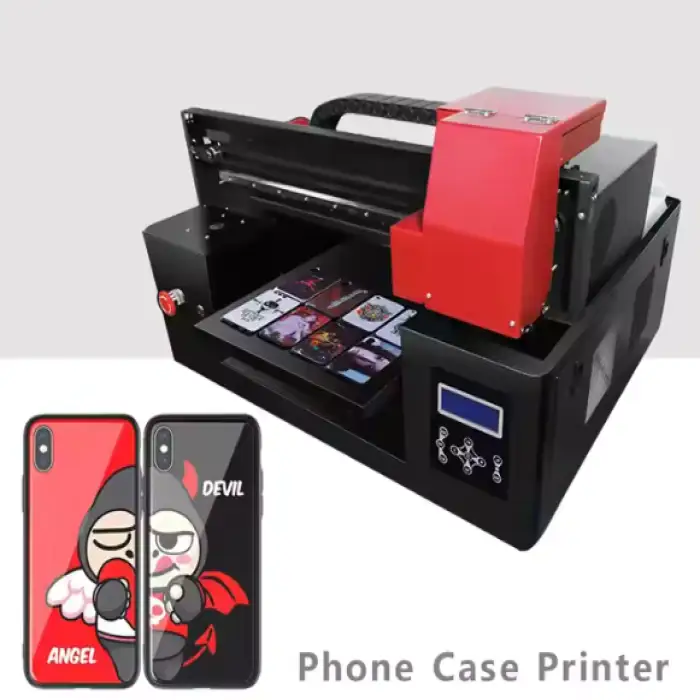
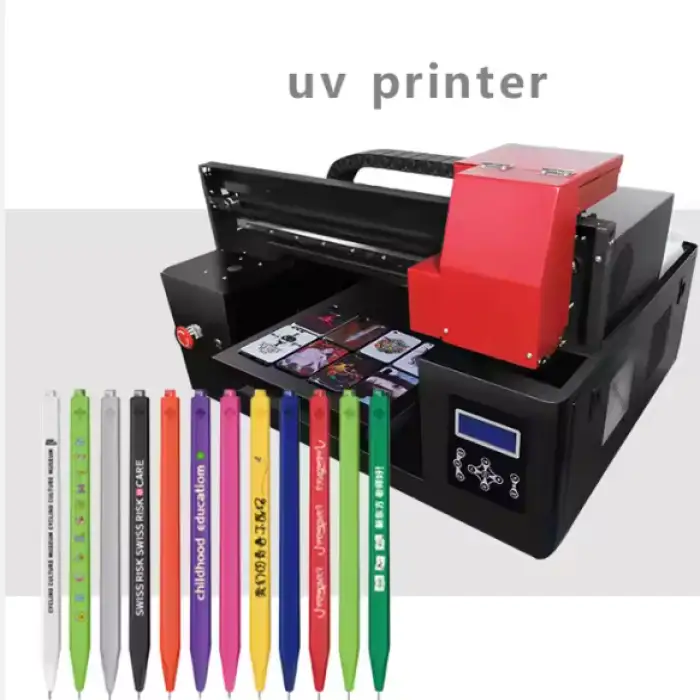
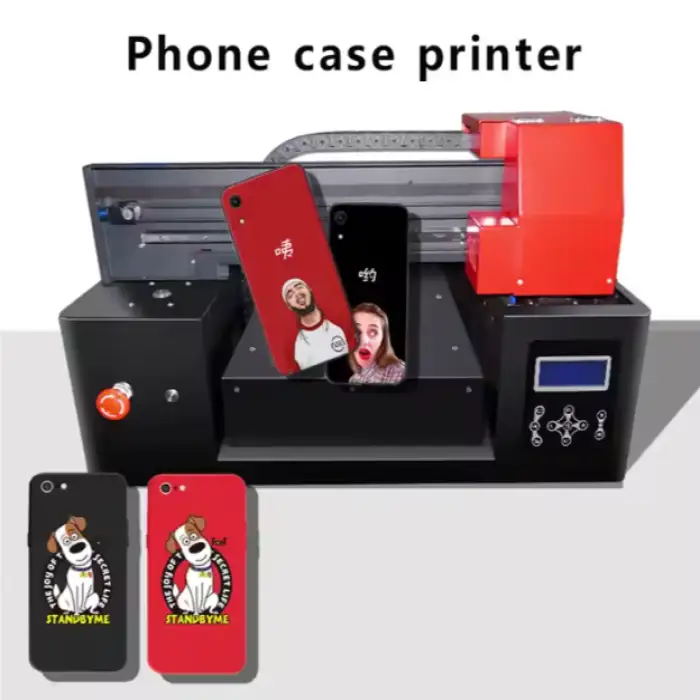
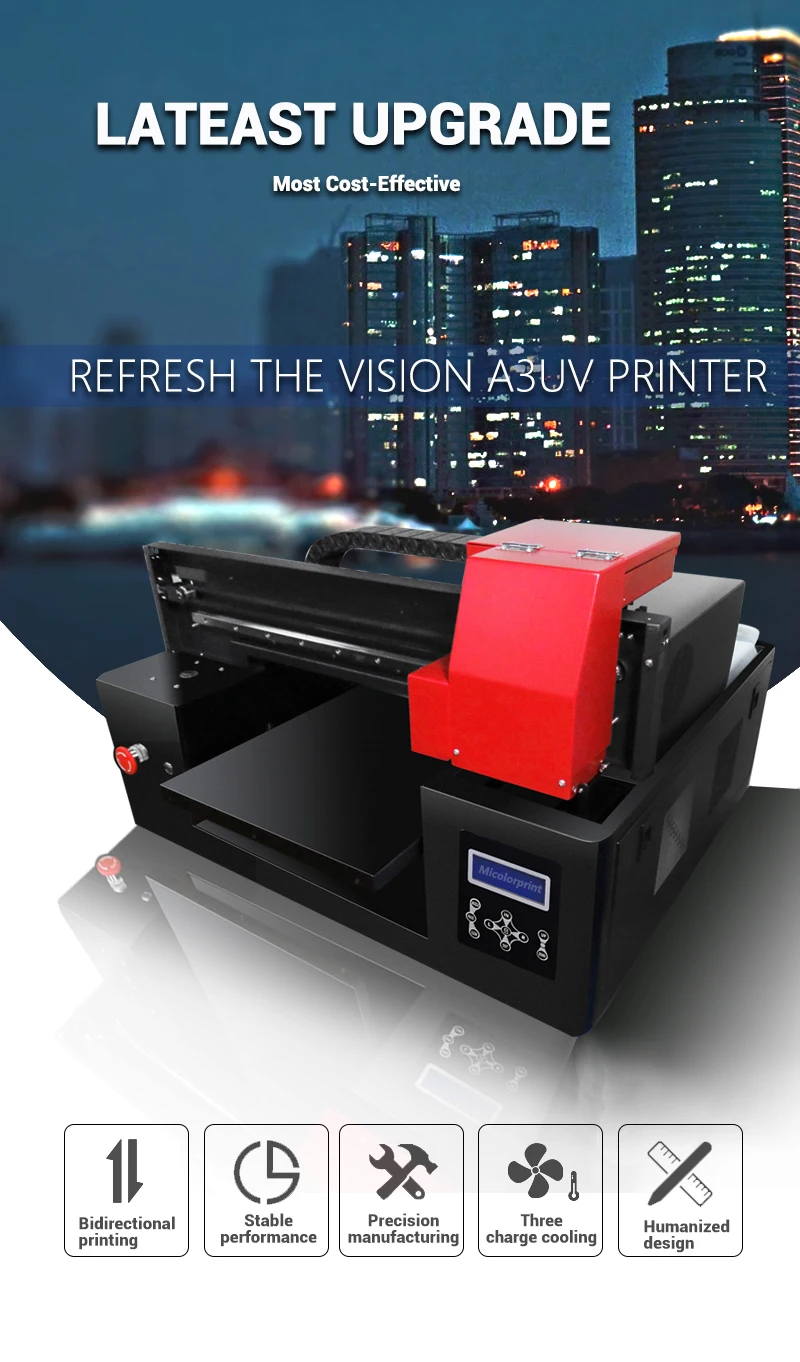
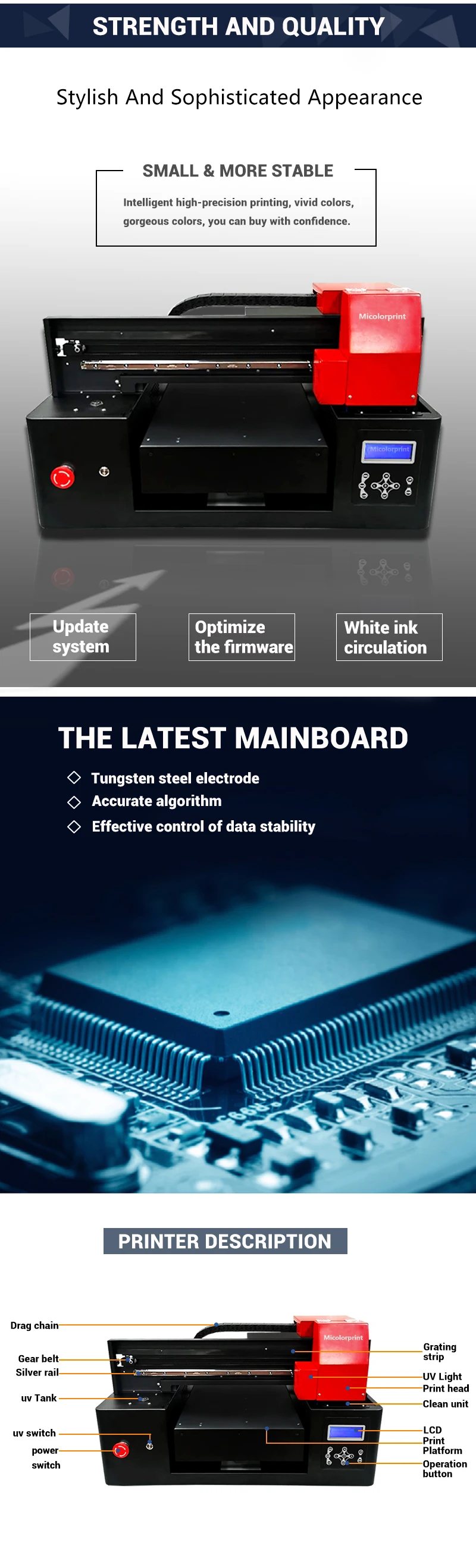
The Micolorprint Multi-Functional Direct Transfer UV DTF Printer is an advanced printing solution designed for a wide range of materials, including cell phone cases, metal, wood, acrylic, glass, and more. This high-resolution printer combines UV ink technology with direct transfer functionality to produce vibrant and durable prints on various surfaces.
Key Features:
- Wide Print Dimensions: Supports printing sizes up to 300mm*500mm, allowing for large designs on various materials.
- UV Ink Technology: Utilizes UV inks (CMYK+2W or CMYK+2Varnish+6W) for high-quality, long-lasting prints on flat items like acrylic, glass, and ceramic tiles.
- Multi-Material Printing: Perfect for printing on a variety of surfaces, including metal, wood, foam boards, and more.
- Embossing Function: Allows for embossing, adding a raised effect to your prints for unique designs.
- High-Resolution Printing: Offers multiple resolution options (24Pass, 16Pass, 12Pass, 8Pass) to ensure detailed prints.
- Fast Printing Speed: Prints at speeds of 1-2 minutes per A4, depending on resolution, improving efficiency for high-volume jobs.
- Color Control (ICC Curve): Provides accurate color management, ensuring consistent and vibrant results across different materials.
- Automatic Operation: Easy to use, reducing the need for manual intervention and enhancing workflow.
- Compact Design: With dimensions of 840mm830mm600mm, it fits easily into most workspaces.
The Micolorprint UV DTF Printer is an ideal choice for businesses in the custom printing industry. Whether you’re printing on promotional products, personalized items, or industrial materials, this printer guarantees vibrant, durable, and precise results every time.
Product Info Gallery

- Shipping Timeframes: All orders are processed within 2-5 business days (excluding weekends and holidays). After your order has been processed, the estimated delivery time is before 04 Aug, 2026, depending on customs, Please note that due to high demand, some items may experience longer shipping times, which will be communicated at order confirmation email.
- Order Processing Time: Please allow 2-5 business days for us to process your order before it is shipped . Orders placed after 16:00 on Fridays, or during weekends and public holidays, will begin processing on the next business day. Processing times may be extended during peak seasons or sales events.
- Manufacturing Time: Some products needs manufacturing time, the manufacturing process will take approximately 10-30 business days depending on the product. This timeframe may vary depending on the complexity of the product and current demand. but this will be communicated with you during order confirmation.
- Returns and Exchanges: We offer a 30-day return policy for most items. If you are not completely satisfied with your purchase, you may return it within 30 days of receipt for a refund or exchange. Items must be unused, in their original packaging, and accompanied by proof of purchase. Return shipping costs are the responsibility of the customer, unless the item was damaged or defective upon arrival.
1. What materials can the Micolorprint Multi-Functional Direct Transfer UV DTF Printer print on?
The printer is designed for a wide range of flat substrates including cell phone cases, metal, wood, acrylic, glass, ceramic tiles, foam board and similar materials. For unusual substrates or highly textured surfaces, test prints are recommended and you can consult the supplier for compatibility guidance.
2. What is the maximum print area?
Maximum printable size is 300 mm × 500 mm, allowing for large single-piece designs on many items.
3. Which ink configurations does the printer use?
The printer supports UV ink configurations such as CMYK+2W and CMYK+2Varnish+6W, enabling full-color reproduction plus white and varnish/clear layers for opacity and finishing effects.
4. Can it print white ink and clear/varnish layers?
Yes. The available ink configurations include white (W) for printing on dark or transparent substrates and varnish/clear layers for gloss/matte effects and additional protection.
5. What is the embossing function and how is it used?
The embossing function produces raised (relief) effects by applying additional ink layers and curing them to build texture. Use it to create tactile highlights, raised logos or special-effect designs. Best results depend on artwork setup, number of passes and substrate—perform tests to optimize settings.
6. What print resolutions and modes are available?
Multiple pass modes are supported, including 24-pass, 16-pass, 12-pass and 8-pass. Higher pass counts produce finer detail and smoother gradients while lower pass counts print faster but with lower detail.
7. How fast does the printer print?
Typical print speed is approximately 1–2 minutes per A4 page, depending on the selected resolution (pass mode) and image coverage. Actual throughput will vary with job complexity and finishing steps.
8. How are colors managed and how accurate are printed colors?
The printer supports ICC curve/color management for consistent, repeatable color across jobs and substrates. For best color accuracy, use a calibrated workflow, appropriate ICC profiles for each substrate and, if available, the recommended RIP software.
9. Do prints require special curing or post-processing?
The printer uses UV-curable inks that are cured using UV light, producing immediate drying on most substrates. Some materials may benefit from light post-curing or additional surface protection depending on end-use; follow substrate-specific recommendations and run adhesion/durability tests.
10. What surface preparation is recommended before printing?
Clean, dry and degrease substrates to remove fingerprints, dust and oils. For very smooth or non-porous materials, light abrasion or the use of a primer/adhesion promoter can improve ink bonding. Always test a sample before full production.
11. What file formats and software does the printer support?
Common print-ready file formats such as TIFF, PNG, JPEG and PDF are typically supported through the recommended RIP or driver software. The system supports ICC-based color management. Check with the vendor for the supplied RIP software and exact format/driver details.
12. What maintenance is required to keep the printer working reliably?
Routine maintenance includes daily printhead cleaning cycles, periodic nozzle checks, ink line flushing, and replacing maintenance parts (caps, wipers, filters) as recommended. Follow the manufacturer’s maintenance schedule to avoid clogs and maintain print quality.
13. What consumables and replacement parts should I expect to buy?
Primary consumables include UV ink cartridges, maintenance kits (wipers, caps, filters), and eventual replacement printheads. Availability, sizes and pricing vary—contact your supplier for compatible consumables and estimated yields.
14. What are the physical dimensions and installation requirements?
The printer’s compact footprint is approximately 840 mm × 830 mm × 600 mm. Installation requires a stable, level work surface and appropriate power and workspace clearance. Contact the seller for exact electrical requirements and recommended workspace setup.
15. What safety precautions should be followed when using the printer?
Follow standard safety practices: avoid direct exposure to UV light, wear gloves when handling inks, ensure adequate ventilation for your workspace, and follow the ink manufacturer’s MSDS and the printer’s user manual. Proper operator training and PPE reduce health and environmental risks.
Latest Order Arrivals
Discover our latest orders

12 Heads Embroidery Machine

Toilet Paper Machine Machine

Order Collection

Cross Border Clients

Order cros border countries Collected

Industrial Machine Cllection

Agriculture Processing Machines

Ready for collection

Water Pump Equipment

Packaging Machine and accessories

Fabrics Manufacturing Equipment

Mining Equipments

Food Processing Machine

Batch of Orders

Batch of Orders

Latest Orders Labelled

wheel alignment machines

new arrivals

Pre Orders Offloading

Latest Arrivals

Latest Arrivals

Latest Arrivals

Loading

Toilet paper making machine

Toilet paper making machine

Toilet paper Rewinding Machine

latest arrivals

offloading

order success

order collection

order offloading