B21, China Town Mall, Midrand


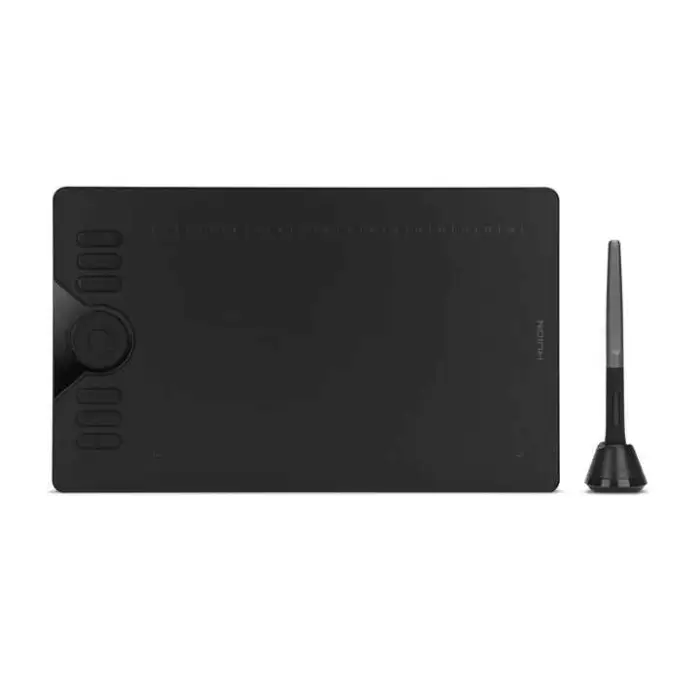

Huion HS610 Drawing 8192 Levels Pen Digital Taking Screen Art Animation Design Graphic Tablet

- Section : Consumer Electronics
- Category : Computer Hardware & Software
- SKU : 62293625187

Huion HS610 Drawing 8192 Levels Pen Digital Taking Screen Art Animation Design Graphic Tablet
The Huion HS610 Drawing Tablet is perfect for artists, designers, and animators. It offers a smooth and responsive drawing experience. With its advanced pen technology, you can create stunning digital art with ease. The tablet is lightweight and easy to use, making it great for both beginners and professionals.
Specifications
| Attribute | Details |
|---|---|
| Pen Technology | Battery-Free Electromagnetic Resonance |
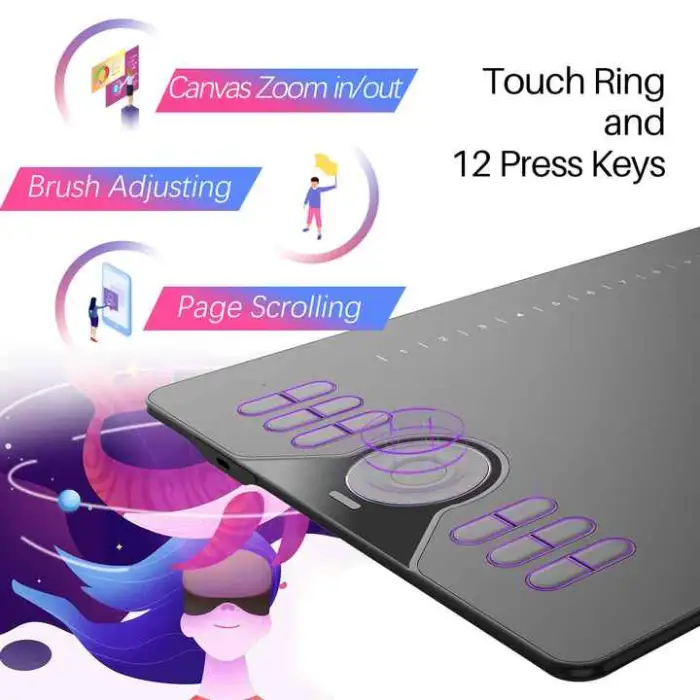
| Press Keys | 8 Customized Press Keys |
| Pressure Level | 8192 Levels |
| Interface | USB |
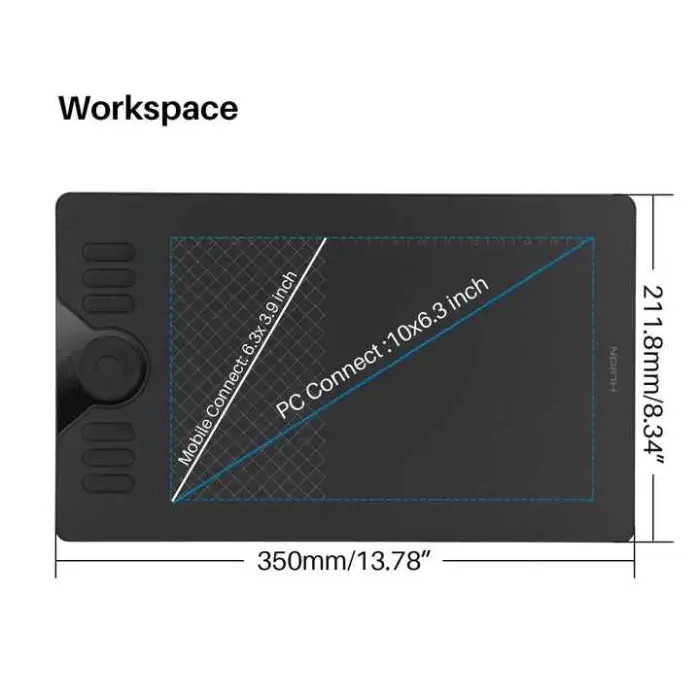
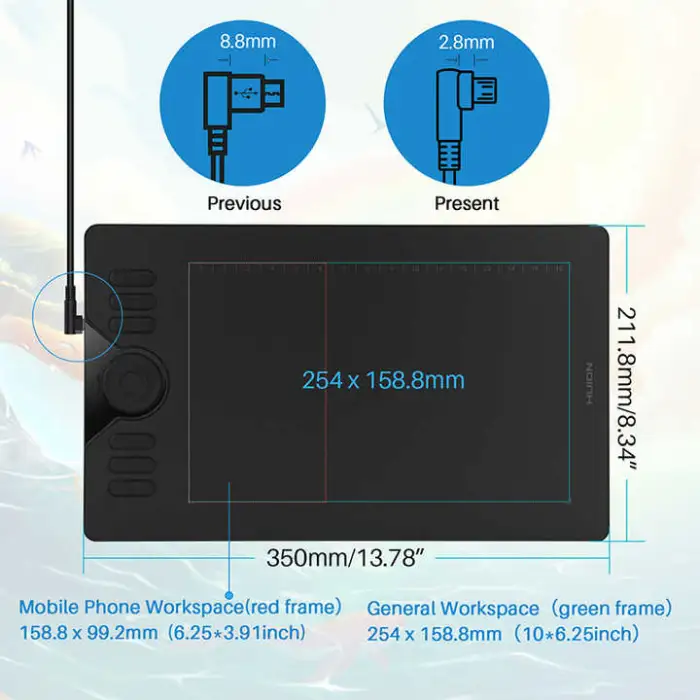
| Working Area (Phone Mode) | 99.3 x 158.8mm (9:16) |
| Working Area (PC Mode) | 254 x 158.8mm (10 x 6.25in) |
| Dimension | 350 x 211.8 x 8mm |
| Sensing Height | 10mm |
| Color | Black |
| Selling Units | Single item |
| Single Package Size | 45X26X8 cm |
| Single Gross Weight | 2.000 KG |
Key Features
- 8192 levels of pen pressure for detailed artwork.
- Battery-free pen for hassle-free drawing.
- 8 customizable press keys for quick access to functions.
- Wide working area for both phone and PC modes.
- Lightweight design for portability.
Applications
- Digital drawing and painting.
- Graphic design and illustration.
- Animation and motion graphics.
- Photo editing and retouching.
- Educational and professional presentations.
The Huion HS610 Drawing Tablet makes digital art fun and easy. Whether you are a beginner or an expert, this tablet can help you bring your creative ideas to life. Get ready to explore your artistic talents with the Huion HS610!
Product Info Gallery
- Shipping Timeframes: All orders are processed within 2-5 business days (excluding weekends and holidays). After your order has been processed, the estimated delivery time is before 26 Dec, 2025, depending on customs, Please note that due to high demand, some items may experience longer shipping times, which will be communicated at order confirmation email.
- Order Processing Time: Please allow 2-5 business days for us to process your order before it is shipped . Orders placed after 16:00 on Fridays, or during weekends and public holidays, will begin processing on the next business day. Processing times may be extended during peak seasons or sales events.
- Manufacturing Time: Some products needs manufacturing time, the manufacturing process will take approximately 10-30 business days depending on the product. This timeframe may vary depending on the complexity of the product and current demand. but this will be communicated with you during order confirmation.
- Returns and Exchanges: We offer a 30-day return policy for most items. If you are not completely satisfied with your purchase, you may return it within 30 days of receipt for a refund or exchange. Items must be unused, in their original packaging, and accompanied by proof of purchase. Return shipping costs are the responsibility of the customer, unless the item was damaged or defective upon arrival.
1. What is the Huion HS610 Drawing Tablet?
The Huion HS610 is a lightweight graphics tablet designed for digital drawing, painting, animation and photo editing. It features an 8192-level battery-free pen, 8 customizable press keys and two working-area modes for phone and PC use.
2. What pen technology does the tablet use and does the pen need charging?
The tablet uses a battery-free electromagnetic resonance pen, so the pen does not require charging or batteries while providing 8192 levels of pressure sensitivity.
3. What are the working-area sizes for phone mode and PC mode?
Working area (Phone Mode): 99.3 x 158.8 mm (9:16). Working area (PC Mode): 254 x 158.8 mm (10 x 6.25 in). Use the appropriate mode depending on the device you connect to.
4. How do I connect the HS610 to my computer or phone?
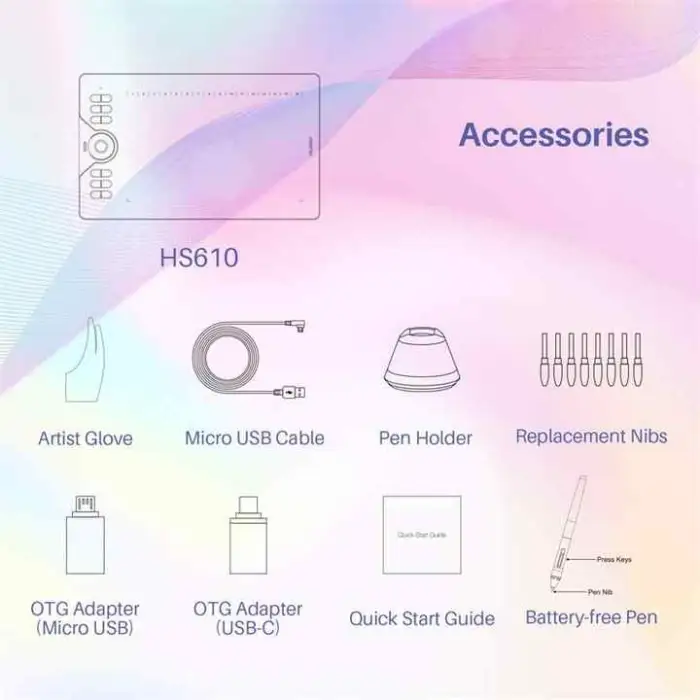
The HS610 uses a USB interface. For Windows and macOS connect directly via USB. For Android phones you will likely need an OTG adapter and a compatible phone; check your phone's OTG support and the Huion compatibility list before connecting.
5. Which operating systems and creative applications are supported?
The tablet is compatible with major creative applications such as Adobe Photoshop, Illustrator, Clip Studio Paint, Krita and similar programs. It supports Windows and macOS; Android support depends on your device and OTG compatibility. Check Huion's official site for the latest supported OS versions and device lists.
6. How do I install and update the driver/software for customization?
Download the latest driver for the HS610 from Huion's official support website. Install the driver, restart your computer if prompted, and use the Huion driver utility to map the tablet area, customize the 8 press keys and adjust pen pressure settings.
7. How do I customize the 8 press keys?
Open the Huion driver utility after installation. Select the HS610, then assign functions, shortcuts or macros to each of the 8 press keys. You can set different profiles for different applications.
8. What does 8192 pressure levels mean for my drawing?
8192 pressure levels means the pen can detect very fine differences in pressure, allowing for smooth, natural line variation and better control of brush size, opacity and other pressure-sensitive features in drawing software.
9. What should I do if the pen cursor is offset or not matching the tablet?
First install or reinstall the latest Huion driver, then use the driver utility to map the tablet to your monitor resolution. Restart the computer if needed. If the issue persists, try a different USB port or cable and check for OS pointer settings that may interfere.
10. Are replacement pen nibs available and how do I replace them?
Yes, replacement nibs are typically available from Huion or authorized retailers. To replace a nib, gently pull the old nib out with the included nib remover or tweezers and push a new nib straight into the pen until it seats securely.
11. What is the pen sensing height?
The pen sensing height for the HS610 is 10 mm, which is the distance above the tablet surface at which the tablet will detect the pen.
12. What are the physical dimensions and weight of the tablet?
The HS610 measures 350 x 211.8 x 8 mm. The single package size is approximately 45 x 26 x 8 cm and the single gross weight is about 2.000 kg.
13. How do I clean and maintain the tablet and pen?
Keep the tablet surface free of dust and oils by wiping gently with a soft, lint-free cloth slightly dampened with water. Avoid harsh chemicals. Store the pen in a safe place when not in use and replace nibs when worn. Do not drop the pen or expose the tablet to liquids.
14. What if I need warranty service or technical support?
Warranty terms vary by seller and region. For warranty service or technical support, contact the seller or Huion's official customer support through their website. Keep your purchase receipt and product serial number handy when requesting support.
Latest Order Arrivals
Discover our latest orders

12 Heads Embroidery Machine

Dewatering Pump Machine

Order Collection

Portable Water Drilling Rig

Order Usefully Collected

Batch of Orders

Agriculture Processing Machines

Meat Grinder Machine

Water Pump Equipment

Packaging Machine and accessories

Fabrics Manufacturing Equipment

Mining Equipments

Food Processing Machine

Batch of Orders

Batch of Orders

Latest Orders Labelled

wheel alignment machines

new arrivals

Pre Orders Offloading

Latest Arrivals

Latest Arrivals