B21, China Town Mall, Midrand

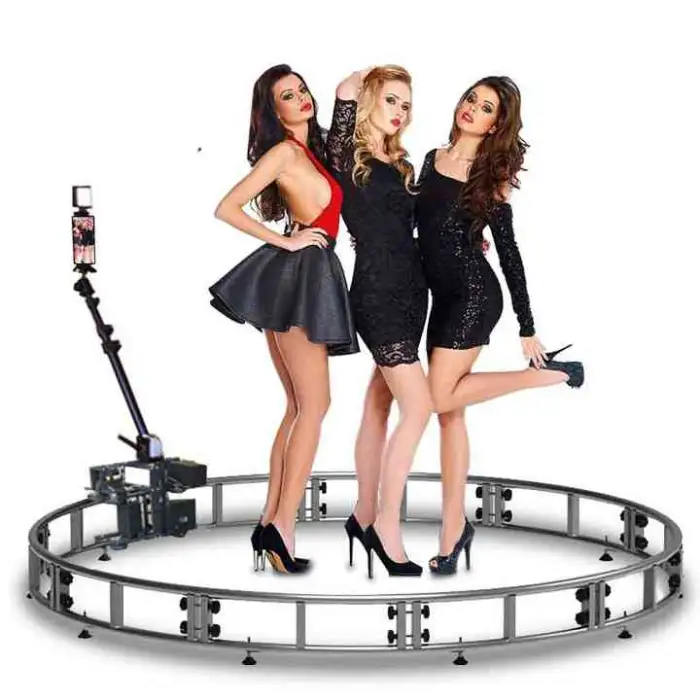

Design Trackstar 360 Camera Photobooth Kiosk Machine Automatic Spin Circle Track Video Booth 360 Photo Booth
Asset finance available
Do you want funding for this equipment?
Afrimart can connect you with trusted funding partners who specialise in asset finance for businesses like yours. Compare options and apply in minutes — final approval is subject to provider review.
Check funding options
Secure & no obligation

- Section : Consumer Electronics
- Category : Photo Booths
- SKU : 1600468584964

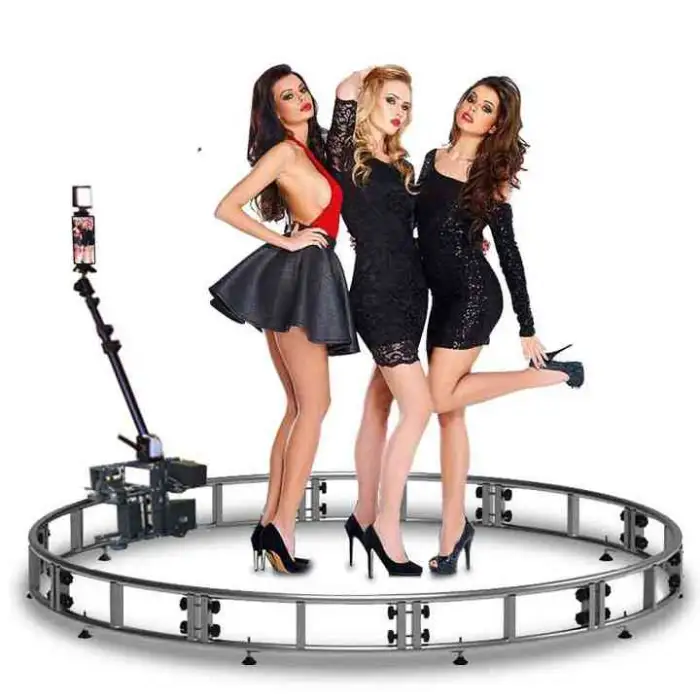
Design Trackstar 360 Camera Photobooth Kiosk Machine Automatic Spin Circle Track Video Booth 360 Photo Booth
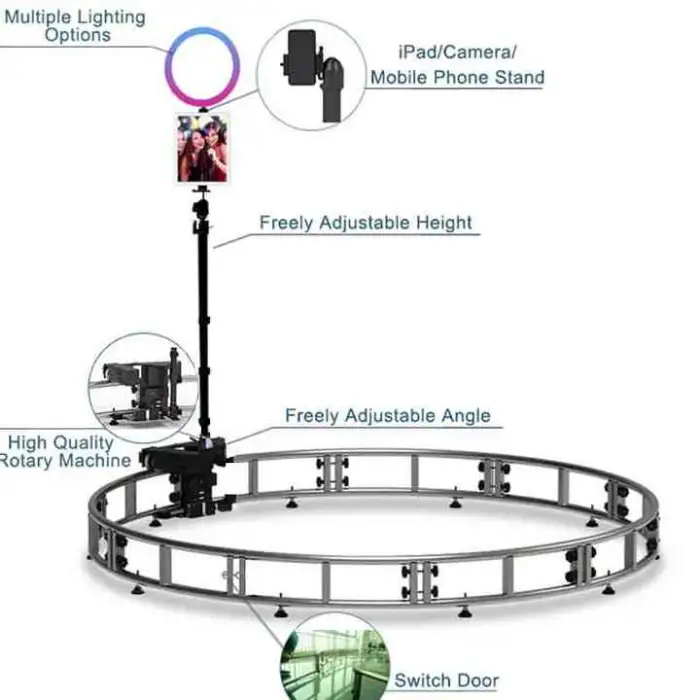
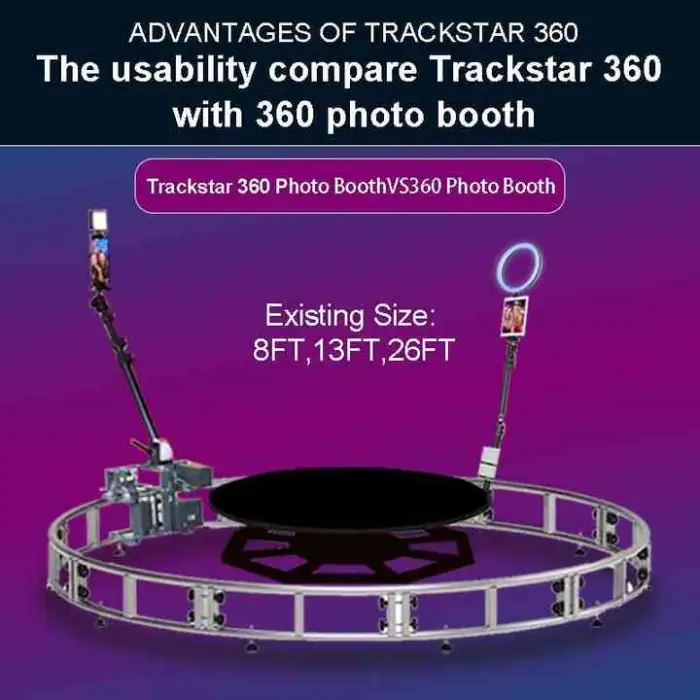
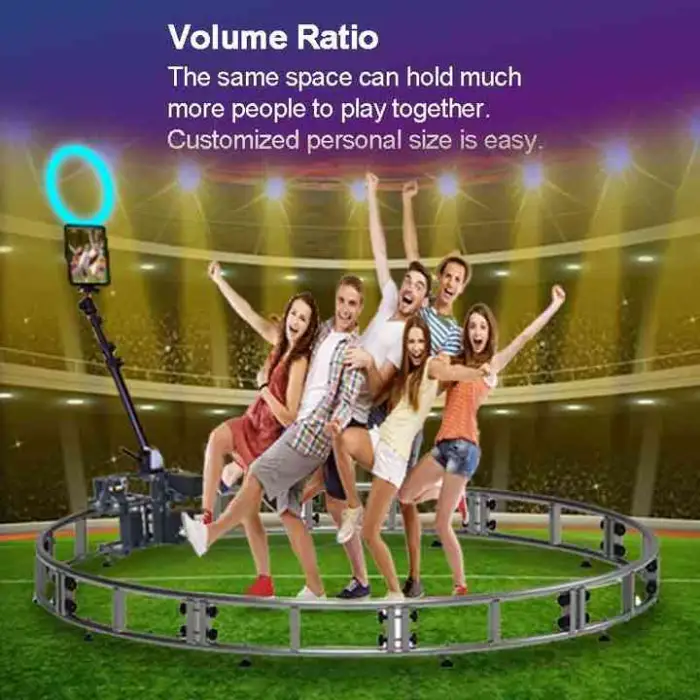
The Design Trackstar 360 Camera Photobooth Kiosk Machine is a fun and exciting way to capture memories! This automatic spin circle track video booth lets you create stunning 360-degree photos and videos. Perfect for parties, weddings, and events, it adds a unique touch to your celebrations. With its user-friendly design, anyone can enjoy taking amazing photos!
Specifications
| Attribute | Details |
|---|---|
| Compatible Devices | iPad |
| Load Bearing | Other |
| Brand Name | Eagle |
| Model Number | PT01-360PT01 |
| Original Design | PT02 |
| Smart Motor | PT03 |
| Size Selection | Single item |
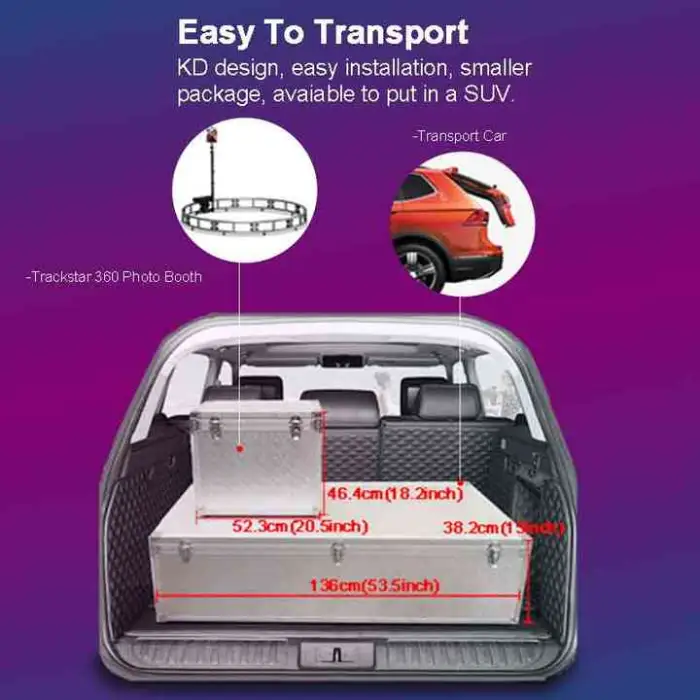
| Single Package Size | 80X33.4X81.3 cm |
| Single Gross Weight | 93.000 KG |
Key Features
- Automatic spinning for 360-degree views
- Easy to use with iPad compatibility
- Sturdy construction with high load capacity
- Smart motor for smooth operation
- Compact size for easy setup and transport
Applications
- Weddings and receptions
- Birthday parties and celebrations
- Corporate events and promotions
- Trade shows and exhibitions
- School events and fundraisers
Experience the joy of capturing moments with the Design Trackstar 360 Camera Photobooth Kiosk Machine. It’s not just a photo booth; it’s a way to make memories that last forever!
Product Info Gallery
- Shipping Timeframes: All orders are processed within 2-5 business days (excluding weekends and holidays). After your order has been processed, the estimated delivery time is before 04 Aug, 2026, depending on customs, Please note that due to high demand, some items may experience longer shipping times, which will be communicated at order confirmation email.
- Order Processing Time: Please allow 2-5 business days for us to process your order before it is shipped . Orders placed after 16:00 on Fridays, or during weekends and public holidays, will begin processing on the next business day. Processing times may be extended during peak seasons or sales events.
- Manufacturing Time: Some products needs manufacturing time, the manufacturing process will take approximately 10-30 business days depending on the product. This timeframe may vary depending on the complexity of the product and current demand. but this will be communicated with you during order confirmation.
- Returns and Exchanges: We offer a 30-day return policy for most items. If you are not completely satisfied with your purchase, you may return it within 30 days of receipt for a refund or exchange. Items must be unused, in their original packaging, and accompanied by proof of purchase. Return shipping costs are the responsibility of the customer, unless the item was damaged or defective upon arrival.
1. What is the Design Trackstar 360 Camera Photobooth Kiosk Machine?
It’s a motorized 360° photo and video booth kiosk that automatically spins guests on a circular track to capture immersive 360-degree photos and videos. It’s designed for events like weddings, parties, corporate functions and trade shows.
2. Which devices are compatible with this 360 photobooth?
The kiosk is compatible with iPad devices. Exact model and size compatibility can vary by mount — confirm the iPad models and iOS versions supported by the seller or in the product manual.
3. What are the package dimensions and weight?
Single package size: 80 x 33.4 x 81.3 cm. Single gross weight: 93.0 kg.
4. How does the booth achieve the 360° spin?
A smart motor drives the circular track for smooth automatic spinning, enabling continuous 360-degree capture. Motor control and speed/behavior are managed via the unit’s control interface or companion software (refer to manual for details).
5. What is the load capacity — how many people can stand on it and what is the maximum weight?
The product is designed for single-user operation typical of 360 photo booths. Exact maximum load/weight ratings are not listed here — contact the manufacturer or seller for the official load capacity and safe-use limits.
6. What are the power requirements?
The booth uses a powered motor for rotation. Specific voltage, power draw and cord details are provided in the technical spec sheet or user manual — check with the vendor for region-specific power requirements and whether a power cable or adapter is included.
7. What software or apps do I need to run the booth?
The booth uses an iPad for capture, so you’ll need an iPad-compatible photobooth/360 capture app. The exact app and configuration depend on your workflow; many third-party photobooth apps support 360 capture, on-device storage and cloud sharing. Ask the seller for recommended apps or preconfigured solutions.
8. Where are photos and videos stored, and what formats are supported?
Storage location and file formats are determined by the iPad and the capture app you use. Typically captures are saved to the iPad’s local storage (Photos) and can be exported in standard photo/video formats (JPG, HEIC, MP4, etc.) or uploaded to cloud services depending on the app.
9. How long does setup and teardown take, and is the unit portable?
The unit is described as compact for easy setup and transport. Setup time varies with experience but is generally quick — however the packaged weight (93 kg) means at least two people or appropriate equipment will be needed to move it safely. Confirm whether a transport case is included.
10. Can the booth be used outdoors?
Outdoor use may be possible but depends on weather, ground surface and power access. Because the unit contains electrical and mechanical components, avoid exposure to rain and extreme conditions. Check the manual and consult the seller about outdoor-rated options or protective accessories.
11. Is the machine safe to use for children and adult guests?
The unit is built with sturdy construction and a smart motor for smooth operation. Always follow the manufacturer’s safety instructions: use on a level surface, observe recommended load limits, supervise children, and ensure users stand in the designated area while the platform rotates.
12. What maintenance is required?
Routine maintenance typically includes keeping the platform and track clean, inspecting mechanical connections, checking fasteners and cables, and following any lubrication or motor-care guidance provided in the manual. For service or parts replacement, contact the manufacturer or authorized service center.
13. Can I customize branding, overlays or interface for events?
Yes — most event operators customize overlays, graphics, prints and digital sharing templates through the capture app or post-processing tools. Ask your vendor about custom branding options, on-screen UI customization, or OEM services offered by the manufacturer.
14. What comes in the box and are accessories included?
Package contents vary by model and seller. Typical items may include the rotating platform/track assembly, kiosk/iPad mount and user manual, but you should verify exactly what’s included (power cable, mounting hardware, transport case, etc.) with the supplier before purchase.
15. Is there warranty and technical support?
Warranty and support terms are provided by the manufacturer (brand: Eagle) or the reseller. Check the product listing or contact the seller for warranty duration, what’s covered, and how to obtain technical support, spare parts or service.
Latest Order Arrivals
Discover our latest orders

12 Heads Embroidery Machine

Toilet Paper Machine Machine

Order Collection

Cross Border Clients

Order cros border countries Collected

Industrial Machine Cllection

Agriculture Processing Machines

Ready for collection

Water Pump Equipment

Packaging Machine and accessories

Fabrics Manufacturing Equipment

Mining Equipments

Food Processing Machine

Batch of Orders

Batch of Orders

Latest Orders Labelled

wheel alignment machines

new arrivals

Pre Orders Offloading

Latest Arrivals

Latest Arrivals

Latest Arrivals

Loading

Toilet paper making machine

Toilet paper making machine

Toilet paper Rewinding Machine

latest arrivals

offloading

order success

order collection

order offloading