B21, China Town Mall, Midrand

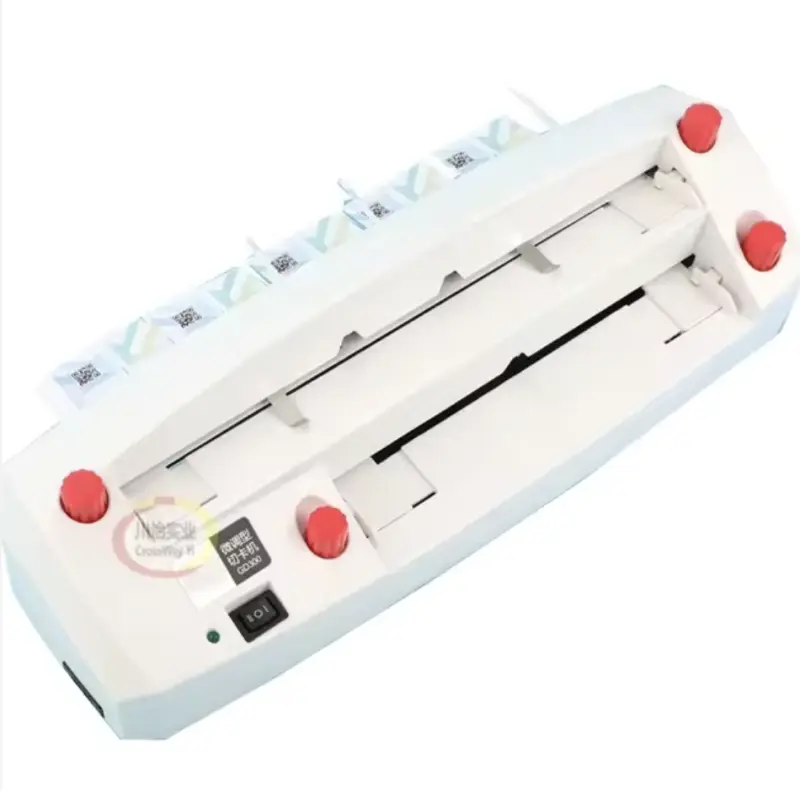
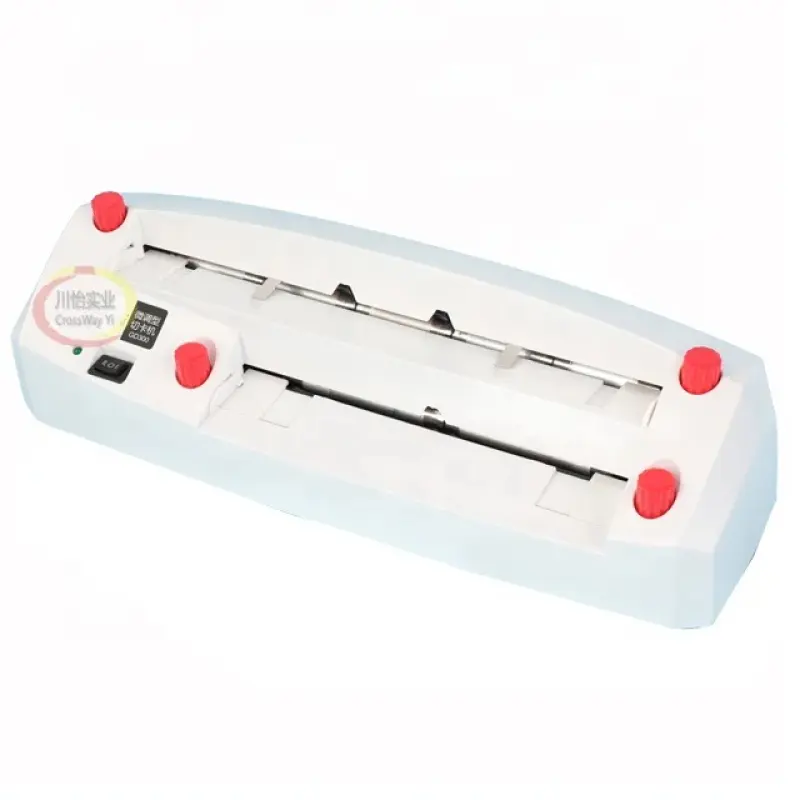
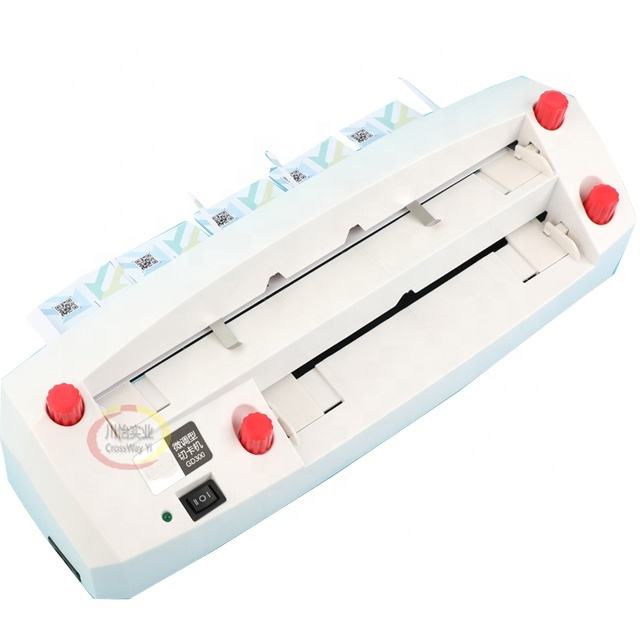
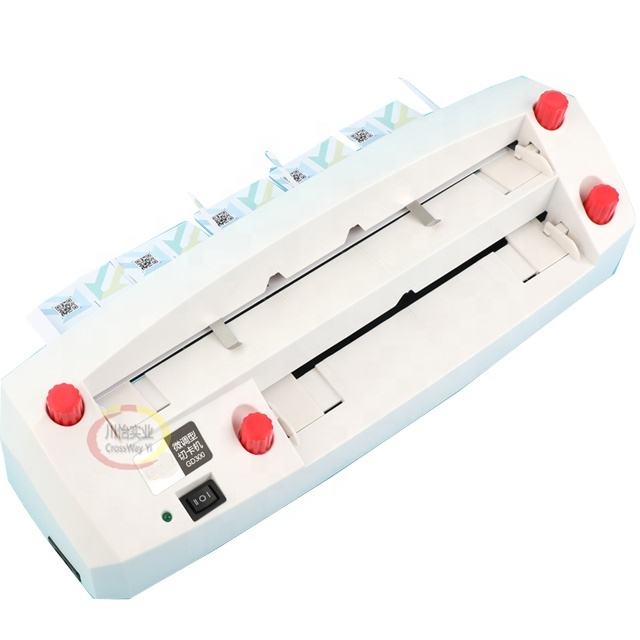
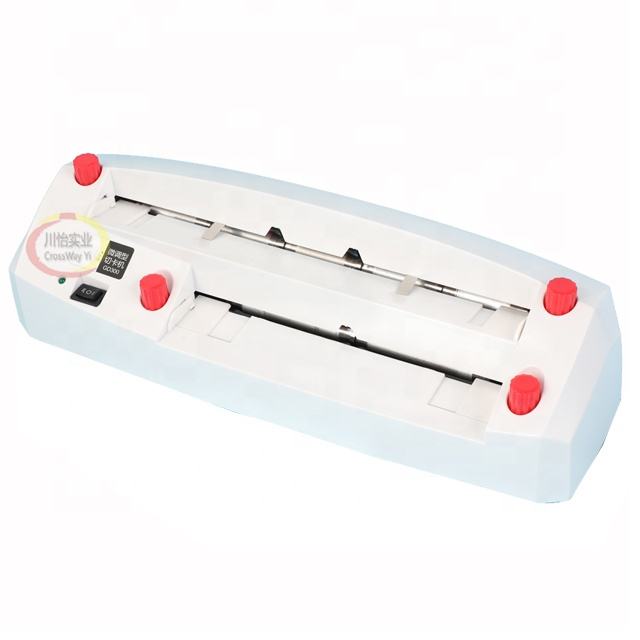
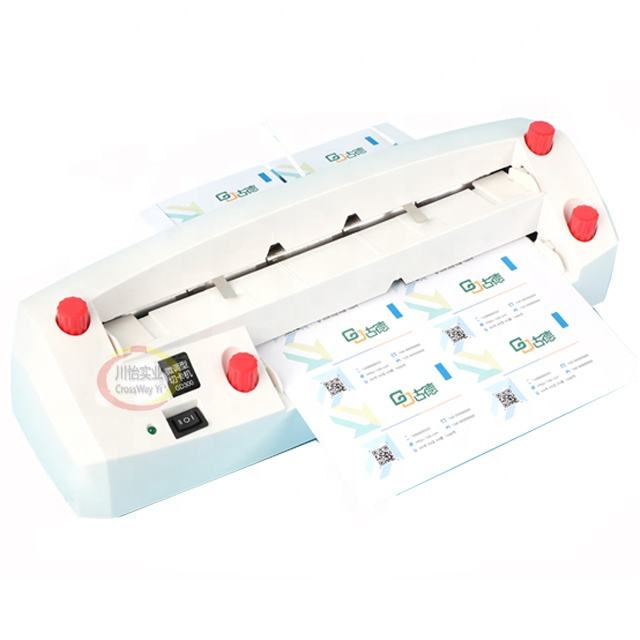
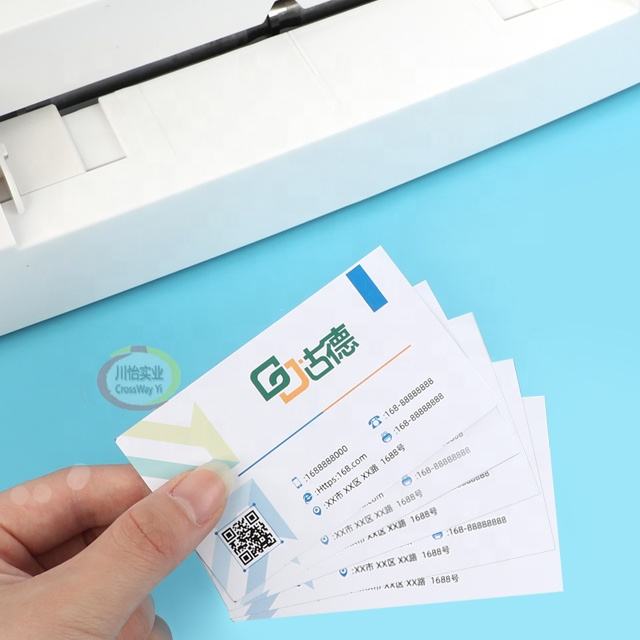

Automatic Business card Cutter electric A4 Name Card PVC Cutting Machine

- Section : Machinery
- Category : Paper Production Machinery
- SKU : 1600304053589

CrossWay Yi Electron Cutting Machine
The CrossWay Yi Electron Cutting Machine is a reliable tool designed for precise cutting tasks in various applications. With its user-friendly design, this machine is perfect for both beginners and experienced operators.
Key Features
Compact Design: With dimensions of 430 mm x 125 mm x 110 mm, this machine is easy to fit into any workspace, making it ideal for small shops and home use.
User-Friendly Operation: Designed for ease of use, the CrossWay Yi allows for quick setup and operation, ensuring that even novice users can operate it efficiently.
Versatile Functionality: This machine is specifically built for electron cutting, making it suitable for a variety of materials and applications.
Durable Components: Constructed with high-quality materials, the CrossWay Yi is built to last, providing reliable performance over time.
The CrossWay Yi Electron Cutting Machine is an excellent choice for anyone seeking an efficient and easy-to-use cutting solution.
Product Info Gallery
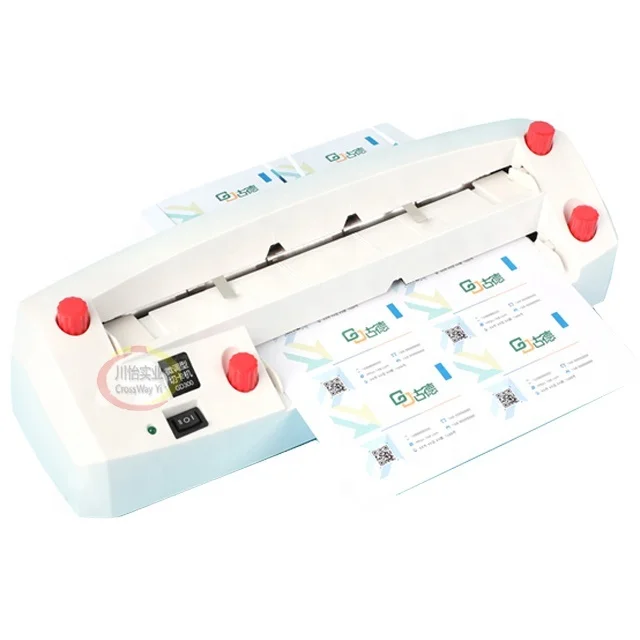
| Model Name | CY-electronic Business Card Cutter |
| Paper Size | A4 : 210*297mm |
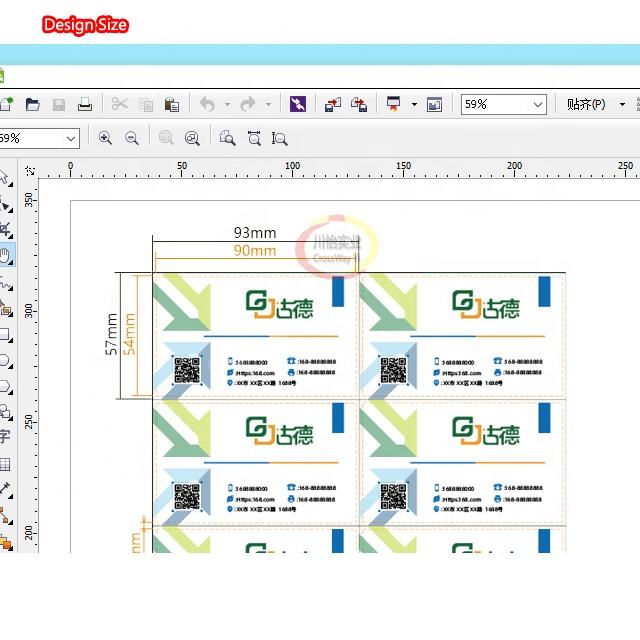
| Name card size | 90.0*54mm |
| Cutting speed | 30pcs/minutes . |
| Power supply | 220v /Chinese Power Plug |
Introduction For This electronic Business Card Cutter
1 This kind of machine , you need to use two time to cut into name card .
2 No matter it’s the letter or picture name card , this machine can be done !
3 This machine suitable for 100g-300g paper , can not be used for pvc and plastic card .
4 Model: 300B. After you click the button , the green light will be on , the machine will be on . Click again ,the machine will be off !
Caution :
A , Make sure there is no any liquid in the machine , make sure no any metal thing , small wastepaper in the machine .
B , Please do not touch the knife by your hand .
C , Please put the machine in the flat desk .
D , You just can put one paper in the machine in one time .
E , If there is any smoke , big nozzle in the machine , please do not use it .
F , If any maintain , please make sure to be power off !
Manual :
5 The first entry port : Put the name card paper which has been printed ( A4 : 210*297mm) in the first entry port ( down entry port),move the orientation of the both margin , make sure it closed enough to the both margin , move the name card paper to the blade , use the blade sign to adjustthe name card paper’s position ,
then leave go of your hand , it will finished cutting by itself .
6 Second entry port : Rotate the name card paper which has been cutted in the first port to 90degree , then put in the second entry port (up entry port), move the orientation , make sure it closed to the margin of the paper , use the blade sign to adjust the paper to the suitable position ,then leave go of your hand , the machine will go by itself .
7 Do the cleaning Maintain notice :
8 1. Please make sure the machine is power off before you need to clean the machine .
9 2. Before you want to do the cuting , please make sure the paper is in the right position with the knife .
10 3. When the machine is working , please make sure do not touch the blade of the machine .
11 If the machine do not work for a long time , before it work , please check the machine carefully .
- Shipping Timeframes: All orders are processed within 2-5 business days (excluding weekends and holidays). After your order has been processed, the estimated delivery time is before 04 Feb, 2026, depending on customs, Please note that due to high demand, some items may experience longer shipping times, which will be communicated at order confirmation email.
- Order Processing Time: Please allow 2-5 business days for us to process your order before it is shipped . Orders placed after 16:00 on Fridays, or during weekends and public holidays, will begin processing on the next business day. Processing times may be extended during peak seasons or sales events.
- Manufacturing Time: Some products needs manufacturing time, the manufacturing process will take approximately 10-30 business days depending on the product. This timeframe may vary depending on the complexity of the product and current demand. but this will be communicated with you during order confirmation.
- Returns and Exchanges: We offer a 30-day return policy for most items. If you are not completely satisfied with your purchase, you may return it within 30 days of receipt for a refund or exchange. Items must be unused, in their original packaging, and accompanied by proof of purchase. Return shipping costs are the responsibility of the customer, unless the item was damaged or defective upon arrival.
1. What materials can the CrossWay Yi Electron Cutting Machine cut?
The machine is designed for paper only — suitable for 100–300 g/m² paper. It is not suitable for cutting PVC, plastic cards, or other rigid materials.
2. What input paper size and business card size does it support?
Input paper size: A4 (210 × 297 mm). Designed output (name card) size: 90 × 54 mm.
3. How many business cards do I get from one A4 sheet?
One A4 sheet (210 × 297 mm) cut to 90 × 54 mm cards produces 10 business cards per sheet (2 across × 5 down).
4. Is the machine fully automatic?
The cutter performs automatic cuts once the sheet is positioned, but cutting a full A4 sheet into cards requires two passes: first through the lower entry port, then rotate the sheet 90° and run it through the upper entry port.
5. What is the cutting speed?
The stated cutting speed is approximately 30 pieces per minute.
6. What are the power requirements and plug type?
Power supply: 220 V. The machine comes with a Chinese power plug — you may need an adapter or local-compatible power cable for other regions.
7. How do I operate the machine (basic steps)?
1) Press the power button (green light on). 2) Place the printed A4 into the lower (first) entry port and align margins against the guides. 3) Use the blade mark to fine-tune alignment and release the sheet — the machine will cut automatically. 4) Rotate the cut sheet 90° and feed it into the upper (second) entry port, align, then release for the second cut. 5) Press the button again to turn off when finished.
8. Can it cut cards with images or double‑sided prints?
Yes — the machine can cut name cards containing text or images. Ensure your print layout and guides are aligned correctly before cutting.
9. How many sheets can I feed at once?
Only one A4 sheet should be fed into the machine at a time. Do not attempt to feed multiple sheets simultaneously.
10. What safety precautions should I follow?
Keep liquids, metal objects, and loose debris out of the machine. Do not touch the blade. Always place the machine on a flat, stable desk. Power off before cleaning or performing maintenance. If you detect smoke, burning smell, or abnormal noises, stop using the machine immediately.
11. How do I clean and maintain the cutter?
Always power off before cleaning. Remove small paper scraps and dust with a soft brush or compressed air; avoid liquids. Inspect the feed path for debris and check the blade area visually (do not touch the blade). If the machine has been idle for a long time, inspect it carefully before reuse.
12. Are replacement blades or spare parts available?
The product description does not list spare parts. For replacement blades, service or parts availability, contact your seller or the manufacturer/supplier for compatible spares and repair options.
13. What should I do if the machine doesn't start or stops mid‑cut?
Check that the power is connected and the machine is turned on (green light). Ensure only one correctly aligned A4 sheet is loaded. Look for jams or debris and power off before clearing them. If problems persist or you notice smoke/strong odors, stop using the device and contact the seller/manufacturer for support.
14. What are the physical dimensions and workspace requirements?
Machine dimensions: 430 mm × 125 mm × 110 mm. It has a compact footprint suitable for small shops or home use — place it on a flat, stable surface with enough clearance for feeding and removing sheets.
Latest Order Arrivals
Discover our latest orders

12 Heads Embroidery Machine

Dewatering Pump Machine

Order Collection

Portable Water Drilling Rig

Order Usefully Collected

Batch of Orders

Agriculture Processing Machines

Meat Grinder Machine

Water Pump Equipment

Packaging Machine and accessories

Fabrics Manufacturing Equipment

Mining Equipments

Food Processing Machine

Batch of Orders

Batch of Orders

Latest Orders Labelled

wheel alignment machines

new arrivals

Pre Orders Offloading

Latest Arrivals

Latest Arrivals