B21, China Town Mall, Midrand


Professional Skin Analyzer Machine Aisia AI Smart 3D Magic Mirror Face Scanner Skin Analysis
Asset finance available
Do you want funding for this equipment?
Afrimart can connect you with trusted funding partners who specialise in asset finance for businesses like yours. Compare options and apply in minutes — final approval is subject to provider review.
Check funding options
Secure & no obligation

- Section : Beauty & Personal Care
- Category : Beauty Equipment
- SKU : 1601115379923

Professional Skin Analyzer Machine Aisia AI Smart 3D Magic Mirror Face Scanner Skin Analysis
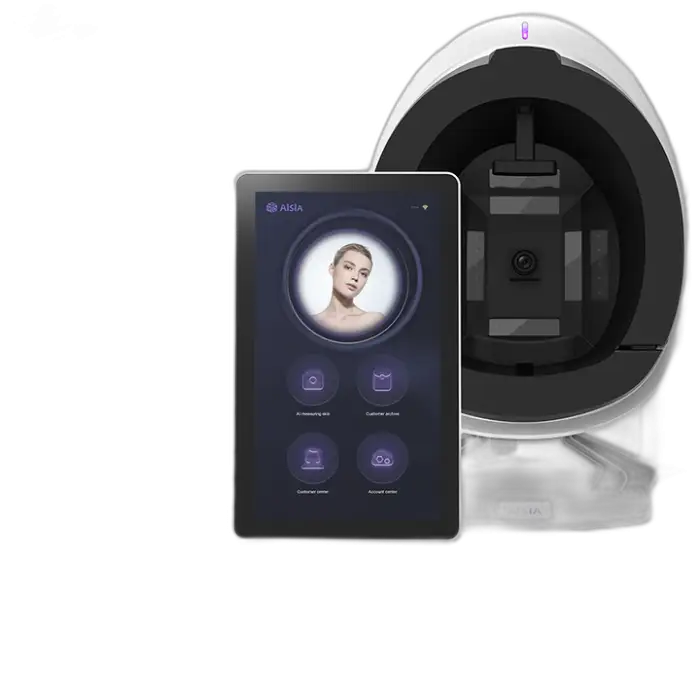
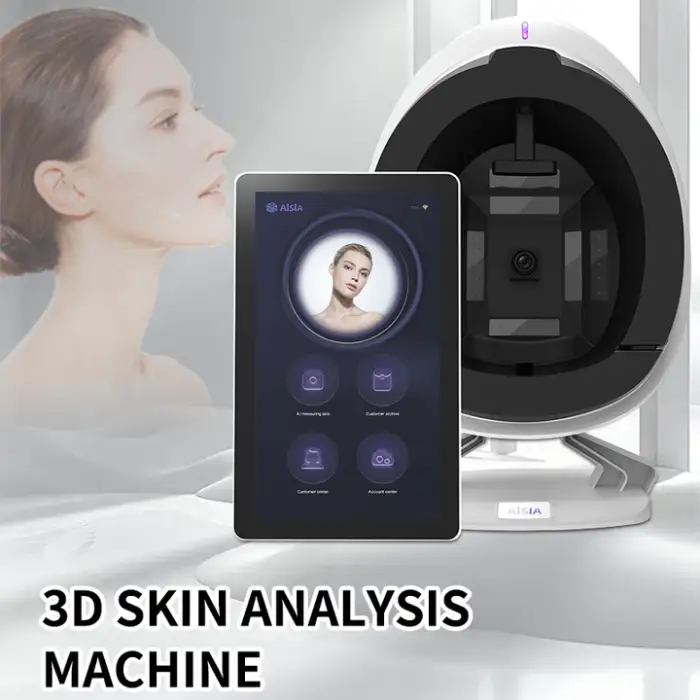
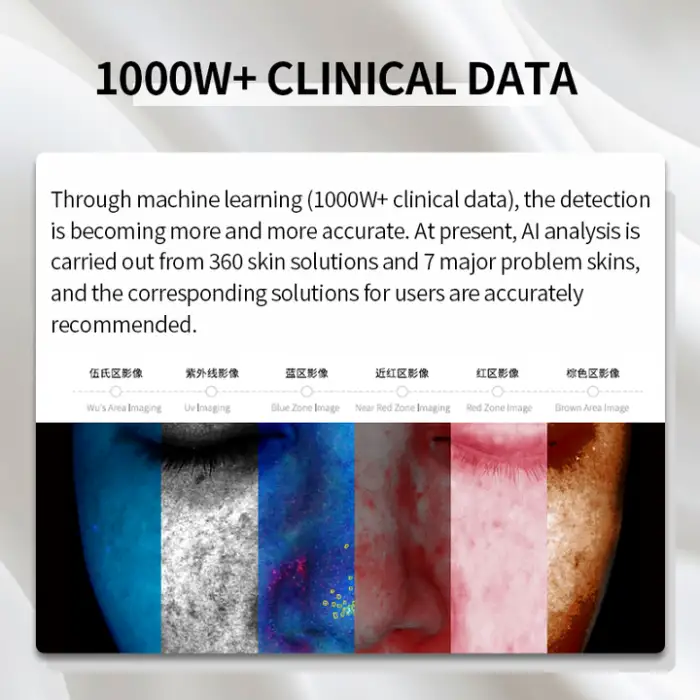
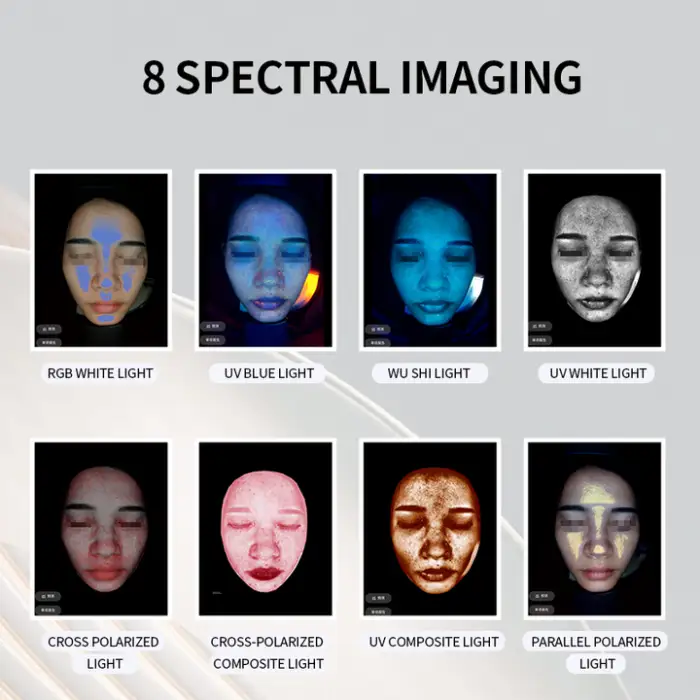
The Professional Skin Analyzer Machine Aisia AI Smart 3D Magic Mirror Face Scanner is a cutting-edge device for skin analysis. It uses advanced AI technology to provide accurate insights into your skin's health. This machine is perfect for professionals in the beauty and skincare industries looking to offer top-notch services to their clients. With its high-definition camera and user-friendly interface, skin analysis has never been easier!
Specifications
| Attribute | Details |
|---|---|
| Product Name | Professional Skin Analyzer Machine Aisia AI Smart 3D Magic Mirror Face Scanner |
| Camera | 28 million high-definition pixels |
| Screen | 12.7 Inch Color Touch Screen |
| Voltage | 110V/220V 50-60Hz |
| Weight | 33.000 KG |
| Treatment Area | Body, Face, Eyes |
| Type | Skin Analyzer |
| Support | Online support, Video technical support |
Key Features
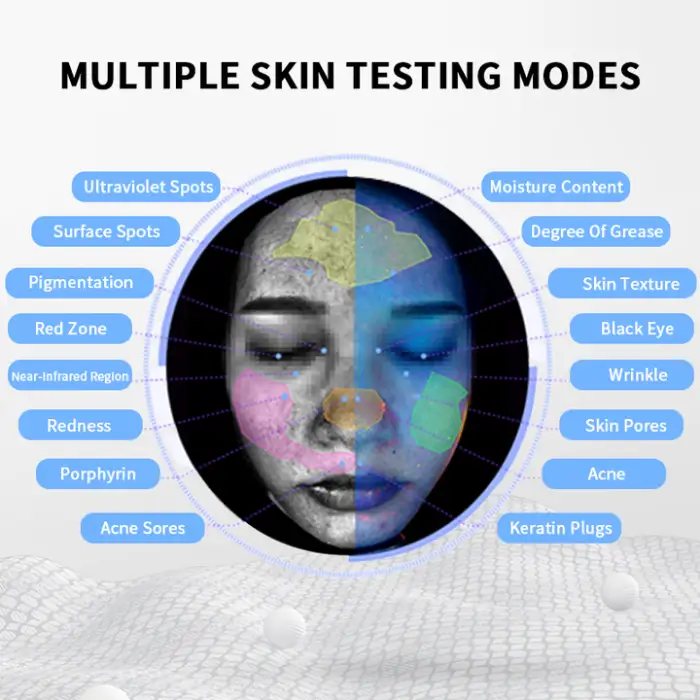
- Acne analysis for identifying skin issues.
- Pigmentation analysis to assess skin tone.
- Skin wrinkle analysis for aging concerns.
- Detects skin moisture levels for hydration assessment.
- User-friendly interface with a touch screen.
Applications
- Skincare clinics and beauty salons for client consultations.
- Spas offering advanced skin treatment services.
- Dermatology practices for patient skin assessments.
- Retail environments for skincare product recommendations.
- Educational institutions teaching skincare techniques.
Product Info Gallery
- Shipping Timeframes: All orders are processed within 2-5 business days (excluding weekends and holidays). After your order has been processed, the estimated delivery time is before 03 Aug, 2026, depending on customs, Please note that due to high demand, some items may experience longer shipping times, which will be communicated at order confirmation email.
- Order Processing Time: Please allow 2-5 business days for us to process your order before it is shipped . Orders placed after 16:00 on Fridays, or during weekends and public holidays, will begin processing on the next business day. Processing times may be extended during peak seasons or sales events.
- Manufacturing Time: Some products needs manufacturing time, the manufacturing process will take approximately 10-30 business days depending on the product. This timeframe may vary depending on the complexity of the product and current demand. but this will be communicated with you during order confirmation.
- Returns and Exchanges: We offer a 30-day return policy for most items. If you are not completely satisfied with your purchase, you may return it within 30 days of receipt for a refund or exchange. Items must be unused, in their original packaging, and accompanied by proof of purchase. Return shipping costs are the responsibility of the customer, unless the item was damaged or defective upon arrival.
1. What is the Professional Skin Analyzer Machine Aisia AI Smart 3D Magic Mirror?
It’s a professional-grade skin analysis device that uses AI and a high-definition 28MP camera combined with 3D imaging to assess skin condition (face, eyes, body). It provides insights such as acne, pigmentation, wrinkle and moisture analysis via a 12.7" color touchscreen interface.
2. What types of skin analysis does the machine perform?
Key analyses include acne detection, pigmentation/tone assessment, wrinkle and aging analysis, and skin moisture/hydration detection. Results help guide treatments and product recommendations.
3. Who is this machine intended for?
It’s designed for skincare professionals: beauty salons, spas, dermatology clinics, retail skincare counters and educational institutions teaching skin science and treatments.
4. What are the main hardware specifications?
Main specs: 28 million pixel (28MP) high-definition camera, 12.7-inch color touch screen, supports 110V/220V (50–60Hz), and weighs 33.0 kg. Treatment areas include face, body and eye zones.
5. How easy is it to use?
The unit features a user-friendly touch screen and guided software workflow. Basic operation typically requires brief product orientation; professional operators usually complete setup and first analyses within minutes.
6. Does the machine require an internet connection?
An internet connection is recommended for online support, software updates, AI cloud features (if applicable), and remote technical assistance. Basic local analysis may still function offline—refer to the manual for offline capabilities.
7. How accurate is the skin analysis?
The device uses high-definition imaging and AI algorithms to provide detailed, repeatable assessments. Results are intended to support professional consultations but are not a substitute for medical diagnosis from a licensed healthcare provider.
8. What data and report outputs are available?
The machine generates digital analysis reports and visual images for client records and consultations. Export formats and integration options vary by software version—see the user manual or contact support for available file types and printing/export procedures.
9. Is client data secure and private?
The device supports standard data management within its software. Data privacy and storage depend on your configuration (local vs. cloud). Follow local privacy regulations and your clinic’s data policies; contact support for detailed guidance on secure setup.
10. What maintenance and cleaning are required?
Keep the camera lens and touchscreen clean with a soft, lint-free cloth and manufacturer-approved cleaner. Follow routine software updates and periodic calibration procedures described in the user manual. Avoid harsh chemicals and physical shocks.
11. What technical support and training are offered?
Support includes online assistance and video technical support. Many suppliers also offer remote setup help and training materials; contact your vendor for available live training, onboarding packages, or certification options.
12. Can the machine integrate with clinic software or POS systems?
Integration capabilities depend on the software version and vendor-provided APIs or export options. Contact your supplier with details of the target system to confirm compatibility and integration services.
13. What power requirements and safety information should I know?
The unit supports 110V/220V at 50–60Hz. Use a properly grounded outlet and the correct regional power adapter. Follow electrical safety guidelines in the manual and avoid exposing the device to moisture or extreme temperatures.
14. Does the device come with a warranty?
Warranty terms vary by vendor and region. Typical purchases include a limited warranty covering manufacturing defects; check your sales agreement or contact the supplier for exact warranty length and terms.
15. What accessories or optional add-ons are available?
Common accessories may include mounting stands, protective covers, additional training modules, and software packages. Availability varies by supplier—ask your vendor for a current list of included items and optional extras.
Latest Order Arrivals
Discover our latest orders

12 Heads Embroidery Machine

Toilet Paper Machine Machine

Order Collection

Cross Border Clients

Order cros border countries Collected

Industrial Machine Cllection

Agriculture Processing Machines

Ready for collection

Water Pump Equipment

Packaging Machine and accessories

Fabrics Manufacturing Equipment

Mining Equipments

Food Processing Machine

Batch of Orders

Batch of Orders

Latest Orders Labelled

wheel alignment machines

new arrivals

Pre Orders Offloading

Latest Arrivals

Latest Arrivals

Latest Arrivals

Loading

Toilet paper making machine

Toilet paper making machine

Toilet paper Rewinding Machine

latest arrivals

offloading

order success

order collection

order offloading