B21, China Town Mall, Midrand

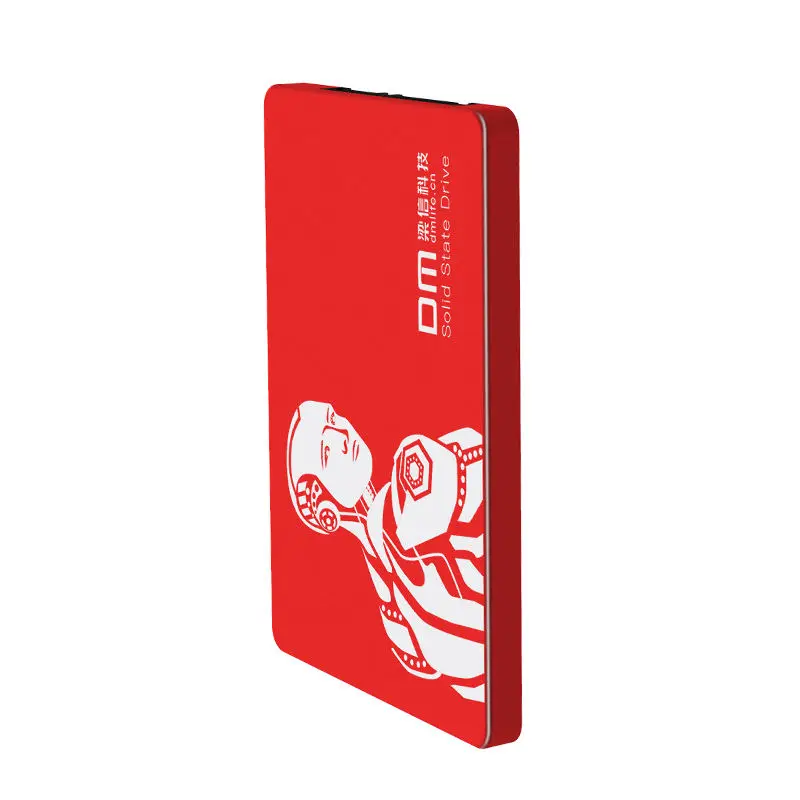
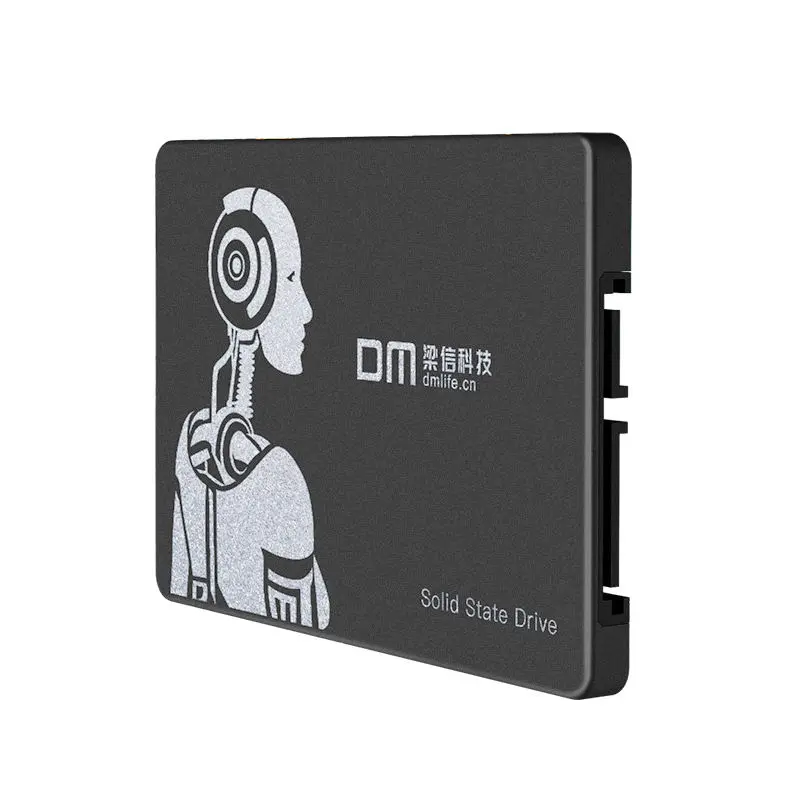
High Speed 1TB Solid State Drive SATA3 SSD F550

- Section : Computers
- Category : External Hard Drives
- SKU : 62402808727

- Shipping Timeframes: All orders are processed within 2-5 business days (excluding weekends and holidays). After your order has been processed, the estimated delivery time is before 03 Feb, 2026, depending on customs, Please note that due to high demand, some items may experience longer shipping times, which will be communicated at order confirmation email.
- Order Processing Time: Please allow 2-5 business days for us to process your order before it is shipped . Orders placed after 16:00 on Fridays, or during weekends and public holidays, will begin processing on the next business day. Processing times may be extended during peak seasons or sales events.
- Manufacturing Time: Some products needs manufacturing time, the manufacturing process will take approximately 10-30 business days depending on the product. This timeframe may vary depending on the complexity of the product and current demand. but this will be communicated with you during order confirmation.
- Returns and Exchanges: We offer a 30-day return policy for most items. If you are not completely satisfied with your purchase, you may return it within 30 days of receipt for a refund or exchange. Items must be unused, in their original packaging, and accompanied by proof of purchase. Return shipping costs are the responsibility of the customer, unless the item was damaged or defective upon arrival.
1. What is the storage capacity of the High Speed 1TB Solid State Drive SATA3 SSD F550?
The product name indicates a 1TB model. The product description also references a 256GB SKU, so capacity may vary by listing. Check the specific seller listing or product label to confirm whether the unit is 1TB, 256GB, or another capacity before purchase.
2. What are the advertised read and write speeds?
This SSD is advertised with up to 400 MB/s sequential read speed and up to 500 MB/s sequential write speed. Actual speeds depend on host hardware, interface (use SATA III for best results), and system configuration.
3. What interface does this SSD use?
The drive uses a SATA III (SATA3) interface, which is backwards-compatible with SATA II and SATA I ports but will achieve maximum performance when connected to a SATA III (6 Gbps) port.
4. What physical size and form factor is the drive?
The drive dimensions are 110 × 69.8 × 7.1 mm, which corresponds to the standard 2.5-inch internal SSD form factor and a slim 7.1 mm thickness.
5. Is this SSD suitable for iMacs and other computers?
Yes — the product description lists compatibility with iMac, All-in-one PCs, computers, and tablets. For iMac or other systems you may need the correct mounting bracket, cable, or adapter depending on the model.
6. What is the build material and weight of the drive?
The SSD has an aluminium-alloy housing. Net weight is approximately 47 g and the packaged weight is about 85 g.
7. Is this drive an internal or external SSD?
This is sold as an internal SSD intended for installation inside desktops, laptops, or compatible devices. It is not a plug-and-play external USB drive unless installed in an external enclosure.
8. How do I install the SSD in my desktop or laptop?
Shut down and unplug the system, open the case, mount the 2.5-inch SSD into the available drive bay or adapter, connect a SATA data cable to the motherboard and a SATA power connector from the PSU, then close and boot. For laptops or iMacs, follow manufacturer instructions; some models require special brackets or disassembly.
9. The drive is not detected by my computer. What should I check?
Verify the SATA data and power cables are securely connected, try a different SATA port or cable, check BIOS/UEFI to ensure the SATA controller is enabled and set to AHCI mode, and use Disk Management (Windows) or Disk Utility (macOS) to initialize and partition the drive if necessary.
10. Can I clone my existing OS to this SSD?
Yes. You can clone your existing system drive to this SSD using third-party cloning software. Use a SATA-to-USB adapter or temporarily install the SSD internally to perform the cloning, then set the SSD as the boot device in BIOS/UEFI.
11. Do I need to update drivers or firmware for best performance?
Most modern OSes natively support SATA SSDs. Ensure your motherboard/chipset drivers are up to date and that the SATA controller is set to AHCI mode. If the manufacturer provides firmware updates, applying them can improve compatibility and reliability — check with the seller or manufacturer for firmware tools.
12. What kind of warranty or support is included?
Warranty information is not provided in the product description. Contact the seller or manufacturer for details on warranty length, RMA procedures, and technical support.
13. Is this SSD durable and safe for everyday use?
The aluminium-alloy housing offers good physical protection compared with bare PCB designs. As with all SSDs, avoid strong physical shocks while installed and back up important data regularly. SSDs have no moving parts, making them more resistant to shock than HDDs.
14. Does this SSD support TRIM and other SSD features?
The product description does not explicitly state supported features. Most modern SATA SSDs support TRIM and standard SSD optimizations. To ensure TRIM is enabled, use a compatible OS (Windows 7+ with AHCI, recent macOS, or modern Linux kernels) and confirm settings after installation.
15. What should I do if I need a different capacity or bundle (e.g., enclosure, cables)?
Check the seller’s available SKUs for different capacities (such as 256GB, 512GB, 1TB) and look for bundle options that include SATA cables, mounting brackets, or external enclosures. If listings are unclear, contact the seller to confirm the exact model and included accessories before purchase.
Latest Order Arrivals
Discover our latest orders

12 Heads Embroidery Machine

Dewatering Pump Machine

Order Collection

Portable Water Drilling Rig

Order Usefully Collected

Batch of Orders

Agriculture Processing Machines

Meat Grinder Machine

Water Pump Equipment

Packaging Machine and accessories

Fabrics Manufacturing Equipment

Mining Equipments

Food Processing Machine

Batch of Orders

Batch of Orders

Latest Orders Labelled

wheel alignment machines

new arrivals

Pre Orders Offloading

Latest Arrivals

Latest Arrivals