B21, China Town Mall, Midrand

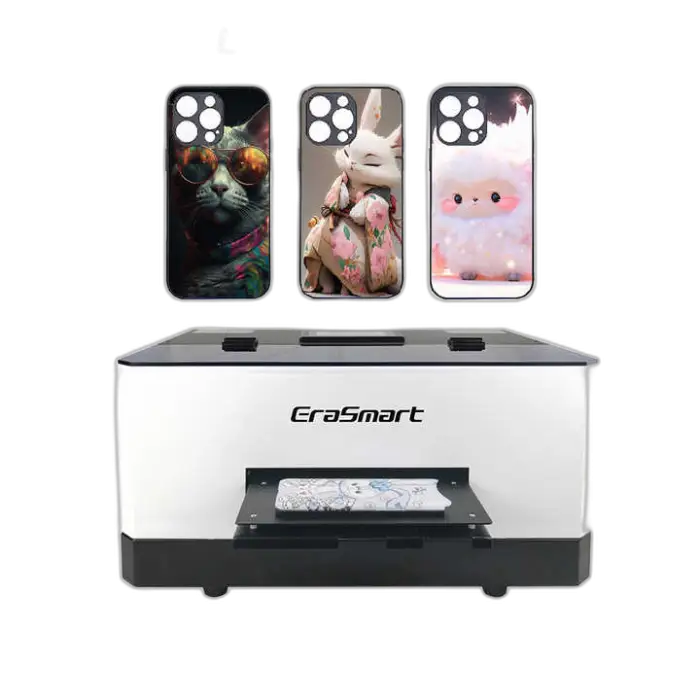
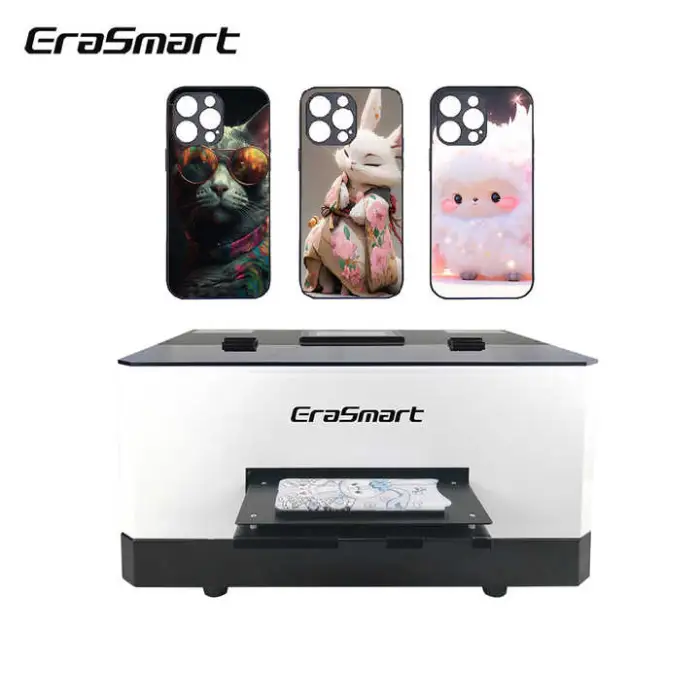
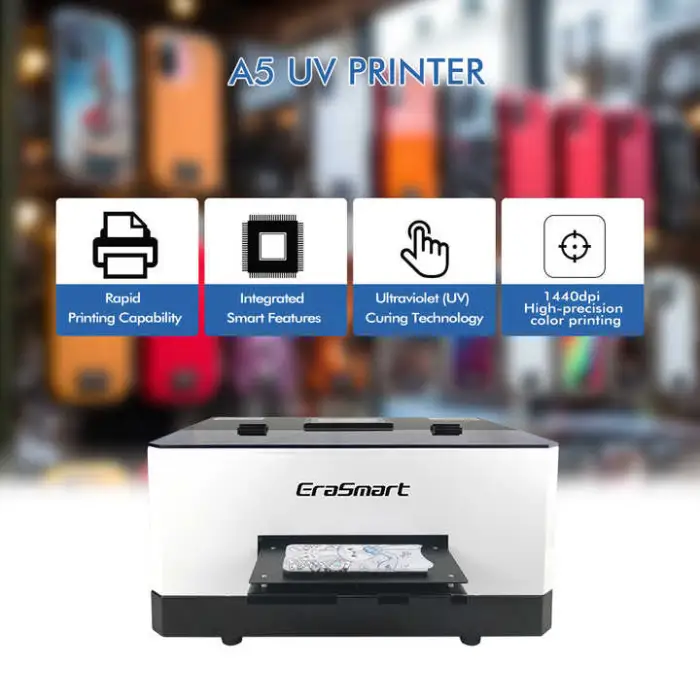
A5 UV Printer Cell Phone Case Printer Led UV Desktop Flatbed Printer for Small Business

- Section : Consumer Electronics
- Category : Screen Printers
- SKU : 1601206646649

A5 UV Printer - Cell Phone Case Printer Led UV Desktop Flatbed Printer for Small Business
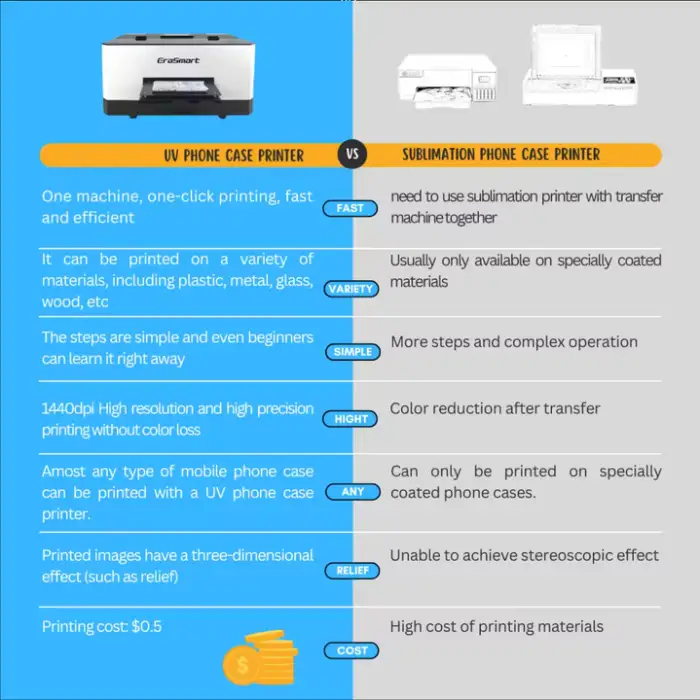
The EraSmart A5 UV Printer is the perfect solution for small businesses looking to print vibrant designs on cell phone cases and other flat surfaces. This powerful and portable printer offers high-quality, multicolor printing with a resolution of 2400 DPI. With its user-friendly design and efficient performance, you can create stunning products that stand out in the market.
Specifications
| Attribute | Details |
|---|---|
| Type | Inkjet Printer |
| Color & Page | Multicolor |
| Resolution | 2400 DPI |
| Special Feature | Portable |
| Print Head | Epson L800 |
| Plate Type | Flatbed Printer |
| Print Speed | 24 ppm |
| Power Mode | Power Supply |
| Printer Function Type | All-in-one |
| Printing Material | Flex |
| Printing Size | 120 x 210 mm |
| Print Height | 0~15 mm |
| Ink Consumption | 1 m² / 20 ml |
| Weight | 28 kg |
| Dimensions (L x W x H) | 500 x 370 x 270 mm |
| Operating Voltage | AC 110-220V |
Key Features
- High-resolution printing at 2400 DPI.
- Portable design for easy transportation.
- Fast print speed of up to 24 pages per minute.
- Compatible with various printing materials, including flex.
- User-friendly push button control.
- All-in-one functionality for versatile use.
Applications
- Printing custom designs on cell phone cases.
- Creating promotional items for small businesses.
- Personalizing gifts with unique prints.
- Producing high-quality graphics for advertising.
- Making customized cards and other small items.
With the EraSmart A5 UV Printer, your small business can easily produce professional-quality prints that will impress your customers and elevate your brand. Invest in this versatile printer and watch your business grow!
Product Info Gallery
- Shipping Timeframes: All orders are processed within 2-5 business days (excluding weekends and holidays). After your order has been processed, the estimated delivery time is before 13 Aug, 2026, depending on customs, Please note that due to high demand, some items may experience longer shipping times, which will be communicated at order confirmation email.
- Order Processing Time: Please allow 2-5 business days for us to process your order before it is shipped . Orders placed after 16:00 on Fridays, or during weekends and public holidays, will begin processing on the next business day. Processing times may be extended during peak seasons or sales events.
- Manufacturing Time: Some products needs manufacturing time, the manufacturing process will take approximately 10-30 business days depending on the product. This timeframe may vary depending on the complexity of the product and current demand. but this will be communicated with you during order confirmation.
- Returns and Exchanges: We offer a 30-day return policy for most items. If you are not completely satisfied with your purchase, you may return it within 30 days of receipt for a refund or exchange. Items must be unused, in their original packaging, and accompanied by proof of purchase. Return shipping costs are the responsibility of the customer, unless the item was damaged or defective upon arrival.
1. What is the maximum printable area and object height?
The printable area is 120 x 210 mm and the maximum printable height (object thickness) is 15 mm.
2. What resolution and print speed does the EraSmart A5 support?
It supports high-resolution printing up to 2400 DPI and a rated print speed of up to 24 pages per minute (actual speed depends on image complexity and print settings).
3. What kind of ink does the printer use and what is the ink consumption?
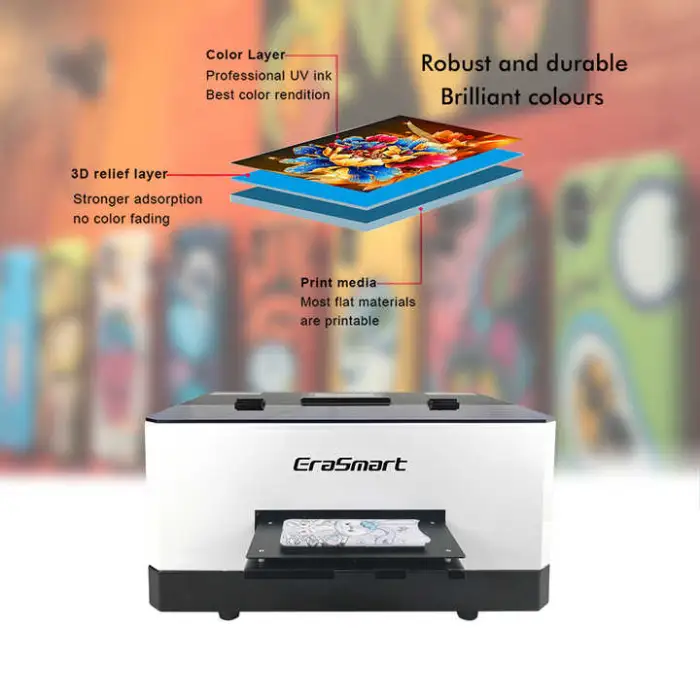
The EraSmart A5 is a LED UV desktop flatbed printer designed to use UV-curable inks. Typical consumption is about 1 m² per 20 ml of ink, though actual usage varies by coverage and color density.
4. Which print head does this printer use?
It uses an Epson L800 print head, which is capable of producing fine detail and high-resolution output.
5. What types of materials can I print on?
The printer is intended for flat surfaces and works well with cell phone cases and other small flat items. It also supports flexible substrates (flex) and many coated or smooth materials. Surface preparation or primers may be needed for some plastics, metals, or glass—always test before full production.
6. Is the EraSmart A5 portable and how much does it weigh?
Yes. The unit is designed to be relatively portable for a desktop flatbed printer. It weighs approximately 28 kg and measures 500 x 370 x 270 mm.
7. What power requirements does the printer have?
Operating voltage is AC 110–220V. Use a properly grounded outlet and follow local electrical safety guidelines.
8. What software or drivers are required to operate the printer?
The printer typically ships with the required drivers and printing software (or RIP). It is designed to be compatible with common Windows-based printing workflows. Check the included manual or seller information for the exact software bundle and OS compatibility.
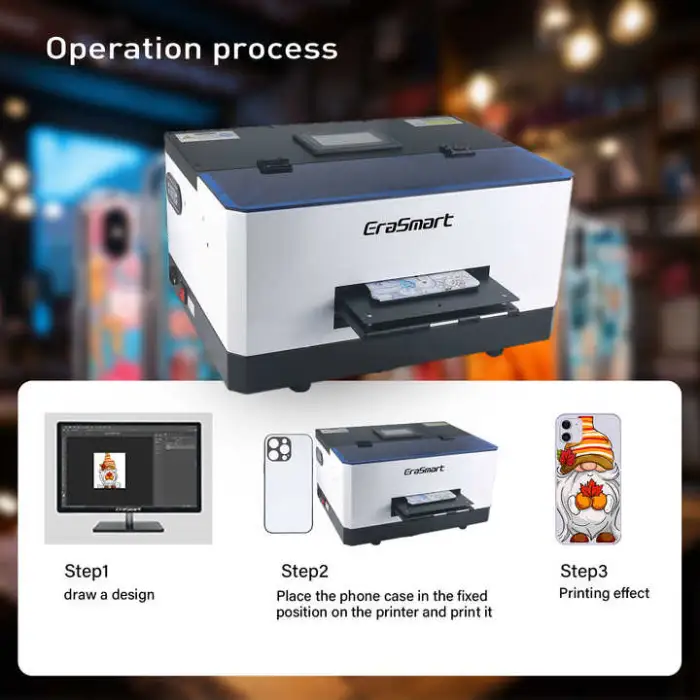
9. How do I print on a cell phone case using this printer?
Place the case flat on the printer plate, align using the fixture or guides, load your image in the supplied software, set resolution and ink/white layer options, then start the print job. For best adhesion, clean and, if necessary, pre-treat the case surface prior to printing.
10. Does the printer cure ink automatically?
Yes — the LED UV system cures the UV inks during printing, producing fast-drying, durable prints. Allow a short post-cure time if needed, and follow ink manufacturer recommendations.
11. What maintenance is required?
Regular maintenance includes print-head cleaning, nozzle checks, wiping and capping routines, keeping the flatbed clean, and replacing or refilling inks as needed. Follow the maintenance schedule in the user manual to prevent clogs and extend print head life.
12. How much training is required to operate the EraSmart A5?
The printer is marketed as user-friendly with push-button controls, but basic training on software, material handling, and print head maintenance is recommended. Most users can learn routine operation in a short workshop or by following the manual.
13. Can I print white or varnish layers with this printer?
Many LED UV flatbed printers support white and varnish layers to improve opacity and special effects. Confirm that your model’s firmware/software supports white/varnish channel handling and configure jobs in the supplied RIP or driver.
14. What are common applications for this printer?
Common uses include printing custom cell phone cases, promotional items, small signage, personalized gifts, customized cards, and small-run advertising graphics.
15. Is there warranty and technical support available?
Warranty and support terms vary by seller and region. Check the product listing or contact the vendor for specific warranty coverage, spare parts availability, and technical support options.
Latest Order Arrivals
Discover our latest orders

12 Heads Embroidery Machine

Toilet Paper Machine Machine

Order Collection

Cross Border Clients

Order cros border countries Collected

Industrial Machine Cllection

Agriculture Processing Machines

Ready for collection

Water Pump Equipment

Packaging Machine and accessories

Fabrics Manufacturing Equipment

Mining Equipments

Food Processing Machine

Batch of Orders

Batch of Orders

Latest Orders Labelled

wheel alignment machines

new arrivals

Pre Orders Offloading

Latest Arrivals

Latest Arrivals

Latest Arrivals

Loading

Toilet paper making machine

Toilet paper making machine

Toilet paper Rewinding Machine

latest arrivals

offloading

order success

order collection

order offloading