B21, China Town Mall, Midrand

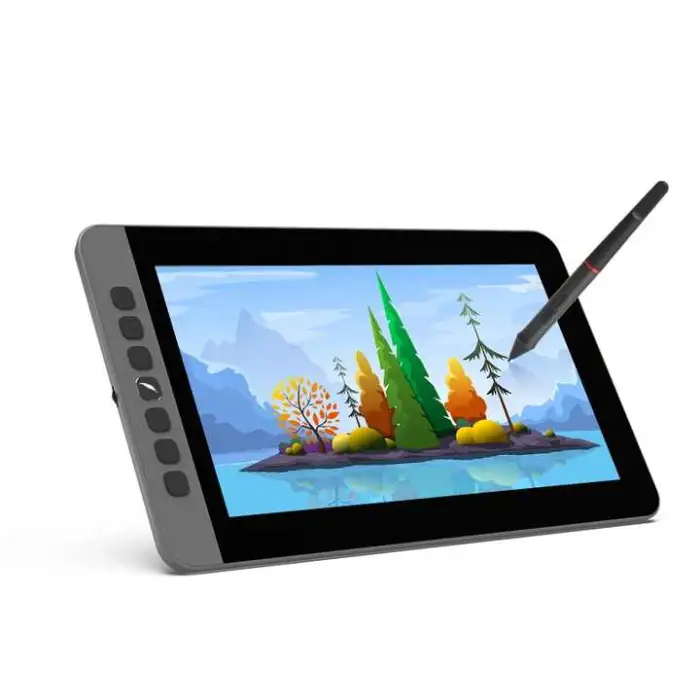
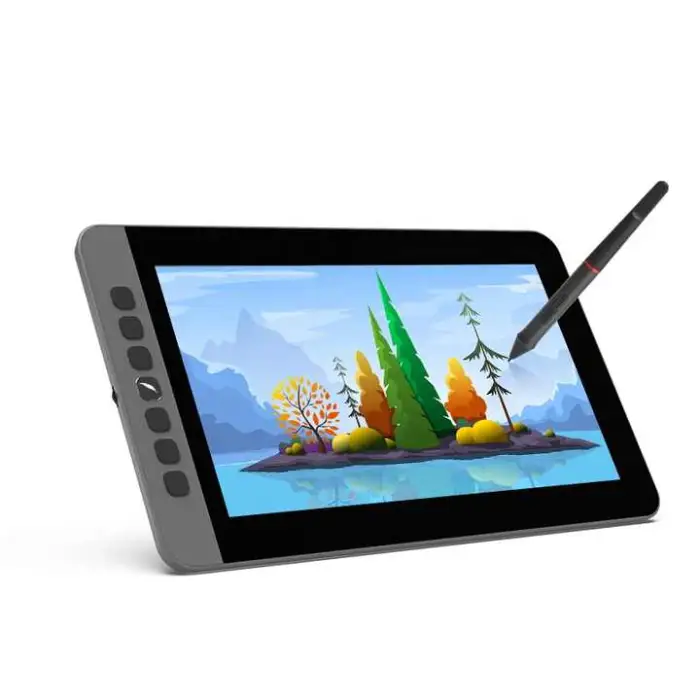


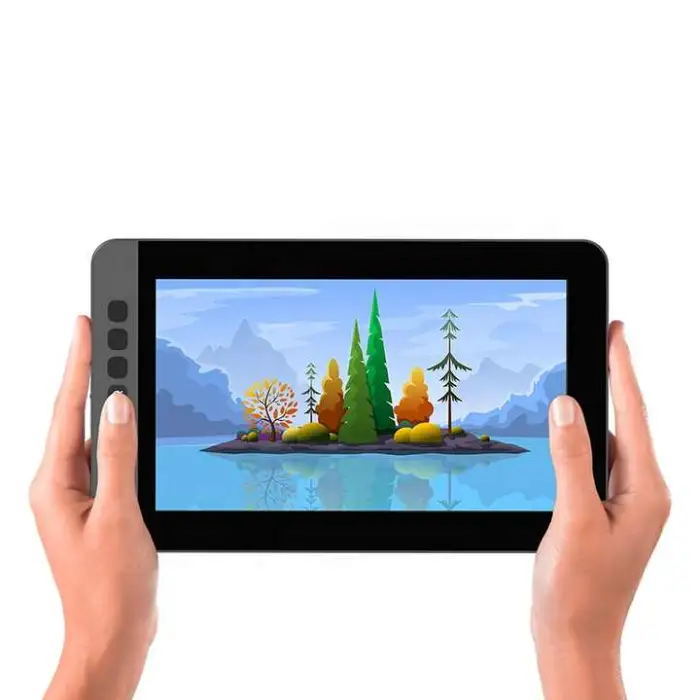
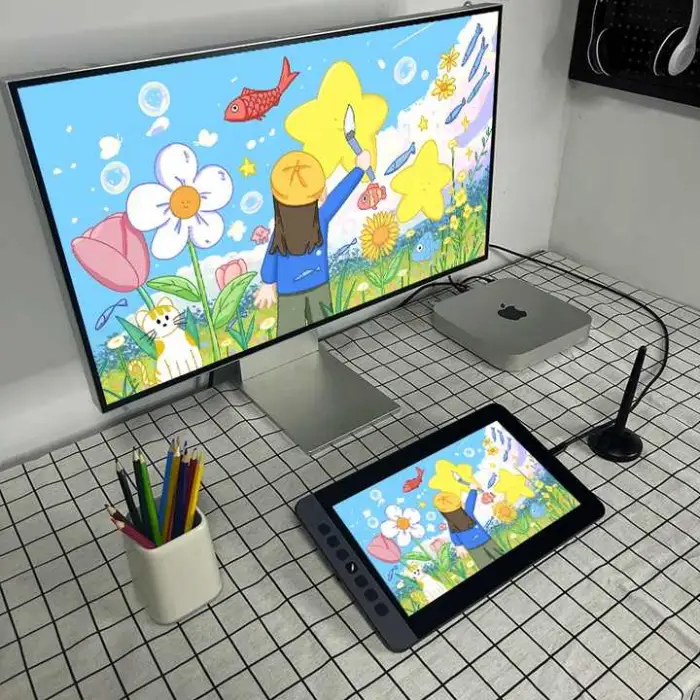
11inch FHD 1080p Interactive Graphic Tablet Drawing ArtPen Stylus Pen for Digital Writing Design Window Mac Android

- Section : Consumer Electronics
- Category : Computer Hardware & Software
- SKU : 1601010117995

11inch FHD 1080p Interactive Graphic Tablet Drawing ArtPen Stylus Pen for Digital Writing Design Window Mac Android
The 11inch FHD 1080p Interactive Graphic Tablet is perfect for artists and designers. It comes with a high-definition display and a responsive stylus pen. This tablet allows you to create stunning digital art, write, and design with ease. Whether you are using Windows, Mac, or Android, this tablet will meet your needs.
Specifications
| Attribute | Details |
|---|---|
| Pressure Level | 8192 Levels |
| Report Rate (Pen) | 266 P/S |
| Pen Resolution | 5080 LPI |
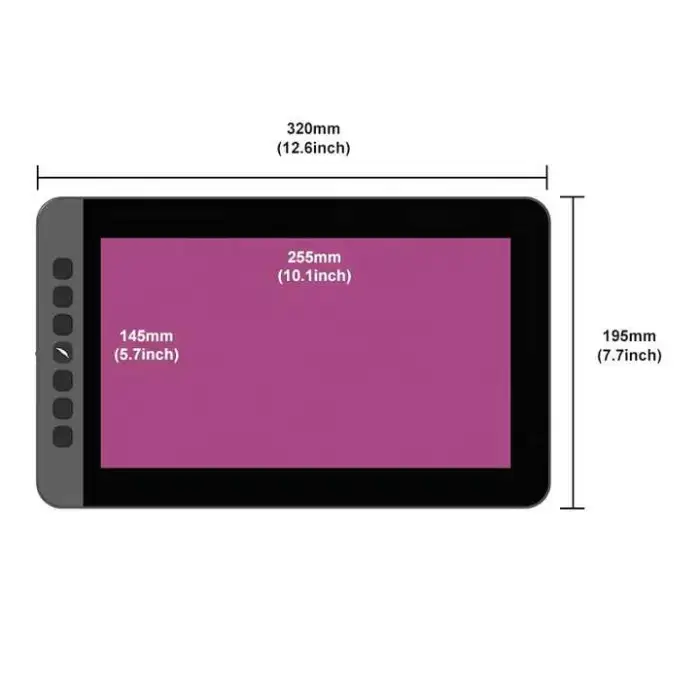
| Dimensions | 326*202.5*11.6mm |
| Brand Name | HYRS |
| Press Keys | 6 Programmable Press Keys |
| Interface | Type C |
| Model Number | AP1106 |
| Product Name | Acepen Pen Display |
| Gamut | NTCS 72% |
| Selling Units | Single item |
| Single Package Size | 36X23X5 cm |
| Single Gross Weight | 1.500 KG |
Key Features
- High-definition 11-inch display for clear visuals.
- 8192 pressure levels for precise drawing and writing.
- Fast report rate for smooth and responsive performance.
- Compatible with Windows, Mac, and Android devices.
- 6 programmable keys for easy access to shortcuts.
- Lightweight design for easy portability.
Applications
- Digital art creation and illustration.
- Graphic design projects.
- Writing and note-taking in digital format.
- Photo editing and retouching.
- Animation and 3D modeling.
- Educational purposes for interactive learning.
Explore your creativity with the 11inch FHD 1080p Interactive Graphic Tablet. This tool is designed to help you express your ideas digitally with ease and precision.
Product Info Gallery
- Shipping Timeframes: All orders are processed within 2-5 business days (excluding weekends and holidays). After your order has been processed, the estimated delivery time is before 25 Dec, 2025, depending on customs, Please note that due to high demand, some items may experience longer shipping times, which will be communicated at order confirmation email.
- Order Processing Time: Please allow 2-5 business days for us to process your order before it is shipped . Orders placed after 16:00 on Fridays, or during weekends and public holidays, will begin processing on the next business day. Processing times may be extended during peak seasons or sales events.
- Manufacturing Time: Some products needs manufacturing time, the manufacturing process will take approximately 10-30 business days depending on the product. This timeframe may vary depending on the complexity of the product and current demand. but this will be communicated with you during order confirmation.
- Returns and Exchanges: We offer a 30-day return policy for most items. If you are not completely satisfied with your purchase, you may return it within 30 days of receipt for a refund or exchange. Items must be unused, in their original packaging, and accompanied by proof of purchase. Return shipping costs are the responsibility of the customer, unless the item was damaged or defective upon arrival.
1. What are the main specs of the 11inch FHD Interactive Graphic Tablet?
11-inch FHD (1920×1080) display, 8192 pressure levels, 266 reports per second (P/S), 5080 LPI pen resolution, 6 programmable press keys, NTSC 72% gamut, Type-C interface. Model: AP1106, Brand: HYRS.
2. Which operating systems is this tablet compatible with?
The tablet is compatible with Windows, macOS and Android devices. For Android, your device must support USB OTG and appropriate driver support — check the manufacturer or seller for a list of compatible Android models.
3. How do I connect the tablet to my computer or Android device?
The tablet uses a Type-C interface. Connect directly to a USB-C port or use a USB-C-to-USB-A adapter/cable if your computer has only USB-A. For Android phones/tablets, use a USB-C OTG cable if required.
4. Do I need drivers and where can I get them?
Yes — install the tablet driver to enable pressure sensitivity, programmable keys and mapping. Drivers are typically provided by the manufacturer (HYRS) via the product page or included media. If not included, contact the seller for the correct driver download link.
5. How do I program the 6 shortcut keys?
After installing the tablet driver/software, open the driver utility and assign functions or keyboard shortcuts to each of the 6 programmable press keys. Save your configuration; most drivers allow per-application profiles.
6. Does the stylus require batteries or charging?
The product description does not specify the stylus power method. Check the user manual or product listing for details on whether the pen is battery-free or rechargeable; if uncertain, contact the seller or manufacturer (HYRS).
7. Which creative applications work with this tablet?
It works with most drawing and design applications that support graphics tablets, including Adobe Photoshop, Illustrator, Clip Studio Paint, Krita, Corel Painter, MediBang, Affinity Designer, and many others.
8. What should I do if the pen pressure or cursor isn’t working correctly?
1) Ensure the correct driver is installed and up to date; 2) Restart your computer and reconnect the tablet; 3) Check the driver settings for pressure sensitivity and mapping; 4) Try the pen on another machine to isolate the issue; 5) Contact HYRS support or the seller if the problem persists.
9. Does the tablet support multi-touch gestures (finger touch)?
Multi-touch functionality is not specified in the product description. Assume the device uses the stylus for input; check the detailed specs or contact the seller if multi-touch is important to you.
10. What is the display color quality and how accurate is it?
The tablet advertises a color gamut of NTSC 72%, which provides decent color reproduction for general illustration, photo editing and design. For professional color-critical work, calibrate with your standard tools to match other displays.
11. Is the screen laminated or is there noticeable parallax?
The product description does not specify whether the display is fully laminated. Some pen displays have slight parallax; for exact parallax performance, refer to manufacturer materials or reviews, or test the unit before purchase if possible.
12. What accessories come in the box?
Accessory lists vary by seller. Typical inclusions are the tablet, stylus, Type-C cable(s), replacement pen nibs and a user manual. Check the specific product listing or ask the seller for the exact package contents.
13. How portable is the tablet and what are its dimensions?
The tablet is lightweight and compact for portability. Physical dimensions are 326 × 202.5 × 11.6 mm and the single gross weight is approximately 1.5 kg.
14. How do I clean and maintain the tablet screen and pen?
Use a soft, lint-free microfiber cloth slightly dampened with water or a screen-cleaning solution. Avoid harsh chemicals and pressing too hard. Keep replacement nibs in good condition and store the pen safely when not in use. Refer to the user manual for manufacturer-specific care instructions.
15. What warranty or customer support is available?
Warranty and support terms depend on the seller and region. Check the product listing for warranty duration and contact details. For manufacturer support, reference the brand (HYRS) and model number AP1106 when contacting customer service.
Latest Order Arrivals
Discover our latest orders

12 Heads Embroidery Machine

Dewatering Pump Machine

Order Collection

Portable Water Drilling Rig

Order Usefully Collected

Batch of Orders

Agriculture Processing Machines

Meat Grinder Machine

Water Pump Equipment

Packaging Machine and accessories

Fabrics Manufacturing Equipment

Mining Equipments

Food Processing Machine

Batch of Orders

Batch of Orders

Latest Orders Labelled

wheel alignment machines

new arrivals

Pre Orders Offloading

Latest Arrivals

Latest Arrivals